
Last updated 08-12-2026
Category:
Reviews:
Join thousands of AI enthusiasts in the World of AI!
Floor Plan AI
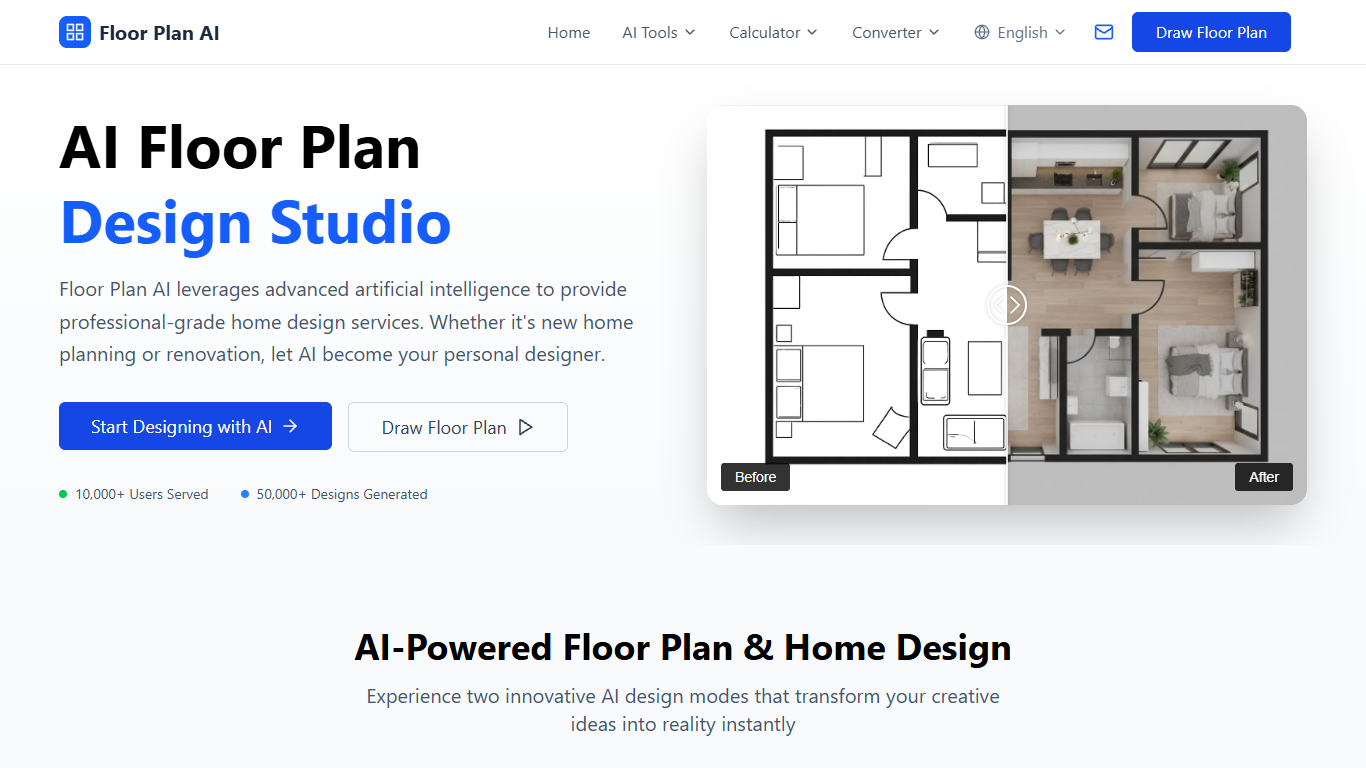
Floor Plan AI lets you draw, generate, and visualize residential and commercial floor plans in the browser. Sketch layouts manually, describe rooms in text, or upload existing plans, then export DXF, PDF, PNG, or JPG files without installing desktop CAD software.
Dedicated CAD suites excel at construction documentation but take time to learn. Floor Plan AI targets faster concept work: AI generation costs 1 credit per layout in Basic mode, editable templates cover houses through retail spaces, and a 2D-to-3D converter previews room flow before renovation spend.
Homeowners, interior designers, real estate agents, and builders use Floor Plan AI to test renovation layouts, stage listings, and share editable plans with clients. New users get free credits to start, while Starter plans from $9.99 per month include 200 credits and DXF export.
AI generator creates layouts from room lists, dimensions, or text prompts
Each Basic AI generation costs 1 credit; Pro mode uses 4 credits
Export finished plans as DXF, PDF, PNG, or high-resolution JPG
Starter plan includes 200 credits per month for $9.99
Convert 2D floor plans into interactive 3D walkthrough layouts
Choose output styles including Technical, Blueprint, Watercolor, and Realistic
Edit uploaded sketches or PDFs without redrawing from scratch
Browser-based editor needs no CAD software install
AI generator produces layouts from room specs or text in about a minute
Exports DXF for CAD tools plus PDF and PNG for client presentations
Free starter credits let new users test before subscribing
Templates cover houses, apartments, offices, restaurants, and retail spaces
Subscription credits do not roll over to the next billing cycle
One-time credit packs only cover AI generation, not full editor access
Pro-quality generations cost 4 credits each, draining plans faster
Manual drawing and DXF export require a subscription, not credit packs alone
Can I use Floor Plan AI for free?
Yes. Floor Plan AI gives new users free credits to try generation, editing, visualization, and rendering tools. Paid subscriptions and one-time credit packs unlock higher monthly limits and advanced export features.
What file formats does Floor Plan AI export?
Floor Plan AI exports floor plans as DXF, PDF, PNG, and high-resolution JPG files. DXF output works with CAD workflows, while PDF and image formats suit presentations and printing.
How many credits does Floor Plan AI use per generation?
Floor Plan AI charges 1 credit per AI generation in Basic mode and 4 credits per generation in Pro mode for higher quality results. Subscription plans include 200, 600, or 1500 credits per billing cycle.
Does Floor Plan AI require software installation?
No. Floor Plan AI runs entirely in the browser on computers, tablets, and phones. You can create, edit, and visualize floor plans online without downloading additional design software.
Can Floor Plan AI convert plans to 3D?
Yes. Floor Plan AI includes a 2D-to-3D converter that turns flat layouts into interactive 3D views. You can review room arrangements and furniture placement before construction or renovation work begins.
What is the difference between Floor Plan AI subscriptions and credit packs?
Floor Plan AI subscriptions refresh credits each billing cycle and unlock the full workflow, including manual drawing and DXF export. One-time credit packs never expire but only pay for AI generation, not advanced editor features.