
Last updated 09-05-2026
Category:
Reviews:
Join thousands of AI enthusiasts in the World of AI!
Landscape Design AI
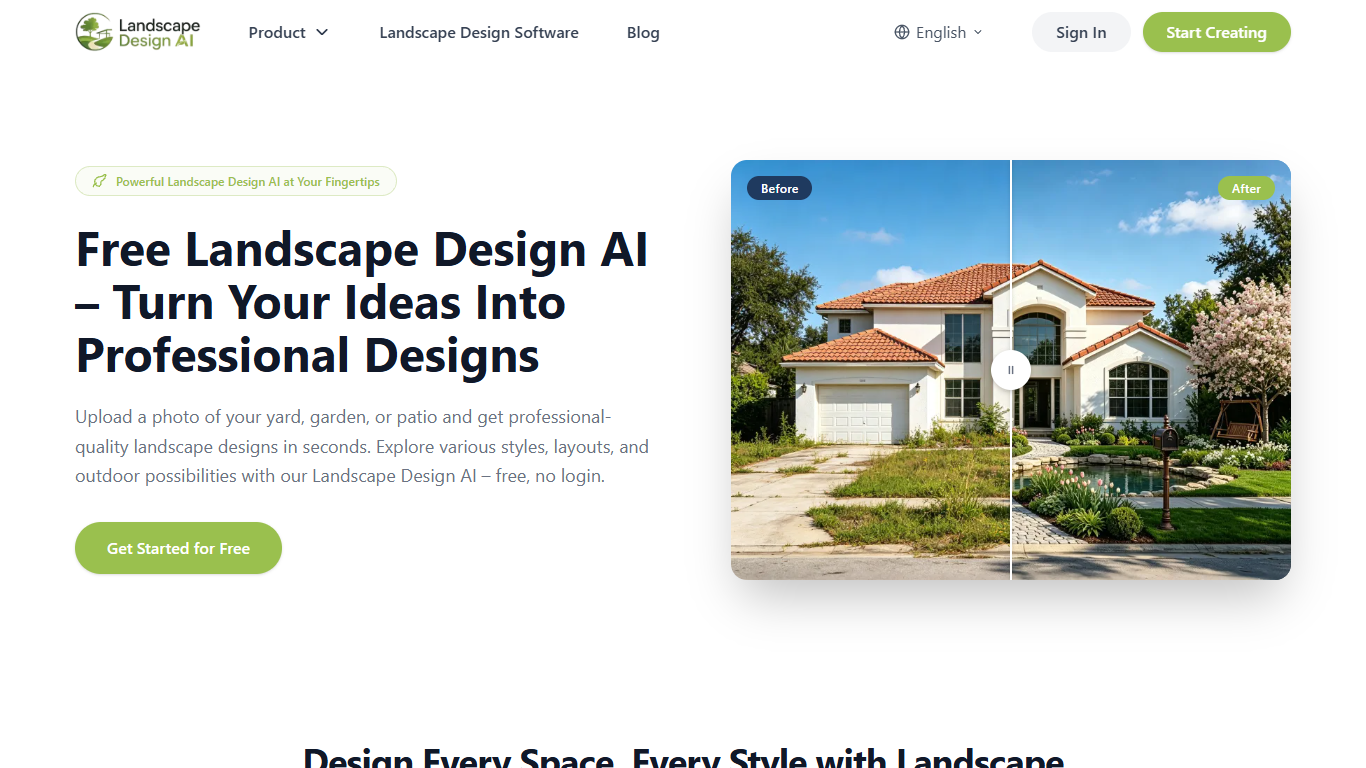
Landscape Design AI turns a photo of your yard, patio, or garden into a photorealistic outdoor redesign in seconds. Upload a snapshot, pick a style, and you get a before-and-after landscape visualization without touching CAD software or hiring a designer for a first draft.
Most room-visualization tools stop at interiors. Landscape Design AI is built around outdoor spaces and asks for sunlight, terrain, and location so plant and material suggestions fit your climate. It also keeps walls, fences, and existing trees from your original photo instead of replacing the whole scene.
Homeowners planning a backyard refresh, landscape architects pitching clients on the spot, and real estate developers staging empty yards all show up in the site's own use cases. The output is a concept image you can share with contractors or drop into a listing, not a permit-ready plan.
Accepts JPG, PNG, and WebP uploads with crop controls before generation
30+ preset styles from Japanese gardens to desert and pool backyards
Location, sunlight, and terrain inputs steer climate-appropriate plant picks
Keeps walls, fences, and trees from your photo while redesigning the landscape
Two free generations without an account, then two more daily after Google sign-in
High-resolution downloads with no watermark for sharing or contractor briefs
You can generate two designs before creating any account.
Outdoor-specific inputs like sunlight, terrain, and location go beyond generic image editors.
Existing hardscape and trees stay in place while the landscaping around them changes.
Thirty-plus named style presets cover everything from cottage gardens to pool backyards.
Downloads are high resolution and carry no watermark for contractor or social sharing.
Only two generations are available before Google sign-in is required.
Signed-in users are capped at two free generations per day with no rollover.
Output is a visual concept, not a construction document or permit-ready plan.
Commercial use of generated designs may require a separate agreement.
Is Landscape Design AI free to use?
Yes, Landscape Design AI is free. You get 2 generations without an account, then 2 more after signing in with Google. Signed-in users also receive 2 free generations per day that reset daily and do not roll over.
What file formats does Landscape Design AI support?
Landscape Design AI accepts JPG, PNG, and WebP photo uploads. After uploading, you can crop the image to frame the outdoor area you want redesigned before generating.
Do I need an account to use Landscape Design AI?
No account is required for your first 2 generations on Landscape Design AI. After that limit, you sign in with Google to unlock 2 additional generations plus 2 free daily generations.
What outdoor spaces can Landscape Design AI handle?
Landscape Design AI works on backyards, front yards, gardens, patios, side yards, and balconies. You choose a space type such as backyard or patio before picking a style and generating.
How does Landscape Design AI protect uploaded photos?
Landscape Design AI processes photos through a secure session and does not sell your data or use uploads to train its own models. Signed-in users can delete individual designs or their entire account from settings.
What design styles does Landscape Design AI offer?
Landscape Design AI includes 30+ preset styles such as modern, Mediterranean, Japanese, desert, cottage, tropical, and coastal. You can also type a custom prompt to describe a vision beyond the presets.
Can I use Landscape Design AI designs commercially?
Landscape Design AI grants personal, non-commercial use of generated designs by default. Commercial use, such as for a landscaping business, may require a separate agreement with Landscape Design AI.