
Last updated 07-28-2026
Category:
Reviews:
Join thousands of AI enthusiasts in the World of AI!
MyArchitectAI
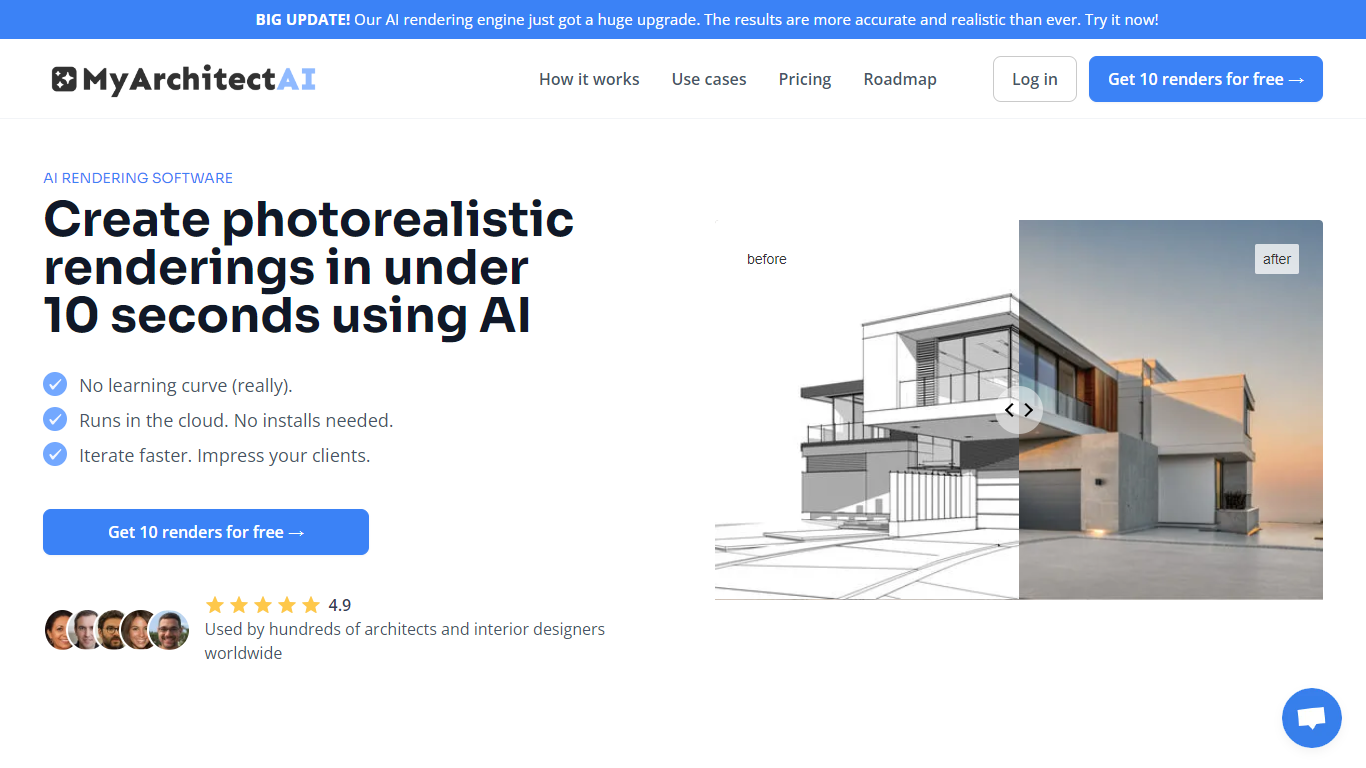
MyArchitectAI turns CAD exports, line drawings, and hand sketches into photorealistic architectural renders from your browser. You upload a JPEG, PNG, or WebP image from SketchUp, Revit, Archicad, or similar tools, pick a rendering engine, and get a finished image in about 10 seconds. The whole workflow runs on cloud GPUs, so nothing installs locally and it works on Mac, Windows, Linux, tablets, and phones.
Where Lumion, V-Ray, and Enscape tie rendering to local hardware and longer setup cycles, MyArchitectAI bets on a screenshot-upload model instead of live BIM sync. That trade-off drops native plugin depth but removes GPU requirements and cuts the learning curve to a few clicks. Post-processing tools like a render editor, style transfer, and conceptual rendering modes sit in the same app rather than separate software.
Architects, interior designers, and visualization artists use it to iterate on early design concepts, client presentations, and interior layouts without overnight render queues. Furniture and product designers can also render individual pieces from exported views. New accounts get 10 free renders before choosing a paid plan.
Paid plans start at $29 per month for unlimited still-image renders with 4K downloads, while the Studio tier adds animation at $49 per month. A white-label API lets developers embed the rendering engine at $0.03 per call. Luminary Ventures O?? in Tallinn has processed over 7.5 million renders since launching in 2023.
Upload JPEG, PNG, or WebP exports from SketchUp, Revit, Archicad, Rhino, and AutoCAD
Average render time of 9.3 seconds per scene on cloud GPUs
Starter plan at $29/month includes unlimited still renders and 4K downloads
Studio plan adds 50 animations per month and 8K downloads for $49/month
Built-in render editor, style transfer, enhancer, and conceptual rendering modes
White-label API at $0.03 per render call with no published rate limits
Browser-based with no local GPU or software install required.
Unlimited still-image renders on all paid plans.
Supports major CAD exports through simple image uploads.
Built-in editor, enhancer, style transfer, and animation tools in one app.
Commercial usage license included on premium plans.
Accepts image exports only, not native CAD files like .skp or .rvt.
Animation output capped at 50 or 200 clips per month depending on plan.
Team plan requires $99 per month for five seats.
Is MyArchitectAI free to try?
Yes. MyArchitectAI gives new accounts 10 free renders at signup before you need a paid plan. Paid tiers start at $29 per month for the Starter plan with unlimited still-image renders.
What file formats does MyArchitectAI accept?
MyArchitectAI accepts JPEG, PNG, and WebP image uploads. It works with CAD viewport exports, line drawings, and hand sketches, but does not accept native CAD files like .skp or .rvt.
How much does MyArchitectAI cost?
MyArchitectAI Starter costs $29 per month for one seat with unlimited still renders and 4K downloads. Studio is $49 per month with 50 animations per month, and Team is $99 per month for five seats with 200 animations per month.
Does MyArchitectAI work with SketchUp?
Yes. MyArchitectAI works with SketchUp by uploading exported JPEG or PNG viewport images. It also supports exports from Revit, Archicad, Rhino, Chief Architect, Vectorworks, and AutoCAD through the same image-upload workflow.
Can I use MyArchitectAI renders commercially?
Yes. MyArchitectAI includes a commercial usage license on all premium plans. You retain full ownership of every rendering you create, and your uploaded designs stay private on enterprise-grade servers.
Does MyArchitectAI have an API?
Yes. MyArchitectAI offers a white-label rendering API with endpoints for interior, exterior, style transfer, and animation at $0.03 per render call. Inputs and outputs are deleted within five minutes and are not used to train models.