
Last updated 08-13-2026
Category:
Reviews:
Join thousands of AI enthusiasts in the World of AI!
Outfits AI
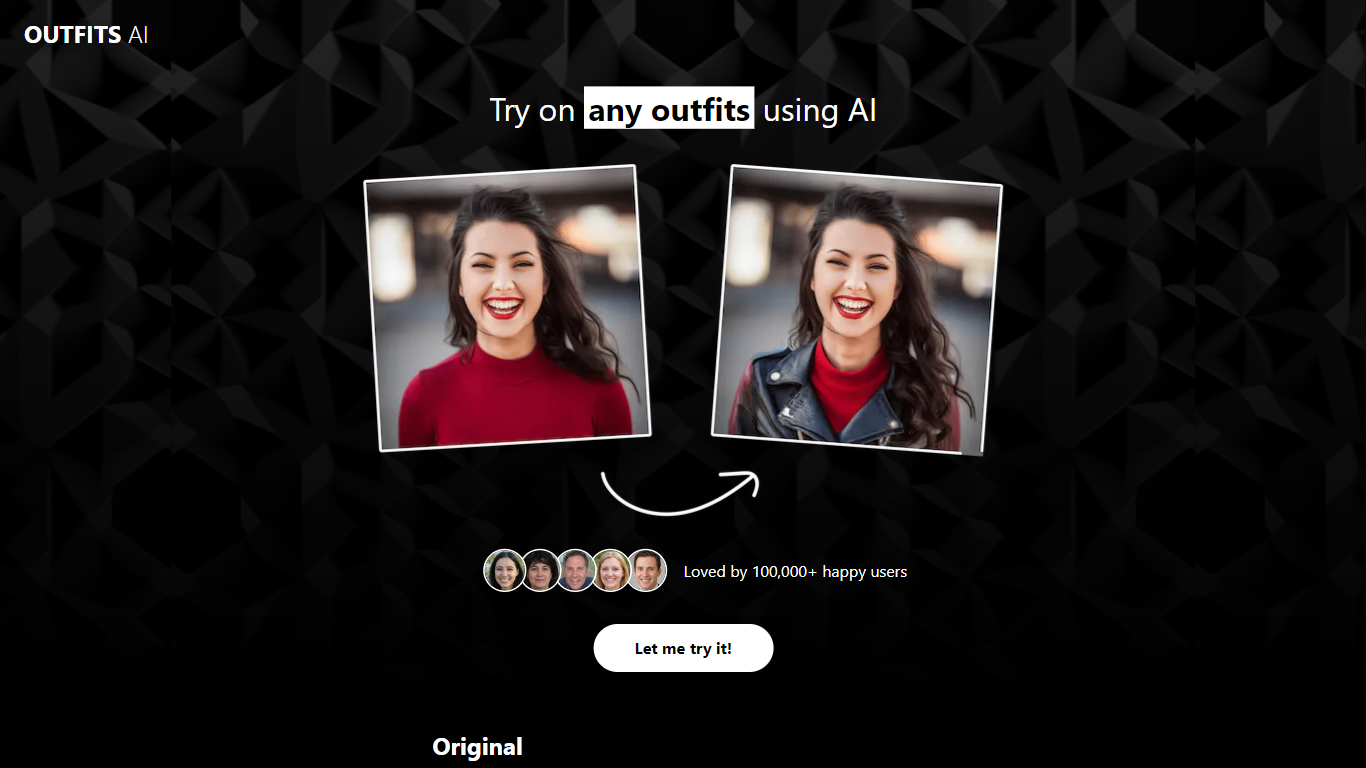
Outfits AI lets e-commerce shoppers and Shopify store owners preview clothing on a real person before buying or publishing product photos. You upload a selfie once, then add a screenshot or saved image of any outfit from retailers like Zara or Shein and tap Try On Clothes to see the garment on your body. The site claims more than 100,000 users and positions the workflow around faster online shopping with fewer returns.
Unlike catalog-only fitting rooms that limit you to items already in their database, Outfits AI accepts clothing images from any online store you can capture. The updated try-on model also handles patterns and prints, which many early virtual try-on tools struggled with. Shopify merchants get a separate angle: generating photos of real people wearing their products without staging a physical shoot.
Casual shoppers can test fits from home instead of visiting a fitting room, while boutique owners on Shopify can produce on-model previews for listings. Upload your photo, swap outfits in seconds, and compare how different styles sit on your frame before you commit to a purchase.
Homepage cites more than 100,000 users trying outfits through Outfits AI
Import clothing screenshots from any online retailer, including Zara and Shein product pages
Updated try-on model supports patterns and prints on garments, not just solid colors
Try On Clothes button dresses your photo in the uploaded outfit image
Shopify store owners can generate on-model product try-on photos for listings
Side-by-side before and after previews show fit on your body before you buy
Try on clothing screenshots from any online store, not just a fixed catalog.
Pattern and print support in the updated try-on model.
Single selfie upload powers quick swaps across many outfit images.
Useful for Shopify merchants needing on-model product photos.
Browser-based workflow with no fitting room visit required.
Only one same-domain page documents features; pricing and plan limits are not published on outfitsai.com.
Try-on quality depends on selfie and product image resolution.
No contact email or support page found on the marketing site.
Site has minimal navigation beyond the core try-on flow.
How does Outfits AI virtual try-on work?
Outfits AI lets you upload a selfie and a clothing image, then press Try On Clothes to render the outfit on your photo. You can save or screenshot items from any online store and feed them into Outfits AI for a quick fit preview.
Can Outfits AI try on clothes from Zara or Shein?
Outfits AI supports outfits from online retailers such as Zara and Shein when you upload a saved product image or screenshot. Outfits AI maps the garment onto your uploaded selfie rather than limiting you to a built-in catalog.
Does Outfits AI handle patterned clothing?
Outfits AI states that its newer try-on model works with patterns and prints on clothing, not only solid fabrics. Pattern fidelity still depends on the quality of your selfie and the product image you upload to Outfits AI.
Is Outfits AI useful for Shopify stores?
Outfits AI highlights Shopify store owners who want unique photos of real people trying their products. Merchants can use Outfits AI to produce on-model previews for e-commerce listings without staging a full photo shoot.
What photo should I upload to Outfits AI?
Outfits AI asks for a clear selfie as your base photo before you add clothing images. Upload your photo once on Outfits AI, then swap different outfit screenshots to compare how each style looks on you.
Who uses Outfits AI?
Outfits AI targets online shoppers who want to see fit before buying and e-commerce sellers who need on-model product visuals. The site cites more than 100,000 users exploring styles from home through Outfits AI.