
Last updated 08-22-2026
Category:
Reviews:
Join thousands of AI enthusiasts in the World of AI!
PDF to Study Cards
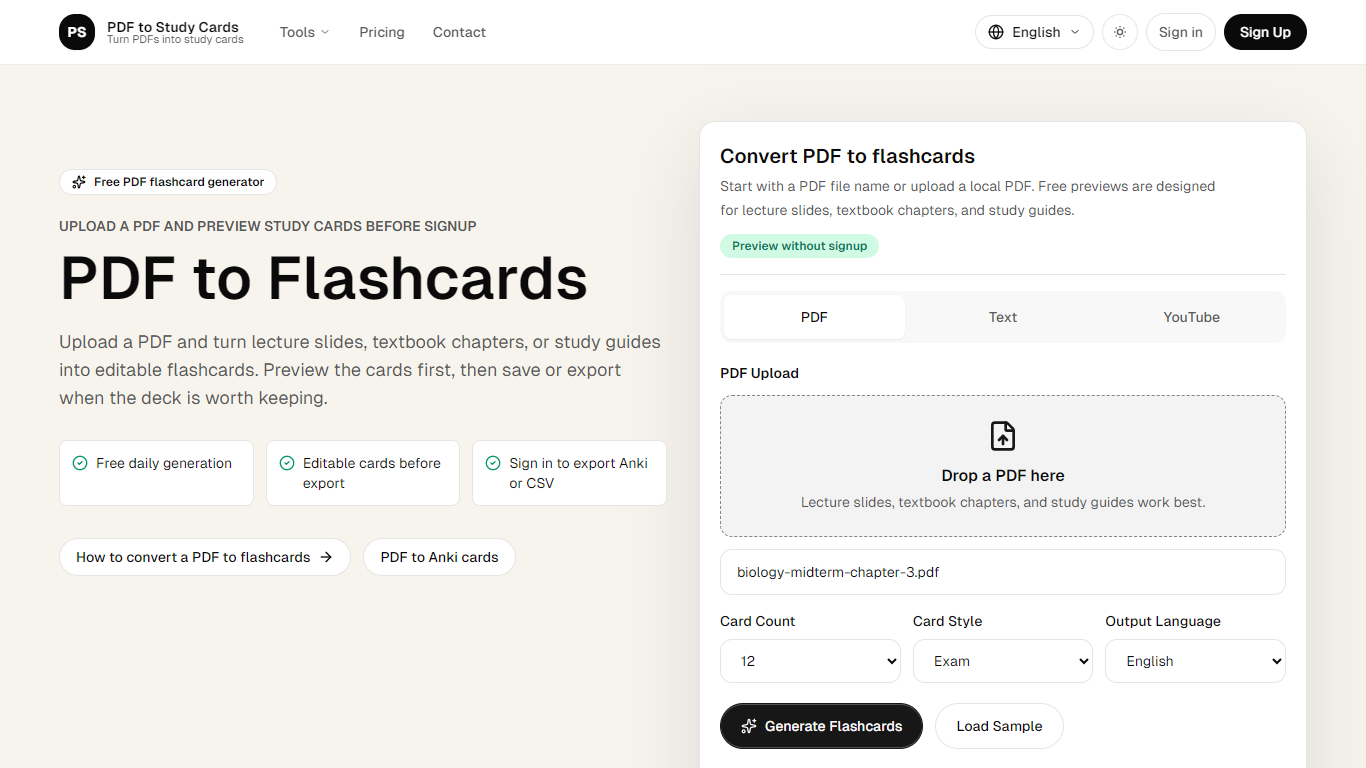
PDF to Study Cards is a flashcard generator that converts lecture slides, textbook chapters, and study guides into editable question-and-answer cards. Upload a PDF, pick how many cards you want, and review the full deck in your browser before you create an account or pay anything.
Quizlet and Anki both expect you to write cards by hand or import a finished file. PDF to Study Cards sits in between: you generate a deck, rewrite weak prompts, restore the original wording, and delete duplicates in the editor before saving or exporting. That preview step is the main reason to use it over a blind PDF-to-APKG converter.
Beyond PDFs, the same converter accepts pasted text and YouTube transcript URLs, so lecture notes and recorded lessons can follow the same path to flashcards. Output languages include English, Chinese, and Spanish.
Students prepping for midterms, nursing exams, or law courses are the core audience. The site also publishes dedicated flows for Anki export and related converters when you need cards in a specific study app format.
Preview a full flashcard deck before signup or payment
Choose 12, 20, or 30 cards with Exam, Simple, or Definition styles
Edit front and back text, restore originals, or delete weak cards in the preview
Export reviewed decks as Anki-compatible TSV or CSV after sign-in
Convert PDFs, pasted text, or YouTube transcripts in English, Chinese, or Spanish
Student plan handles PDFs up to 80 pages with 300 generations per month
Lets you preview and edit a full deck before signup or payment.
Exports Anki-compatible TSV and CSV after you review the cards.
Accepts PDF uploads, pasted text, and YouTube transcript URLs.
Free tier includes daily preview generation for up to 8 PDF pages.
Saving decks and exporting require a registered account.
Does not generate native Anki APKG files yet.
Free daily processing is capped at 8 PDF pages.
Is PDF to Study Cards free?
Yes. PDF to Study Cards lets you generate a preview deck and process up to 8 PDF pages per day on the free tier. Sign in to save or export useful decks, and upgrade for larger PDFs and more monthly generations.
Can I export PDF to Study Cards flashcards to Anki?
Yes. PDF to Study Cards generates question-and-answer pairs mapped to Anki Front and Back fields. After you review and edit the deck, sign in to export Anki-compatible TSV or CSV for import.
Does PDF to Study Cards create APKG files?
Not yet. PDF to Study Cards focuses on editable preview decks and text-based Anki-compatible exports, which are easier to inspect before you import them into Anki.
What PDF content works best with PDF to Study Cards?
Lecture slides, textbook chapters, study guides, and exam review packets work best with PDF to Study Cards because they already contain definitions, lists, and key concepts the model can turn into recall prompts.
When do I need to register on PDF to Study Cards?
PDF to Study Cards asks you to register when you want to save a deck, export flashcards to Anki or CSV, or process more than the free daily PDF page limit.
What languages does PDF to Study Cards support for card output?
PDF to Study Cards can generate flashcards in English, Chinese, and Spanish. Pick the output language in the card settings before you generate the deck.