
Last updated 08-14-2026
Category:
Reviews:
Join thousands of AI enthusiasts in the World of AI!
SubtitleGen
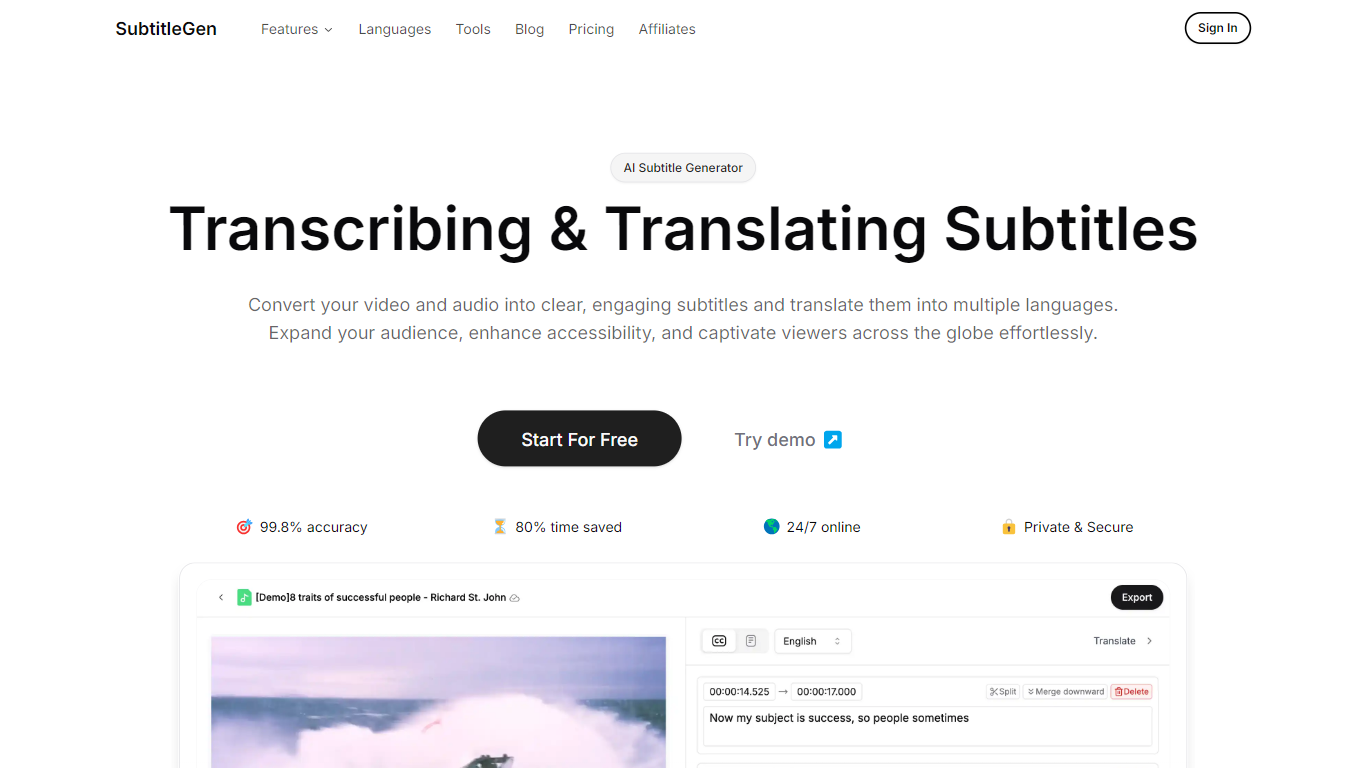
SubtitleGen turns uploaded audio and video into timed subtitles you can export for YouTube and other platforms. Upload a file, let it transcribe speech, then review or tweak captions in an online editor before downloading SRT, VTT, ASS, or TXT files.
Where a full video editor buries subtitles inside a timeline, SubtitleGen keeps the workflow narrow: transcription, caption editing, and translation in one place. Paid plans bundle AI translation at no extra charge, which matters if you publish the same clip in multiple languages without hiring a separate localization step.
The free tier gives you 30 credits and a 30-minute per-file cap, so you can test accuracy on a short clip before upgrading. Content creators, educators, and marketing teams use it when they need readable captions fast without installing desktop software.
Claims 99.8% transcription accuracy on marketing pages, with high-accuracy mode on paid plans
Exports subtitles as SRT, VTT, ASS, or TXT for YouTube and other video platforms
Supports 35 languages for transcription, subtitles, and translation including English, Spanish, Japanese, and Hindi
Free plan includes 30 credits and files up to 30 minutes; Starter at $9 per month raises the cap to 2 hours per file
Browser-based subtitle editor lets you adjust timing and text without desktop software
Accepts MP3, MP4, AAC, WAV, FLAC, M4A, OGG, and WEBM uploads
Browser-only workflow with no software install required.
Paid plans include AI translation without a separate translation fee.
Exports four common subtitle formats including SRT and VTT.
Free tier lets you test on clips up to 30 minutes before paying.
Free plan limits files to 30 minutes and uses normal accuracy transcription.
Subtitle storage expires after 3 days on the free tier and 7 days on Starter.
No desktop app; everything runs in a web browser.
What is SubtitleGen?
SubtitleGen is an online subtitle generator that transcribes audio and video into text, builds timed captions, and translates them into other languages. You upload a file, review results in a browser editor, then export SRT, VTT, ASS, or TXT files.
What file formats does SubtitleGen support?
SubtitleGen accepts major audio and video formats including MP3, MP4, AAC, WAV, FLAC, M4A, OGG, and WEBM. You upload the source file and SubtitleGen handles transcription from that upload.
How accurate is SubtitleGen transcription?
SubtitleGen advertises up to 99.8% transcription accuracy on its homepage. The free plan uses normal accuracy mode, while paid Starter, Growth, and Pro plans include high-accuracy AI transcription.
Can I use SubtitleGen for free?
Yes, SubtitleGen offers a free plan at $0 with 30 credits, files up to 30 minutes, automatic subtitles, subtitle editing, and 3-day subtitle storage. Paid plans add more credits, longer files, and priority queue access.
Does SubtitleGen translate subtitles?
Yes, SubtitleGen translates subtitles into multiple languages. AI translation is included on paid Starter, Growth, and Pro plans, and the free tier also lists AI translation as a feature.
What export formats does SubtitleGen offer?
SubtitleGen exports subtitles as SRT, VTT, ASS, and TXT. Paid plans list all four formats explicitly, which lets you match caption files to YouTube, broadcast, or plain-text workflows.