
Last updated 07-30-2026
Category:
Reviews:
Join thousands of AI enthusiasts in the World of AI!
Visual Dictionary
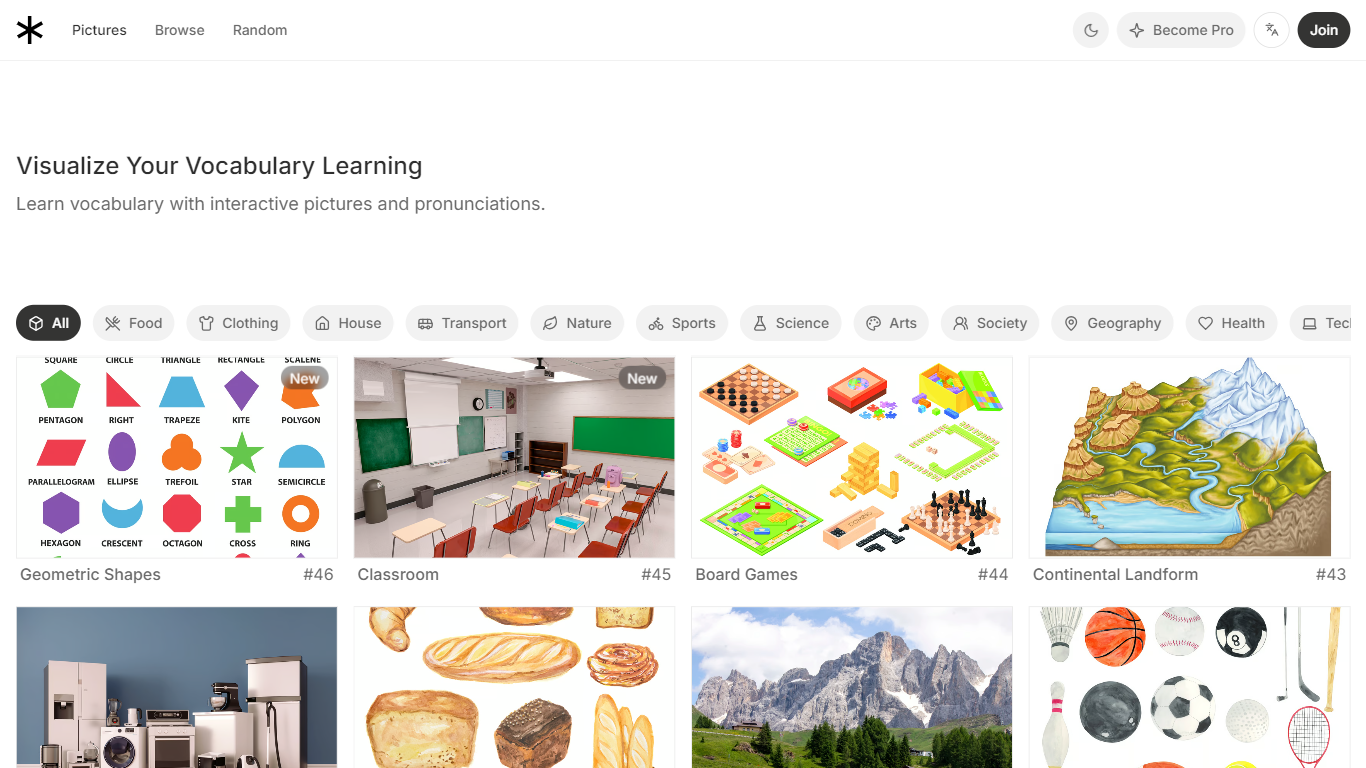
Visual Dictionary teaches vocabulary through illustrated scenes you browse in any browser. Each picture (like a doorway, classroom, or kitchen) labels numbered items with short definitions and audio pronunciations. You can filter by topic, difficulty level, or language, with English, Chinese, and Spanish available from the homepage.
Most flashcard apps show one word at a time. Visual Dictionary groups related vocabulary inside a single illustrated scene, so you learn how door frame, doorknob, and doorbell camera fit together around a front door. Interactive drills (word matching, spelling, and listening mode on the Pro tier) turn each picture into a short practice session rather than a static reference page.
It fits language learners who want context-heavy vocabulary study without downloading an app. Teachers, travelers, and self-paced students browsing beginner through advanced topics can use the free library, while the $19 lifetime Pro upgrade removes ads and unlocks pronunciations on every term.
Browse 52+ illustrated vocabulary scenes on the homepage, from geometric shapes to classroom setups
Each scene labels up to 11 items with short definitions and tap-to-hear pronunciations on Pro
Filter by 30+ topics (Food, Transport, Science) and three difficulty levels: Beginner, Intermediate, Advanced
Built-in Word Matching and Word Spelling practice modes run inside every picture page
Pro unlocks ad-free browsing, bookmarking, listening mode, and all pronunciations for a $19 one-time fee
Supports English, Chinese, and Spanish interfaces from the language switcher
Illustrated scenes group related words in one view instead of isolated flashcards
Three difficulty levels from Beginner to Advanced across 30+ topics
Word matching and spelling drills built into each picture page
$19 one-time Pro upgrade with no recurring charges
English, Chinese, and Spanish interfaces available
Free tier limits full pronunciation access to Pro subscribers
No dedicated mobile app, browser only
Pro purchases are non-refundable per the site FAQ
What is Visual Dictionary?
Visual Dictionary is a browser-based vocabulary site that teaches words through labeled picture scenes. Each illustration shows numbered items with short definitions, and Pro subscribers can hear pronunciations for every term.
How much does Visual Dictionary Pro cost?
Visual Dictionary Pro costs $19 as a one-time payment for lifetime access. The purchase unlocks unlimited browsing, all pronunciations, ad-free use, bookmarking, and practice modes with no recurring charges.
What languages does Visual Dictionary support?
Visual Dictionary offers English, Chinese, and Spanish interfaces from its language switcher. You can browse vocabulary pictures and practice drills in any of those three languages.
How does Visual Dictionary organize vocabulary?
Visual Dictionary groups words inside illustrated scenes you browse by topic or difficulty. The browse page lists 30+ topics (Food, Transport, Science) and three levels: Beginner, Intermediate, and Advanced.
Does Visual Dictionary include practice exercises?
Yes. Visual Dictionary runs Word Matching and Word Spelling drills on each picture page, and Pro adds a listening learning mode. Free users can browse scenes; Pro unlocks the full practice set.
Is Visual Dictionary Pro a subscription?
No. Visual Dictionary Pro is a one-time $19 purchase processed through Stripe for lifetime access. The Pro FAQ states there are no recurring charges and refunds are not offered.