
Last updated 07-16-2026
Category:
Reviews:
Join thousands of AI enthusiasts in the World of AI!
WithSubtitles.com
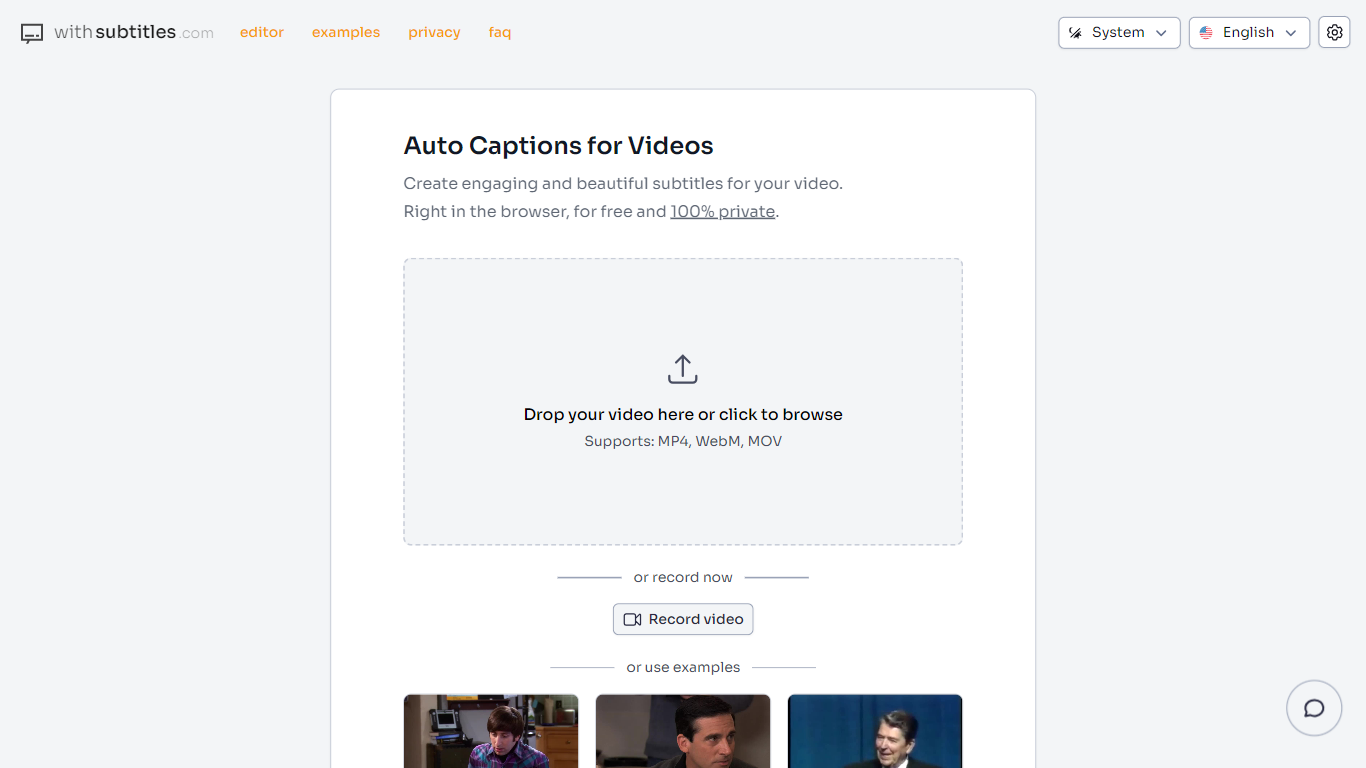
WithSubtitles.com is a browser-based tool for adding auto-generated captions to short-form videos. You drop an MP4, WebM, or MOV file and the app transcribes speech locally, then opens an editor where you can fix text, style subtitles, and export the finished video.
Processing happens entirely in your browser. The transcription model downloads to your device, and your video never uploads to a server. That makes it a practical option for creators who want captions without handing footage to a third party.
The tool targets short-form content creators who need polished subtitles for social clips, with support for nearly 100 languages and a refreshed editor that includes waveform views, multiple caption positions, and per-word styling.
Drop MP4, WebM, or MOV files and get an automatic transcript without uploading video to a server
Transcription runs locally with an AI model downloaded to your browser for privacy
Edit transcript text, fonts, colors, sizes, and caption positioning in a built-in editor
Place captions in multiple positions and style individual words for short-form clips
Use the audio waveform and safe zone overlay to align subtitles with your footage
No account needed to start creating subtitles.
Video and audio stay on your device; nothing uploads to servers.
Completely free with full feature access.
Supports nearly 100 languages for transcription.
Built-in editor with waveform, safe zones, and per-word styling.
Optimized for short videos; FAQ recommends under 10 minutes.
Main web app is desktop-only per the FAQ.
Projects are stored in browser storage and tied to one browser.
Is WithSubtitles.com free to use?
Yes. WithSubtitles.com is completely free with no hidden fees or premium tiers. The FAQ confirms full access to all tools and features at no cost.
How does WithSubtitles.com protect privacy?
All transcription and video processing happen locally in your browser. Your video, subtitles, and other project data are not uploaded to any server.
Which video formats does WithSubtitles.com support?
The homepage accepts MP4, WebM, and MOV files. You can drop a file onto the page or browse to select one.
Which languages does WithSubtitles.com support?
The app can create transcriptions for videos in almost 100 languages. For non-English videos, the FAQ recommends choosing a Large model.
Do I need an account to use WithSubtitles.com?
No account or sign-up is required. You can start creating subtitles immediately in the browser.
Is there a video length limit on WithSubtitles.com?
WithSubtitles.com is optimized for short-form videos. The FAQ recommends keeping videos under 10 minutes for the best performance.
Can I use WithSubtitles.com on mobile devices?
The FAQ states the web application is currently available for desktop only. The site also links to separate mobile and desktop apps at app.withsubtitles.com and desktop.withsubtitles.com.
Can I customize subtitle appearance on WithSubtitles.com?
Yes. You can adjust font style, size, color, and positioning. The editor also supports multiple caption positions and styling individual words.