Readable 对比 Transcript Download

探索 Readable 和 Transcript Download 的对决,找出哪个 AI Translation 工具获胜。我们分析赞成票、功能、评论、定价、替代品等等。

在比较 Readable 和 Transcript Download 时,哪一个超越了另一个?

当我们将Readable与Transcript Download进行对比时,两者都是AI操作的translation工具,并将它们并排放置时,我们可以发现几个重要的相似之处和分歧。 正如相同的点赞数所示,这两种工具都同样受到青睐。 每一张选票都很重要!投下你的一票,为决定获胜者做出贡献。

您不同意结果?投票帮助我们决定!

Readable
Readable

什么是 Readable?

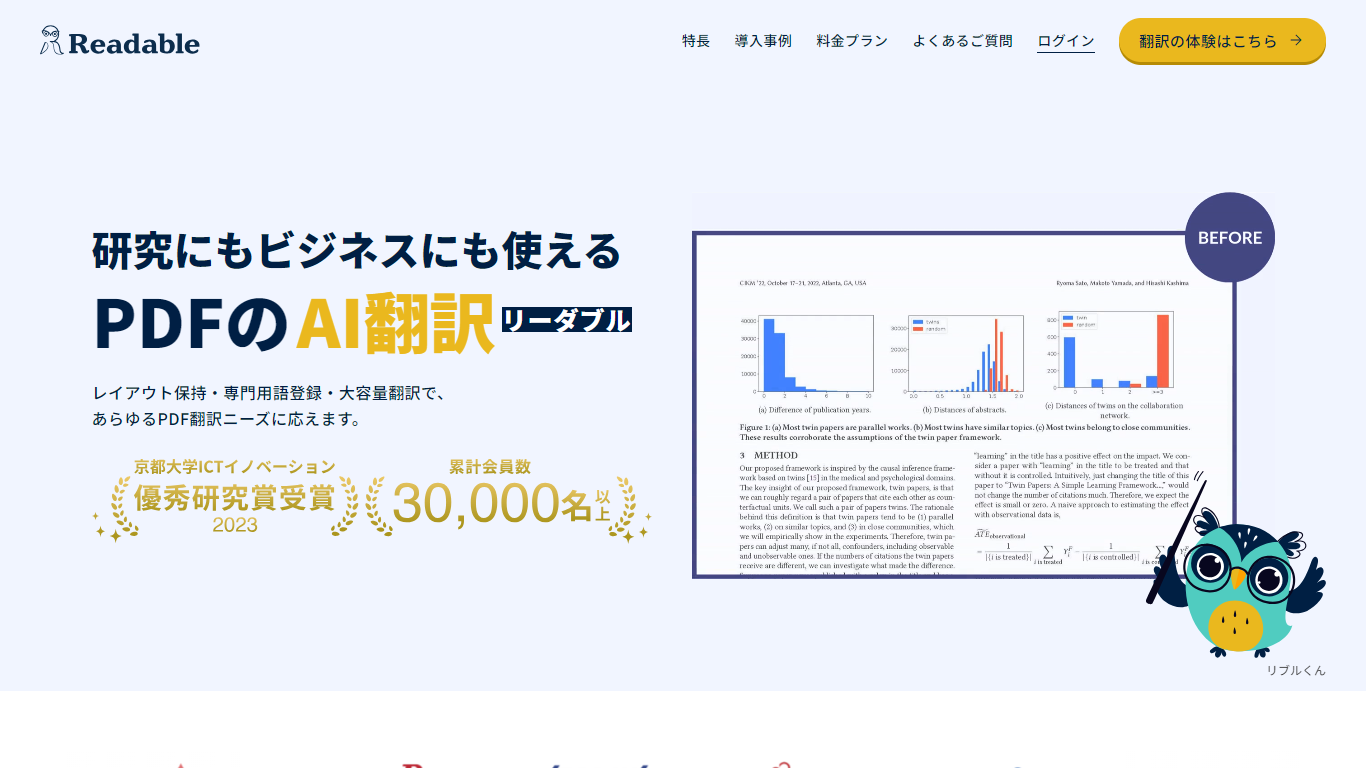
Readable 能够将 PDF 文件翻译成日语,同时保持原始排版完整,包括表格、图形和图片。由 NextLab Inc. 开发,旨在帮助研究人员阅读学术论文以及商务团队处理手册、报告和合同,无需手动重建文档。

该阅读器将原文和译文并排显示,方便你快速浏览翻译内容,并在需要详细查看时返回原始行。高级用户还可以注册自定义词典,以确保产品名称、缩写和领域特定术语始终保持一致的翻译风格。

Readable 可在浏览器中运行,也有 Chrome 扩展,便于快速文件翻译。Pro Standard 主要专注于英日 PDF 文件,而 Pro Premium 则支持 200 多种源语言、更多的文件上传限制,以及可选的基于 ChatGPT 的翻译引擎。

Transcript Download
Transcript Download

什么是 Transcript Download?

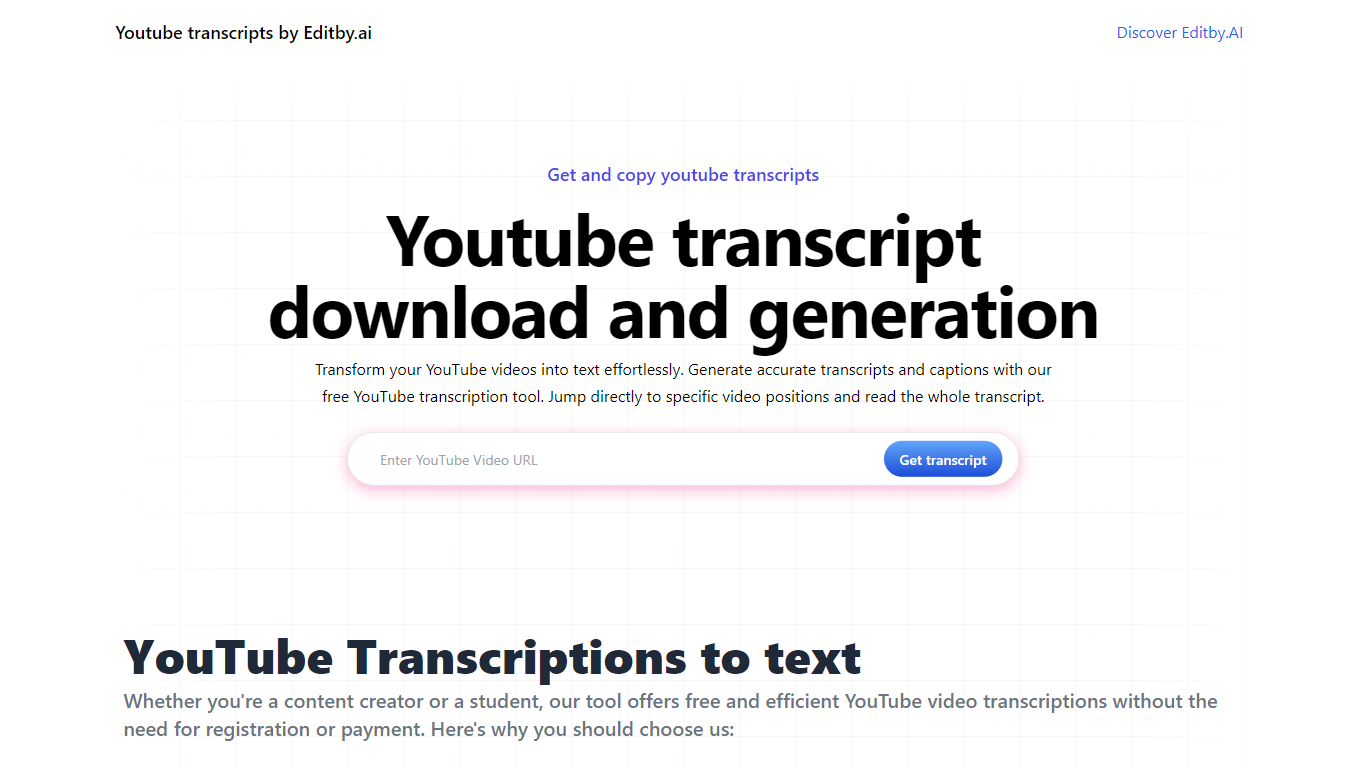
使用 Editby.AI 的 YouTube 转录工具释放 YouTube 视频的全部潜力。我们用户友好的平台通过提供生成准确的文字记录和标题的有效方法来满足包括学生、研究人员、内容创建者和 SEO 专业人士在内的一系列用户的需求。使用我们的工具,无需手动转录。只需输入 YouTube URL 即可收到即时文字记录。突出显示的搜索词、直接视频位置跳转、自动滚动功能以及简单的剪贴板复制和下载选项可简化您的工作流程。我们对用户隐私的承诺是无与伦比的,不需要注册或提供个人信息。使用 Editby.AI 的转录工具提高您的工作效率并节省时间,而且完全免费。

Readable 赞同数

6

Transcript Download 赞同数

6

Readable 顶级功能

  • 表格、图表和图片在翻译后的 PDF 中保持原位

  • 原文和日文文本并排显示,便于更快地进行研究阅读

  • 自定义词典将产品名称和技术术语固定为您偏好的用词

  • 高级版支持单次上传翻译最多 1,000 页或 200 MB

  • Chrome 扩展支持一键翻译在线文件

Transcript Download 顶级功能

  • 即时成绩单: 粘贴 YouTube URL 并立即接收成绩单。

  • 可下载的成绩单: 只需单击一下即可轻松下载成绩单。

  • 跳转到视频位置: 直接导航到脚本中的特定视频片段。

  • 自动滚动脚本: 享受在视频播放时自动滚动的同步脚本。

  • 无需注册: 无需任何帐户或个人详细信息即可访问转录工具。

Readable 类别

    Translation

Transcript Download 类别

    Translation

Readable 定价类型

    Freemium

Transcript Download 定价类型

    Freemium

Readable 使用的技术

Next.js
Node.js
Nuxt.js
Ant Design
Google Cloud
Firebase
HubSpot
Google Fonts
Font Awesome
Ruby
YouTube
Notion

Transcript Download 使用的技术

未列出技术

Readable 标签

AI Translation
PDF Translation
Chrome Extension
One-Click Translation
Japanese Translation
Academic Research
Layout Preservation
Custom Dictionary

Transcript Download 标签

YouTube Transcription
Editby.AI
Instant Transcripts
Download Captions
Content Creation
SEO
Productivity Tools
No Registration Required

Readable 平均评分

无可用评分

Transcript Download 平均评分

4.00

Readable 评论

无可用评论

Transcript Download 评论

Salman Kh
An AI-powered tool by Editby.AI that instantly generates accurate transcripts and captions from YouTube videos by simply pasting a URL. It offers downloadable transcripts, auto-scrolling, and video position jumps, making it a time-saver for students, creators, and researchers—no sign-up required. While it excels in simplicity and privacy, it’s limited to YouTube content and may falter with poor audio quality. Compared to text-focused tools on https://browseword.com/, Transcript Download shines for quick video transcription, ideal for streamlined workflows.
Salman Kh
I recently tried aitools.fyi's Transcript Download tool and found it super helpful for quickly extracting transcripts from videos without the need for complicated steps. It's intuitive, fast, and ideal for content creators or researchers who need accurate text versions of spoken content. In addition, I paired it with BrowseWord to easily search and explore key terms within the downloaded transcript. The combination of both tools streamlined my workflow and saved a lot of time. Definitely worth checking out if you're dealing with video content and need efficient text processing solutions.
Salman Kh
Editby.AI’s YouTube Transcription Tool, instantly converts YouTube videos into accurate transcripts and captions, ideal for students, creators, and researchers. Its no-signup, privacy-focused design offers auto-scrolling, searchable text, and one-click downloads, though it’s limited to YouTube and may struggle with low-quality audio. Compared to text-optimization tools on https://browseword.com/, it excels in fast, accessible video-to-text transcription, streamlining workflows for content accessibility.
By Rishit
