Transcript Download 对比 Shook

在 Transcript Download 和 Shook 的对决中,哪个 AI Translation 工具夺冠?我们审查功能、替代品、赞成票、评论、定价等等。

在 Transcript Download 和 Shook 的对决中,哪一个夺冠?

如果我们要分析Transcript Download和Shook,两者都是AI驱动的translation工具,我们会发现什么? 这两个工具都没有领先,因为它们都有相同的点赞数。 您可以通过投票来帮助我们决定获胜者,并使天平倾向于其中一个工具。

不是你的菜?投票支持您喜欢的工具,搅动事情!

Transcript Download
Transcript Download

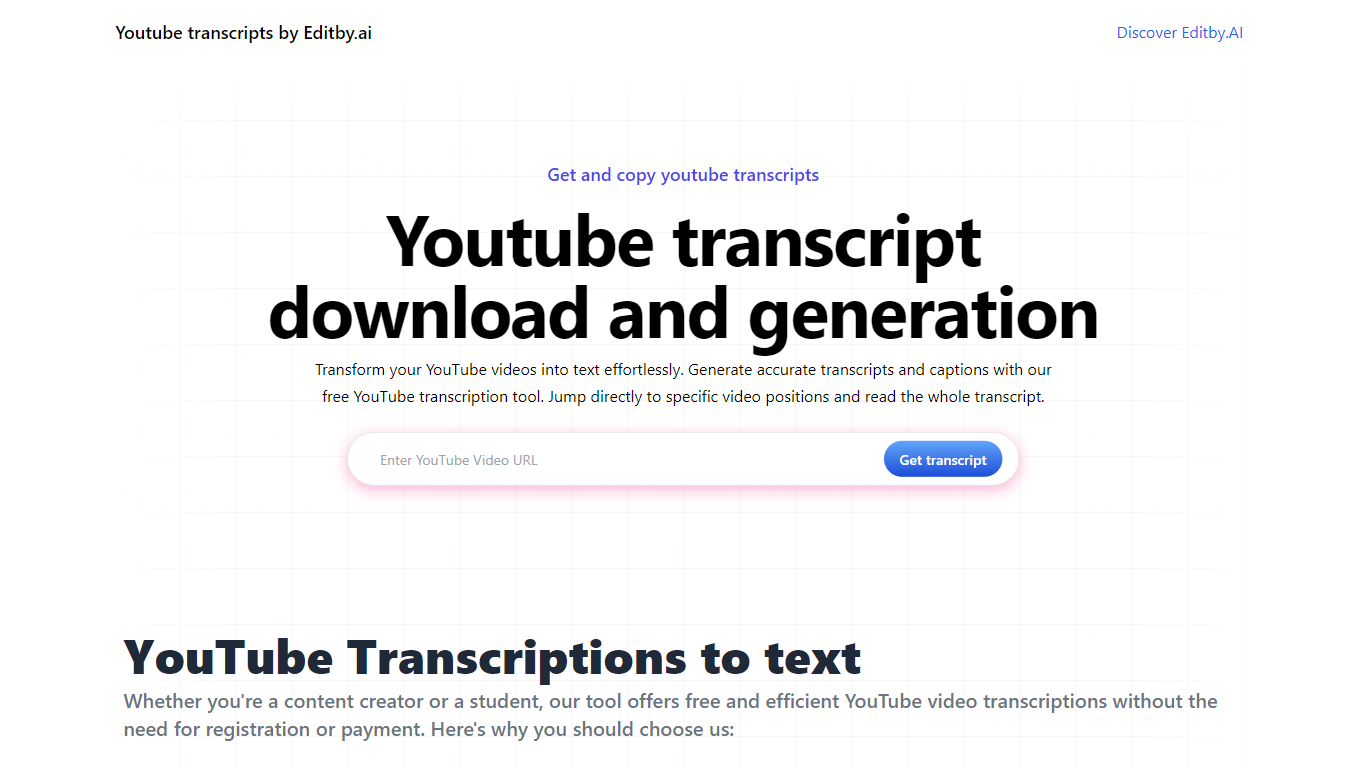
什么是 Transcript Download?

使用 Editby.AI 的 YouTube 转录工具释放 YouTube 视频的全部潜力。我们用户友好的平台通过提供生成准确的文字记录和标题的有效方法来满足包括学生、研究人员、内容创建者和 SEO 专业人士在内的一系列用户的需求。使用我们的工具,无需手动转录。只需输入 YouTube URL 即可收到即时文字记录。突出显示的搜索词、直接视频位置跳转、自动滚动功能以及简单的剪贴板复制和下载选项可简化您的工作流程。我们对用户隐私的承诺是无与伦比的,不需要注册或提供个人信息。使用 Editby.AI 的转录工具提高您的工作效率并节省时间,而且完全免费。

Shook
Shook

什么是 Shook?

Shook 在 iOS 上克隆你的声音并在其他语言中播放你输入的消息。你录制一段简短的语音样本,输入或选择一条消息,选择目标语言,然后听到用你自己的声音版本说出的结果。营销网站将核心卖点描述为让你听到自己用不同语言说话,随后引导你前往 App Store 下载。

大多数翻译应用输出的是通用的合成语音。Shook 专注于语音克隆,因此翻译后的音频仍然听起来像是你本人,这使得分享的语音消息比标准的文本转语音更显私人化。隐私政策确认该应用会存储语音样本和语言偏好以驱动克隆和翻译功能,但公开网站本身极简,除了下载流程外几乎没有功能细分。

它适合希望尝试用多语言语音消息与朋友交流、语言练习或好奇自己在另一种语言中的声音表现的 iPhone 用户。Android 用户则无缘使用,因为该网站仅链接至 iOS 版本。由于 getshook.app 上没有公开的定价页面,套餐详情仅存在于 App Store 列表中,而非网页上。

Transcript Download 赞同数

6

Shook 赞同数

6

Transcript Download 顶级功能

  • 即时成绩单: 粘贴 YouTube URL 并立即接收成绩单。

  • 可下载的成绩单: 只需单击一下即可轻松下载成绩单。

  • 跳转到视频位置: 直接导航到脚本中的特定视频片段。

  • 自动滚动脚本: 享受在视频播放时自动滚动的同步脚本。

  • 无需注册: 无需任何帐户或个人详细信息即可访问转录工具。

Shook 顶级功能

  • 从简短音频样本克隆您的声音,用于翻译后的播放

  • 将键入的英文消息翻译成您选择的目标语言

  • 输出语音模仿您本人的声音,而非通用播音员

  • 可在App Store下载iOS版应用

  • 隐私政策说明语音样本用于克隆与翻译的存储

Transcript Download 类别

    Translation

Shook 类别

    Translation

Transcript Download 定价类型

    Freemium

Shook 定价类型

    Freemium

Transcript Download 标签

YouTube Transcription
Editby.AI
Instant Transcripts
Download Captions
Content Creation
SEO
Productivity Tools
No Registration Required

Shook 标签

Voice Cloning
Voice Translation
iOS App
Multilingual Audio
Voice Messages
Language Learning
Multilingual Communication
Voice Conversion

Transcript Download 平均评分

4.00

Shook 平均评分

无可用评分

Transcript Download 评论

Salman Kh
An AI-powered tool by Editby.AI that instantly generates accurate transcripts and captions from YouTube videos by simply pasting a URL. It offers downloadable transcripts, auto-scrolling, and video position jumps, making it a time-saver for students, creators, and researchers—no sign-up required. While it excels in simplicity and privacy, it’s limited to YouTube content and may falter with poor audio quality. Compared to text-focused tools on https://browseword.com/, Transcript Download shines for quick video transcription, ideal for streamlined workflows.
Salman Kh
I recently tried aitools.fyi's Transcript Download tool and found it super helpful for quickly extracting transcripts from videos without the need for complicated steps. It's intuitive, fast, and ideal for content creators or researchers who need accurate text versions of spoken content. In addition, I paired it with BrowseWord to easily search and explore key terms within the downloaded transcript. The combination of both tools streamlined my workflow and saved a lot of time. Definitely worth checking out if you're dealing with video content and need efficient text processing solutions.
Salman Kh
Editby.AI’s YouTube Transcription Tool, instantly converts YouTube videos into accurate transcripts and captions, ideal for students, creators, and researchers. Its no-signup, privacy-focused design offers auto-scrolling, searchable text, and one-click downloads, though it’s limited to YouTube and may struggle with low-quality audio. Compared to text-optimization tools on https://browseword.com/, it excels in fast, accessible video-to-text transcription, streamlining workflows for content accessibility.

Shook 评论

无可用评论
By Rishit
