
Last updated 08-14-2026
Category:
Reviews:
Join thousands of AI enthusiasts in the World of AI!
AI Blaze
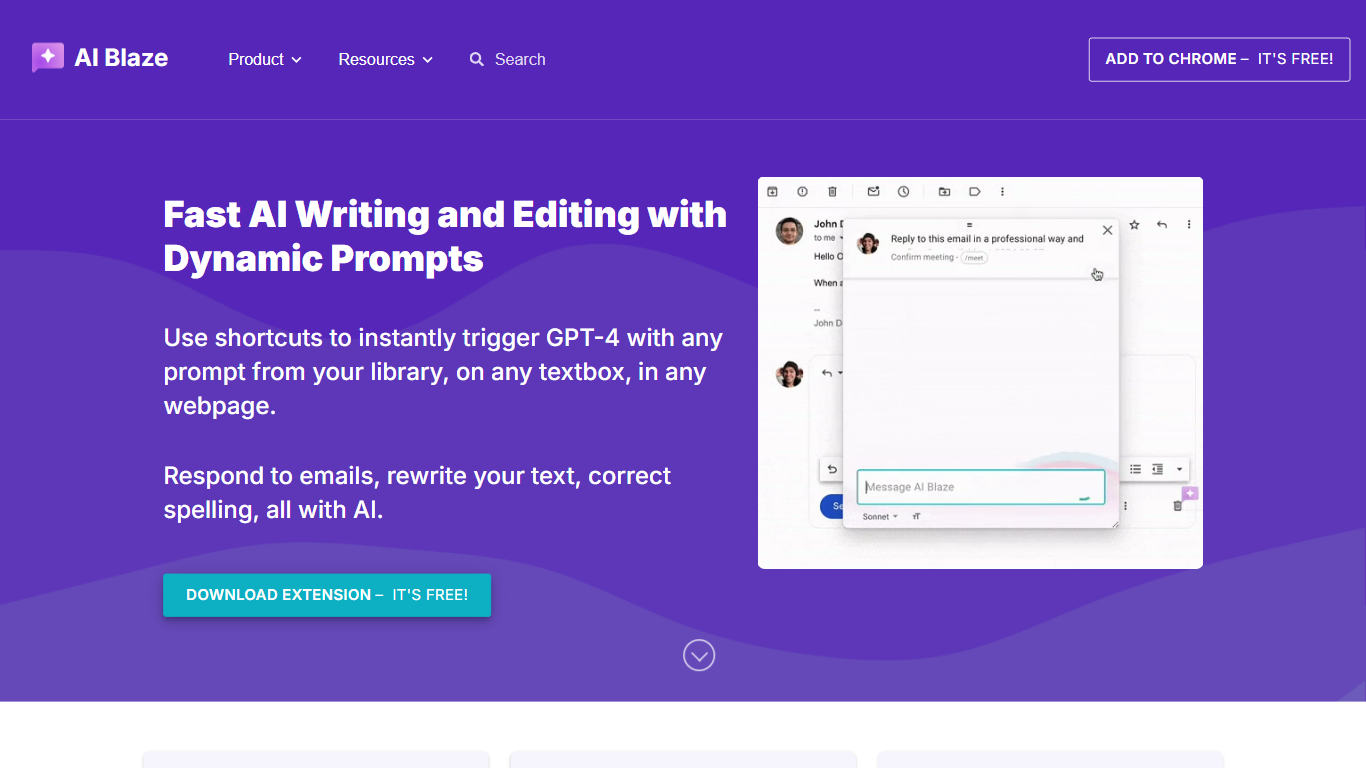
AI Blaze is a Chrome writing assistant that runs GPT-4 inside any text box on the web. Install the extension, open the sidebar on a page, or type a saved keyboard shortcut to draft emails, rewrite tone, fix spelling, translate lines, or summarize the page. Prompts can pull page context automatically, and finished text inserts back into the field with one click.
Most browser copilots are a single chat window you copy from. AI Blaze centers on a reusable prompt library with dynamic fields, dropdowns, dates, and clipboard inputs, then fires those prompts through shortcuts in Gmail, CRMs, support tickets, or docs. Shared folders sync by email so teams maintain one prompt set instead of pasting the same instructions into a generic chatbot.
Support reps, sales writers, marketers, and students use it for quick replies, polishing drafts, and repeatable workflows like follow-up emails or translation. The dashboard at ai.blaze.today stores labels, shortcuts, and sharing settings, while the docs walk through sidebar chat, right-click inserts, and optional page-context toggles per prompt.
The Chrome Web Store listing and homepage both advertise a free install with no pricing page on the marketing site, so budget is not a gate for trying the extension.
Keyboard shortcuts fire saved GPT-4 prompts inside any webpage text box without opening a separate app
Dynamic prompts accept text fields, dropdown menus, dates, times, and clipboard content to adjust each run
Sidebar chat can summarize the open page, rewrite selected text, translate copy, or insert results directly into the field
Dashboard stores prompt labels and shortcuts, with optional page-context toggles per saved prompt
Shared folders sync prompt edits in real time when you invite teammates by email from the dashboard
Chrome context menu inserts saved prompts, and HIPAA compliance documentation is published on the site
Dashboard lives at ai.blaze.today for managing prompt labels, shortcuts, and folder sharing by email
Runs inside Gmail, CRMs, and support forms through shortcuts instead of copying from a separate chat tab
Dynamic prompt fields adapt each run with dropdowns, dates, and clipboard snippets
Shared folders keep team reply templates synchronized without emailing prompt text back and forth
Page-context toggles let you include or exclude the open page per chat or saved prompt
AI Blaze is a Chrome extension only, so Safari, Firefox, and mobile browsers are outside the documented workflow
No public pricing page lists paid tiers or usage limits, which makes upgrade paths unclear from the marketing site alone
GPT-4 reliance means output quality and availability depend on the model provider behind the extension
What is AI Blaze?
AI Blaze is a Chrome extension from Blaze Today that runs GPT-4 inside any text box on the web. You chat in a sidebar, save prompts with shortcuts, and insert generated text back into the page for emails, rewrites, translations, and summaries.
How do AI Blaze shortcuts work?
AI Blaze lets you assign a keyboard shortcut to each saved prompt in the dashboard. Typing that shortcut inside a text field on any site runs the prompt, and you can also launch prompts from the sidebar or Chrome right-click menu.
Can AI Blaze use the current page as context?
AI Blaze can include the open page in sidebar chats and saved prompts by default. You can disable page context for a single chat with the X button next to the page chip, or turn off the include page context setting per prompt in the dashboard gear menu.
Does AI Blaze support team sharing?
AI Blaze shares prompt folders by email from the dashboard. When you edit a prompt inside a shared folder, AI Blaze syncs the update for every member of that folder in real time, which keeps team reply templates consistent.
What can AI Blaze rewrite or translate?
AI Blaze can change message tone, shorten copy, fix spelling, or translate text through custom prompts in the sidebar. The quickstart docs show Insert text into page and Apply changes to page buttons that replace the text you selected.
Is AI Blaze free to install?
AI Blaze homepage and Chrome Web Store buttons both say the extension is free to add. Blaze Today does not publish a separate AI Blaze pricing page on blaze.today, so paid tiers are not documented on the marketing site.