
Last updated 09-06-2026
Category:
Reviews:
Join thousands of AI enthusiasts in the World of AI!
Anyvids
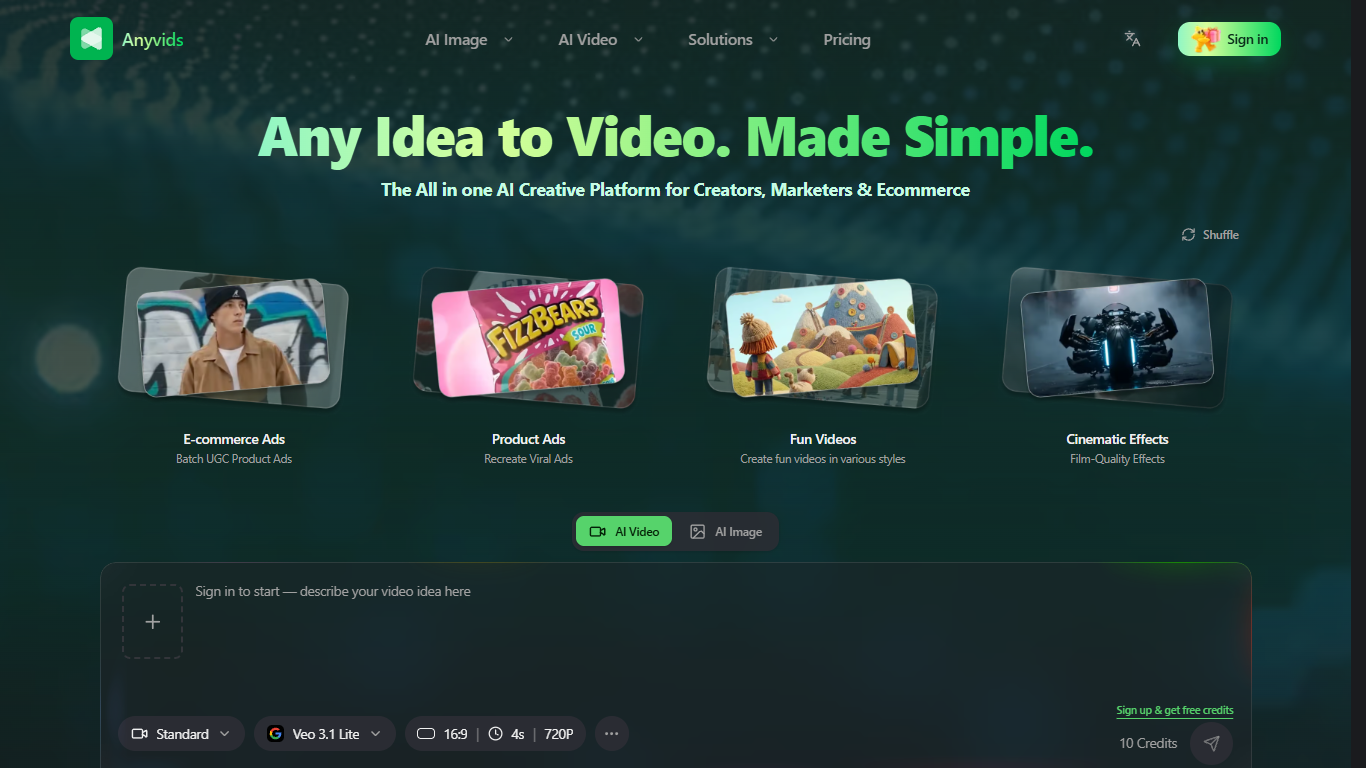
Anyvids is a browser-based video and image studio that puts Veo 3.1, Kling 3.0, Seedance 2.5, GPT Image 2, and a long list of other generators behind one login and one credit balance. You can move from a text prompt or product photo to a finished clip, edited image, or talking avatar without opening separate apps for each model vendor.
Most AI video tools lock you into their own model. Anyvids routes everything through a shared credit wallet and splits the product into Creative, Commerce, Marketing, and Ad studios so you pick a workflow first and the right model second. That structure matters if you run ecommerce ads one day and social clips the next, because you are not re-learning a new interface each time.
The platform targets content creators, marketing teams, ecommerce managers, and design teams who need product videos, UGC-style ads, virtual try-on clips, and polished social content from a single workspace. Signup includes starter credits, and paid tiers scale concurrent jobs from 1 on Lite up to 6 on Premium.
Veo 3.1, Kling 3.0, Seedance 2.5, and 15+ other models from one dashboard
Lite plan is $15/month with 300 credits, roughly 30 videos or 150 images
Swap a video main character from a photo while motion and lighting stay aligned
Commerce Studio covers product videos, virtual try-on, and product photography
Prompt-based video editing for relighting, background swaps, and camera reframing
Pro runs 3 concurrent tasks; Premium runs 6 with priority support
One subscription unlocks Veo, Kling, Seedance, and dozens of other models instead of paying each provider separately.
Commerce Studio covers product videos, virtual try-on, and product photography without leaving the platform.
Credit costs are shown before each generation, with full usage history in Settings.
All paid plans include commercial licensing and watermark-free outputs.
Subscription credits do not roll over to the next billing cycle.
Lite limits which video and image models you can access compared with Pro or Premium.
Watermark-free downloads and privacy protection require an active subscription.
Browser-based only with no dedicated mobile app listed on the site.
Does Anyvids have a free plan?
Anyvids is freemium: new signups receive starter credits (10 credits are shown at signup) and can stack more through a 7-day check-in reward. Paid subscriptions start at Lite for $15/month, but you can generate before subscribing.
How much does Anyvids cost?
Anyvids Lite costs $15/month with 300 credits, Pro costs $45.9/month with 1,500 credits, and Premium costs $119.9/month with 5,000 credits. Add-on credit packs start at $30 for 600 credits that never expire.
Which AI models does Anyvids support?
Anyvids hosts Veo 3.1, Kling 3.0, Seedance 2.5, MiniMax H3, Wan 3.0, Gemini Omni, GPT Image 2, Flux 2, Seedream 5.0, and more. Pro and Premium unlock all video and image models; Lite has limited model access.
Can I use Anyvids videos commercially?
Yes, every Anyvids subscription plan includes a commercial license. Paid plans also ship watermark-free outputs. Features like watermark-free downloads and privacy protection require an active subscription.
Do Anyvids credits expire?
On Anyvids, subscription credits reset each billing cycle and do not roll over. Add-on credits bought in credit packs never expire and stay usable even after a subscription ends.
How many jobs can Anyvids run at once?
Anyvids Lite allows 1 concurrent generation, Pro allows 3, and Premium allows 6. Higher tiers also include priority support and larger discounts on add-on credit packs.
Does Anyvids offer refunds?
Anyvids processes qualifying refunds within 3 business days. You can request a refund on subscription credits within 3 days of your first purchase if you meet the eligibility criteria. Add-on credits are not refundable.