
Last updated 08-30-2026
Category:
Reviews:
Join thousands of AI enthusiasts in the World of AI!
AnyWrite - AI Keyboard
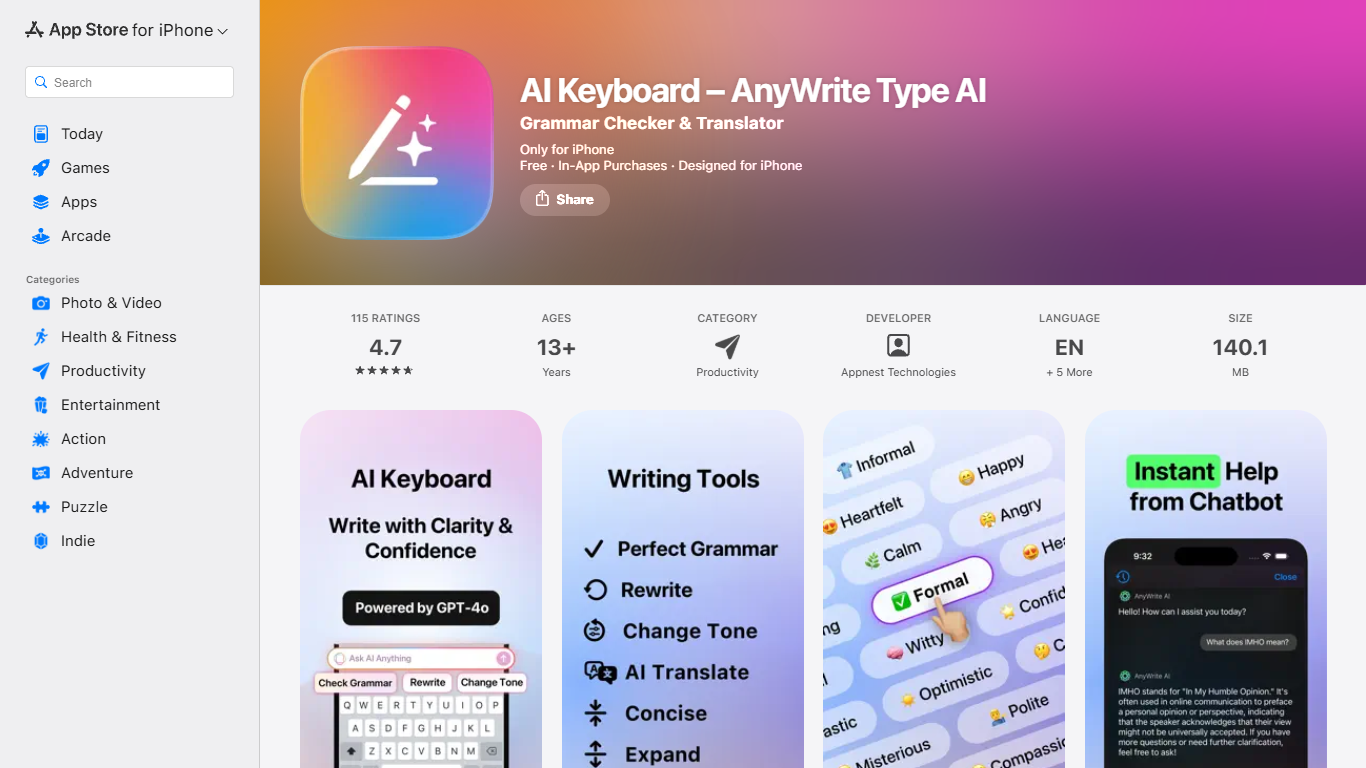
AnyWrite is a mobile writing keyboard for iOS and Android that adds grammar checks, rewrites, tone changes, translations, and smart replies inside any app you type in. Install it as a system keyboard, highlight text or draft a message, and pick a tool from the keyboard bar to refine what you wrote without switching apps.
Where Grammarly or ChatGPT live in separate apps, AnyWrite sits in your system keyboard and bundles rewrite, grammar, tone, translation, smart reply, and chat tools in one bar. The site pitches it as replacing ChatGPT, Grammarly, and Google Translate in a single mobile keyboard, so you polish WhatsApp, Instagram, Discord, Telegram, email, and other messages without copy-pasting between apps.
The app runs on ChatGPT-4o and includes Magic Fix, dedicated rewrite and grammar modes, nine tone presets from polite to playful, and translation across Spanish, English, Arabic, Persian, Turkish, French, Russian, German, Portuguese, and Hindi. A built-in AI assistant also answers questions and drafts longer content when you need more than a one-line edit.
AnyWrite targets people who write on their phone all day: students polishing assignments, professionals answering email or Slack, and anyone juggling dating apps or social DMs who wants faster, cleaner messages. Custom keyboard themes and multilingual typing support make it practical for daily mobile communication rather than long-form desktop writing.
Runs as a system keyboard so edits work inside any app you type in
Magic Fix cleans up grammar, spelling, and awkward phrasing in one tap
Nine tone presets from polite and formal to playful and heartfelt
Translates between ten languages including Arabic, Persian, and Hindi
Smart Reply drafts context-aware responses for chats and messages
Built-in AI assistant powered by ChatGPT-4o for longer writing tasks
Works across WhatsApp, Instagram, Discord, Telegram, LinkedIn, email, and X
Works inside any app through a system keyboard instead of a separate editor.
Combines grammar, rewrite, tone, translation, smart replies, and chat in one mobile app.
Supports ten translation languages for multilingual mobile typing.
Specific subscription prices are only listed in the mobile app paywall, not on the website.
Basic free tier carries a daily usage limit on core features.
No desktop or browser version; mobile keyboard only.
Is AnyWrite free to use?
AnyWrite is free to download with basic writing tools subject to a daily usage limit. Premium features require in-app subscriptions, and eligible users may get a free trial that auto-renews unless canceled at least 24 hours before it ends.
What platforms does AnyWrite support?
AnyWrite is a mobile app available on iOS through the App Store and on Android through Google Play. It replaces or extends your device keyboard rather than running as a desktop or browser extension.
What languages does AnyWrite translate?
AnyWrite supports translation across Spanish, English, Arabic, Persian, Turkish, French, Russian, German, Portuguese, and Hindi. The keyboard is built for multilingual typing across those languages.
What AI model does AnyWrite use?
AnyWrite is powered by ChatGPT-4o according to its marketing site. The privacy policy also lists OpenAI as a third-party AI services provider for processing requests.
Does AnyWrite read everything I type?
AnyWrite may access message text as you type when you grant keyboard access, but its privacy policy states the company does not collect, store, or use that typing content.
Who makes AnyWrite?
AnyWrite is developed by Appnest Technologies LLC. The terms list support at [email protected], and the site footer lists [email protected] for contact.