
Last updated 08-09-2026
Category:
Reviews:
Join thousands of AI enthusiasts in the World of AI!
ArtRoom AI
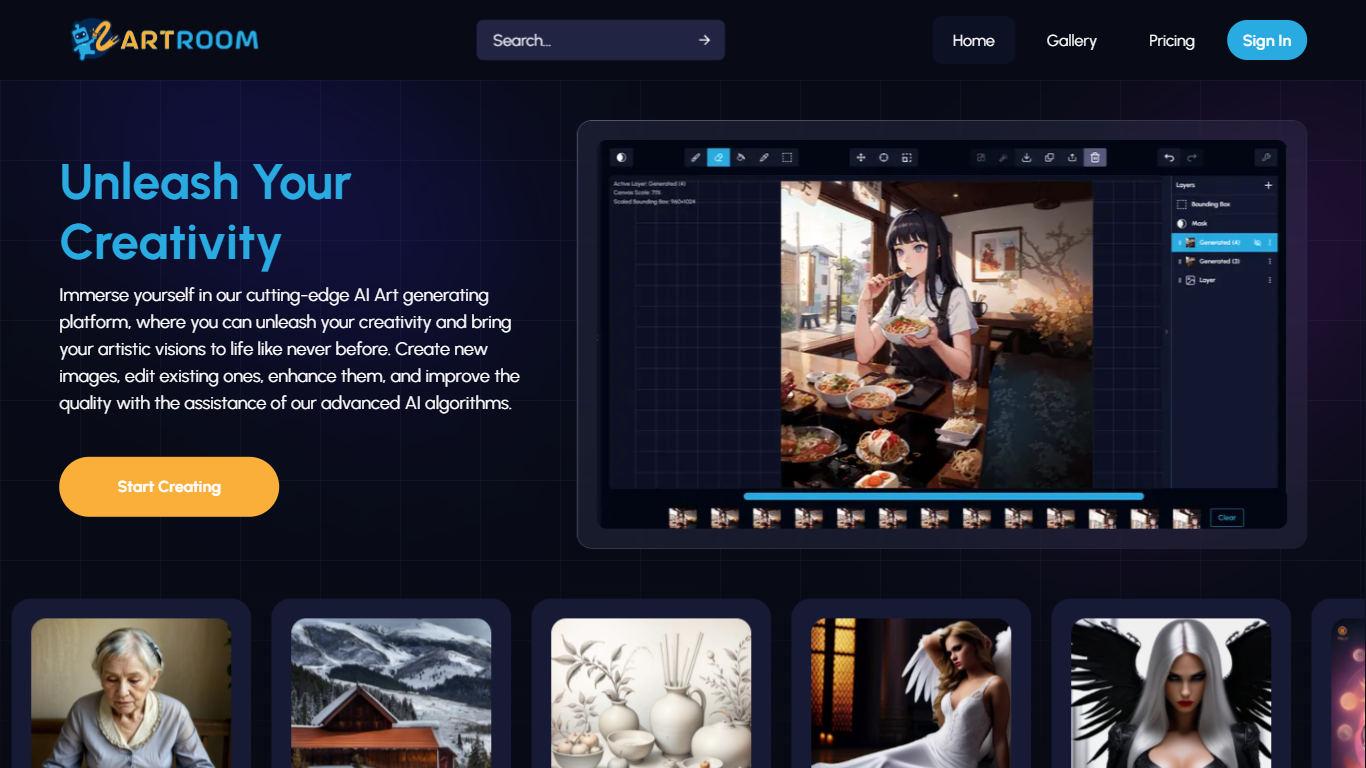
ArtRoom AI turns Stable Diffusion into a layered painting workspace where you generate, edit, and refine images in the browser. You can create new art, remix existing files, and steer outputs with ControlNet, unlimited LoRAs from permitted CivitAI models, and background removal. Generations run in the cloud on premium GPUs, with resolution caps tied to your plan.
Compared with barebones web UIs that only expose a prompt box, ArtRoom AI treats generation like a canvas: layers, queued jobs, and ControlNet inputs let you keep pose, outline, or depth from a reference image while exploring variations. It also limits LoRA access to models creators explicitly allow on generative services, which is a stricter catalog than sites that mirror all CivitAI uploads.
Hobbyists, illustrators, and digital artists use it for character concepts, reference photos, and style experiments. The Free tier grants 120 shards per day with 100 MB storage; paid plans scale to 80,000 monthly shards and up to 4K (3840x3840) output on Premium.
Free plan includes 120 shards per day with 100 MB storage
Paid Pro tier outputs up to 2K (2048x2048) with 35,000 shards per month
Unlimited LoRAs integrated with CivitAI models that creators permit for generative use
ControlNet keeps pose, outline, or depth maps from a reference image during generation
Layer-based painting UI for editing and refining generations instead of one-shot prompts
Cloud rendering on premium GPUs with queued generation jobs on paid plans
Layered canvas workflow gives more control than a single prompt-and-wait interface.
Integrates permitted CivitAI LoRAs and ControlNet in one cloud app.
Free tier includes 120 daily shards so you can test the full feature set.
Free storage is only 100 MB, which fills quickly with saved generations.
Public gallery blocks NSFW posts even though private generation is allowed.
LoRA catalog is smaller than sites that ignore creator permissions.
Is ArtRoom AI free to use?
Yes. ArtRoom AI has a Free plan at $0 per month with 120 shards per day and 100 MB storage. Paid Basic, Pro, and Premium plans add more monthly shards, higher resolution caps, and larger storage quotas.
Who owns images created in ArtRoom AI?
You do. ArtRoom AI states that all images you create are your own content. NSFW outputs are allowed for private use but cannot be published to the public gallery.
What resolution can ArtRoom AI generate?
ArtRoom AI resolution depends on your plan: Basic supports up to 1K (1024x1024), Pro up to 2K (2048x2048), and Premium up to 4K (3840x3840). Staying near 512 pixels on one dimension often yields cleaner Stable Diffusion results.
Does ArtRoom AI support ControlNet?
Yes. ArtRoom AI includes ControlNet on paid plans. You upload a base image and choose which structural elements (pose, outline, depth) to preserve while the model generates variations.
Can ArtRoom AI use any CivitAI LoRA?
No. ArtRoom AI only lists LoRAs whose creators explicitly allowed use on generative services. Models that other sites host without permission will not appear in ArtRoom AI's catalog.
How do I contact ArtRoom AI support?
ArtRoom AI lists [email protected] for feature requests and model hosting questions. The pricing FAQ also points to the Discord community at discord.gg/puAeQ864 and the GitBook tutorial for setup help.