
Last updated 08-10-2026
Category:
Reviews:
Join thousands of AI enthusiasts in the World of AI!
Avachara
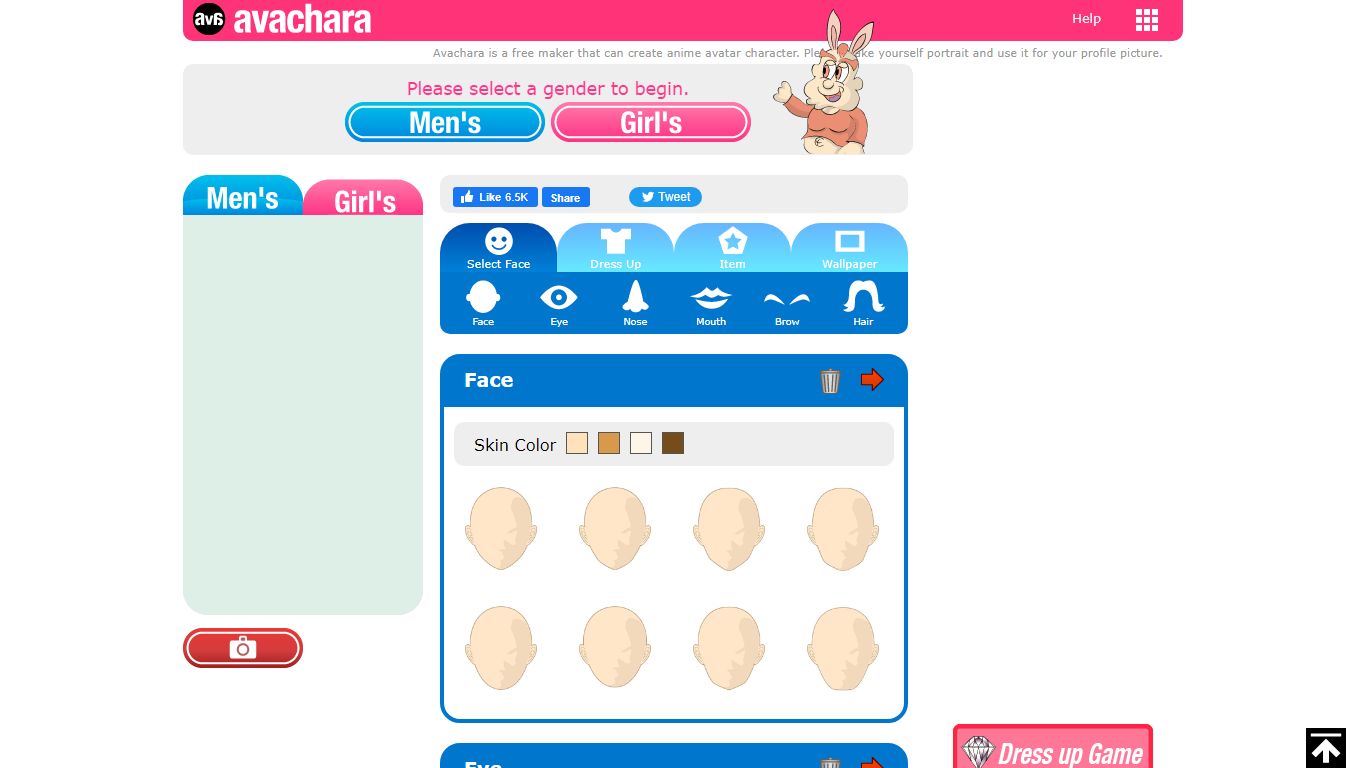
Avachara is a browser-based anime avatar maker that lets you build portrait characters for profile pictures without installing software. You pick a gender, then customize skin, eyes, hair, brows, nose, mouth, outfits, items, and wallpapers through a simple dress-up interface.
Compared with AI image generators that produce unpredictable faces from text prompts, Avachara uses fixed illustration parts you combine manually, which gives predictable cute anime results for social avatars. The trade-off is less photorealism and no prompt-based novelty, but also no model credits or signup wall for casual personal use.
Streamers, forum users, and students who want a quick anime profile picture are the obvious audience. Personal avatars are free to create and save via the on-page camera button, while commercial or advertising use requires contacting DESIGNALIKIE for a paid license.
Builds anime portrait avatars in the browser with no download required
Customize face, eyes, hair, brows, nose, mouth, outfits, items, and wallpapers
Saves avatar images through the on-page camera button for right-click download
Supports chat and bulletin board play between created avatar characters on Avachara
Offers separate sister makers such as Anichara animated avatars and Charatore self-portraits
Personal use is free while commercial or advertising use requires a paid license from the publisher
Completely free for personal profile pictures with no credit system.
Predictable anime results because you assemble preset illustration parts instead of gambling on prompts.
Runs in the browser on desktop or mobile without installing an app.
Large ecosystem of sister character makers on the same publisher network.
Commercial and advertising use requires a separate paid license.
Art style is limited to the provided parts rather than fully custom illustrations.
Interface and documentation are simpler than modern AI avatar generators with 3D rendering.
Is Avachara free to use?
Yes for personal avatars. Avachara is a free anime avatar maker on the web, and you can save images by clicking the camera button under your character and right-clicking the result.
How do you save an Avachara avatar?
Avachara creates the image when you click the camera button below your avatar. Right-click the generated portrait and save it to your computer for use as a profile picture.
Can businesses use Avachara avatars commercially?
Commercial and advertising use requires a license fee according to Avachara. Contact DESIGNALIKIE through the site for licensing details before using avatars in paid campaigns.
What can you customize in Avachara?
Avachara lets you adjust skin color, eyes, hair, brows, nose, mouth, clothing, accessories, and wallpaper backgrounds while building an anime-style portrait character.
Does Avachara require an account?
Avachara runs as a web app where you select a gender and start customizing immediately. The homepage focuses on browser creation without mandating signup for basic avatar building.
What other tools does Avachara offer?
DESIGNALIKIE operates related avatar makers linked from avachara.com, including Anichara for animated avatars, Charatore for self-portraits, and Charatoon for cartoon caricatures.