
Last updated 08-10-2026
Category:
Reviews:
Join thousands of AI enthusiasts in the World of AI!
Awesome Video Editor
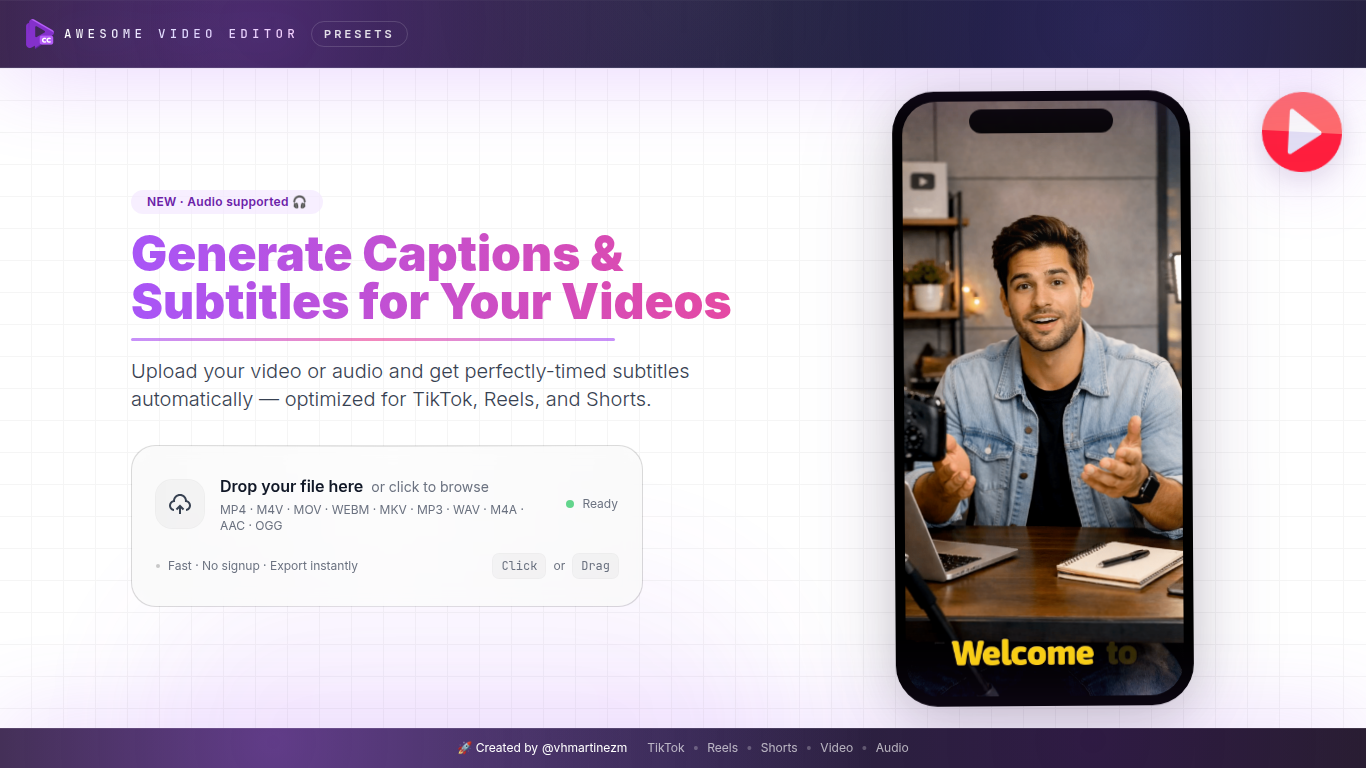
Awesome Video Editor auto-generates captions and subtitles from uploaded video or audio files in a browser. You upload a clip, get a speech-to-text transcript, style the caption layer, and export SRT or VTT files or a burned-in video. The site advertises free processing with no signup required.
Full NLE editors bury subtitles deep in a timeline. Awesome Video Editor is built around one job: upload, transcribe, style, export. Dedicated landing pages cover TikTok captions, Instagram Reels, YouTube Shorts, general video captions, and audio-to-subtitle conversion so short-form creators skip heavyweight editing suites.
YouTubers, social media managers, educators, and podcasters use it when every clip needs readable text for silent viewing or accessibility. Multilingual subtitle generation, font and position controls, and seconds-fast processing are listed on the site metadata even though the homepage currently throws a client-side application error in some browsers.
Automatic speech-to-text transcription from uploaded video or audio files
Dedicated flows for TikTok, Instagram Reels, and YouTube Shorts captions
Export subtitles as SRT or VTT files or burn captions directly into the video
Multilingual subtitle generation for localized channel versions
Font, color, and positioning controls to match brand caption styling
Free processing with no signup required according to site metadata
Audio-to-subtitles path for podcast and interview clips without video
Focused caption workflow without a full video editor learning curve
Free with no account gate per site metadata
Platform-specific pages for TikTok, Reels, and Shorts
SRT and VTT export plus burned-in video option
Multilingual subtitle generation for global audiences
Homepage returned a client-side application error during this enrichment check
Narrow scope covers captions only, not general video editing
Live feature details beyond metadata could not be fully exercised in browser
Is Awesome Video Editor free?
Yes, Awesome Video Editor advertises free, fast caption generation with no signup required. You upload a file and transcribe speech to subtitles in the browser according to the site description.
What formats does Awesome Video Editor export?
Awesome Video Editor exports captions as SRT or VTT subtitle files or burns them directly into the finished video. You can also take the SRT or VTT into another editor.
Can Awesome Video Editor add TikTok or Reels captions?
Yes, Awesome Video Editor has dedicated pages for TikTok captions, Instagram Reels captions, and YouTube Shorts auto captions alongside a general video captions workflow.
Does Awesome Video Editor work with audio only?
Yes, Awesome Video Editor includes an audio-to-subtitles path that transcribes speech from audio files without requiring a video track.
Can I style captions in Awesome Video Editor?
Awesome Video Editor lets you adjust font, color, size, and positioning so the caption layer matches your brand before you export or burn subtitles into the video.
Who is Awesome Video Editor for?
Awesome Video Editor targets content creators, marketers, educators, and podcasters who need quick, accurate subtitles for social clips, courses, and promotional videos without learning a full editor.