
Last updated 08-09-2026
Category:
Reviews:
Join thousands of AI enthusiasts in the World of AI!
BlogToPin
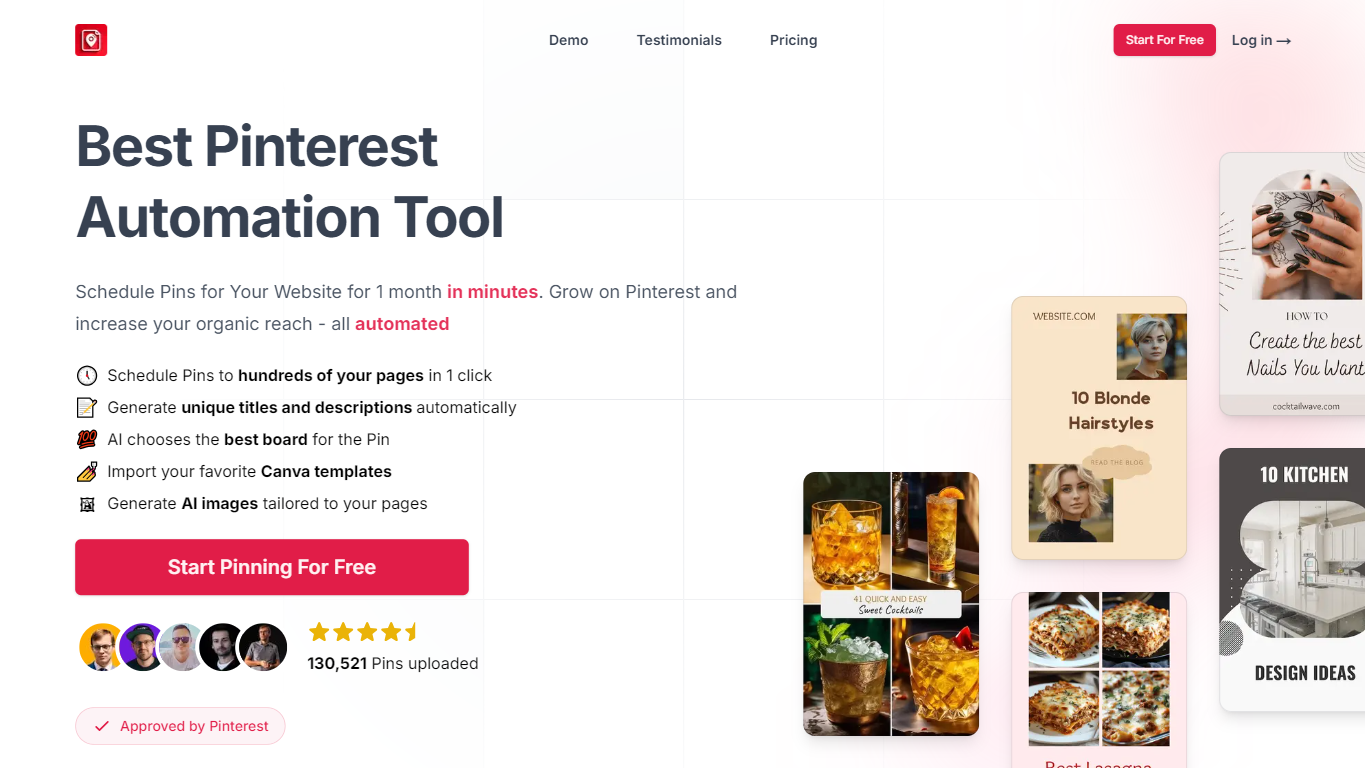
BlogToPin automates Pinterest pin creation from your blog posts and product pages. Connect a website, and it generates pin images, titles, descriptions, and board assignments, then queues up to a month of pins in one session.
Where most Pinterest schedulers need you to design each pin by hand, BlogToPin scans your site, picks images for collages, writes unique copy per pin, and uses Smart Shuffle to rotate outbound links so repeat posts do not look spammy. It also imports Canva templates and is listed as Pinterest-approved on the homepage.
BlogToPin targets bloggers, Shopify and Etsy sellers, and agency teams who want Pinterest traffic without spending hours in Canva. The platform reports 3,748,149 pins uploaded across users, with pricing tiers from 35 to 1,000 scheduled pins per day.
Schedule pins to hundreds of site pages in one click for a full month
AI generates unique pin titles, descriptions, and board picks per post
Smart Shuffle rotates outbound links by scanning your entire website
Import Canva templates or use AI-generated images matched to each page
Starter plan allows 35 pins per day across unlimited Pinterest accounts
Schedules a full month of pins from one website scan in minutes.
AI writes unique titles and descriptions instead of recycling the same copy.
Supports Canva template imports for branded pin designs.
Unlimited Pinterest accounts and websites on every paid tier.
Dedicated use-case pages for WordPress, Shopify, Etsy, and more.
Paid plans start at $25 per month when billed annually.
Starter tier caps scheduling at 35 pins per day.
Pinterest-focused only with no support for other social networks.
What does BlogToPin do?
BlogToPin automates Pinterest pin creation and scheduling from your website. It generates pin images, titles, descriptions, and board assignments, then queues up to a month of pins so you can grow Pinterest traffic without designing each pin manually.
How much does BlogToPin cost?
BlogToPin offers three paid tiers on its pricing page. Starter is $25 per month billed annually ($299/year) with 35 pins per day. Agency is $50 per month ($599/year) with 350 pins per day. Enterprise is $125 per month ($1,499/year) with 1,000 pins per day.
Can BlogToPin import Canva templates?
Yes, BlogToPin lets you import your own Canva templates to style pins. The homepage also lists AI-generated images customized to match each blog page as an alternative to imported designs.
What is BlogToPin Smart Shuffle?
Smart Shuffle scans your entire website and rotates pin outbound links across pages. BlogToPin uses it to keep your posting schedule varied and avoid sending every pin to the same URL.
Which platforms does BlogToPin support?
BlogToPin lists dedicated workflows for WordPress blogs, Shopify stores, Etsy shops, WooCommerce, Amazon, and other e-commerce platforms on its use-cases page. Each workflow turns product or blog pages into scheduled Pinterest pins.
Is BlogToPin approved by Pinterest?
BlogToPin displays an Approved by Pinterest badge on its homepage. The site also reports 3,748,149 pins uploaded by users across the platform.