
Last updated 08-22-2026
Category:
Reviews:
Join thousands of AI enthusiasts in the World of AI!
Browse.sh
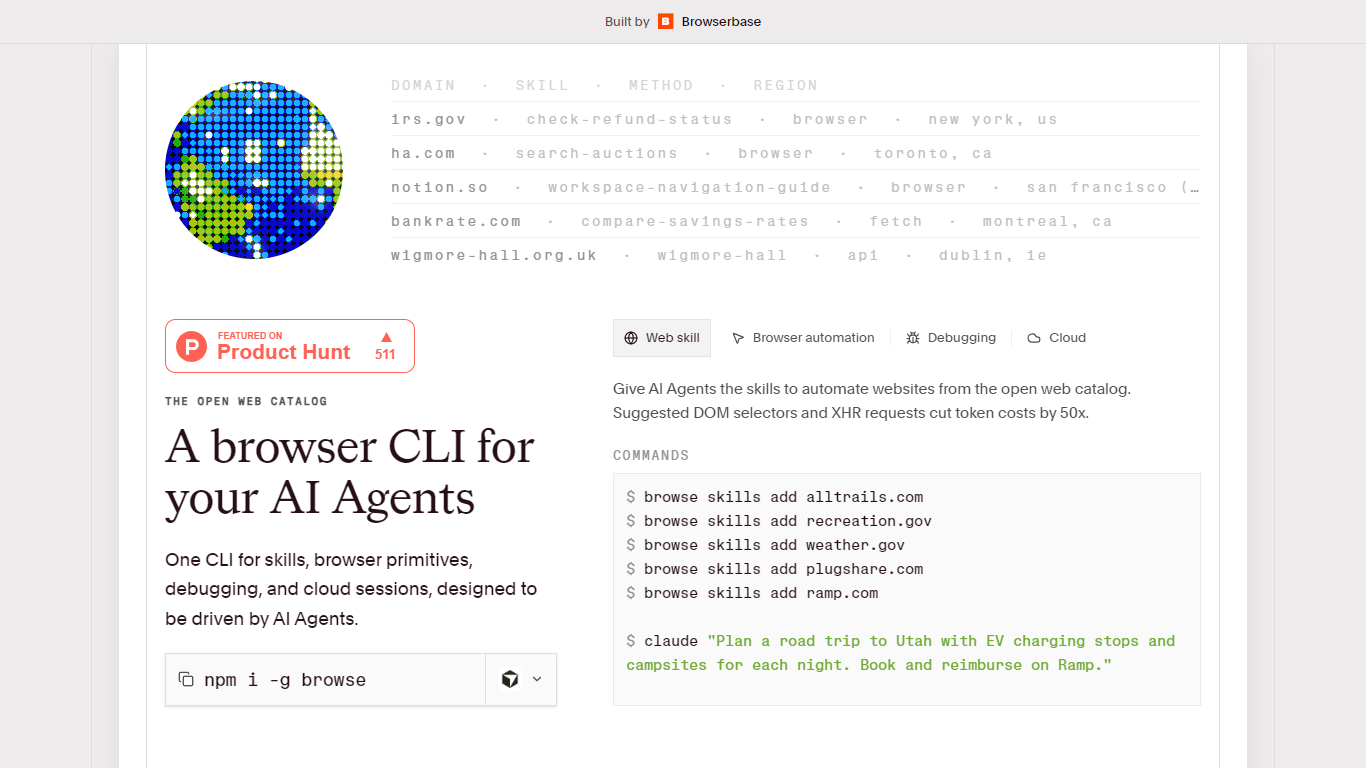
Browse.sh gives AI agents a browser CLI plus an open catalog of website-specific automation skills. Install it with npm install -g browse, add skills for domains like SAM.gov, Airbnb, Ticketmaster, or Glassdoor, and run structured tasks without reverse-engineering every page from scratch.
Each skill in the catalog documents selectors, API paths, and site-specific gotchas for one domain. The homepage also publishes llms.txt and llms-full.txt indexes so agents can discover skills programmatically. Browse.sh positions suggested DOM selectors and XHR hints as a way to cut token use compared with dumping raw page HTML.
Beyond packaged skills, the CLI exposes browser primitives: click, type, scroll, hover, press keys, take screenshots, and target elements by CSS selector or accessibility refs. Network and console output can be tailed in real time with browse network --tail and browse console --tail during a session.
Sessions run on local Chromium by default. Prefix commands with cloud to use Browserbase remote sessions, including Search and Fetch APIs for pages that are easier to reach from hosted infrastructure. Browse.sh is built by Browserbase and the catalog is free to browse; cloud browser usage bills through Browserbase separately.
Open web skill catalog covering SAM.gov, Airbnb, Ticketmaster, Glassdoor, Craigslist, and more
llms.txt and llms-full.txt agent discovery indexes published on browse.sh
Browser primitives for click, type, scroll, hover, press, and screenshots
Live network and console tails via
browse network --tailandbrowse console --tailLocal Chromium sessions with optional
browse cloudBrowserbase remote browsersInstall globally with
npm install -g browseand add skills per domain
Large open catalog of ready-made website skills saves agents from reverse-engineering every domain.
Combines high-level skills and low-level browser primitives in one CLI.
Local Chromium works out of the box; cloud sessions are optional via Browserbase.
Live network and console tails make debugging agent browser runs much easier.
No dedicated pricing page on browse.sh; cloud usage depends on separate Browserbase billing
Skill quality and maintenance vary because the catalog is community-contributed across many sites
Some skills require Browserbase verified browsers or proxies for anti-bot protected sites
Is Browse.sh free to use?
Yes. Browse.sh installs as a free CLI via `npm install -g browse`, and the open web catalog on browse.sh is free to browse. Remote browser sessions use Browserbase infrastructure, which is billed separately from the Browse.sh catalog.
How do I install Browse.sh?
Browse.sh installs as the `browse` npm package. Run `npm install -g browse` on your machine, then use commands like `browse skills add sam.gov` or `browse click` from your terminal or agent harness.
What is the Browse.sh open web catalog?
The open web catalog on browse.sh lists website-specific automation skills contributed for real domains. Each entry documents what the skill does, its method such as API, browser, or fetch, and installation via `browse skills add`.
Can Browse.sh run without Browserbase cloud?
Yes. Browse.sh CLI commands work with local Chromium by default. You only need Browserbase when you prefix a command with `cloud`, such as `browse cloud sessions create` for remote sessions.
What browser debugging does Browse.sh support?
Browse.sh can tail network traffic and console output from active browse sessions using `browse network --tail` and `browse console --tail`. That lets agents and developers see HTTP requests, responses, warnings, and JavaScript errors as the page runs.
Who built Browse.sh?
Browse.sh is built by Browserbase, the hosted browser infrastructure company. The browse.sh homepage links to Browserbase for cloud sessions and verified browser profiles used by some skills.