
Last updated 08-15-2026
Category:
Reviews:
Join thousands of AI enthusiasts in the World of AI!
Captiongen
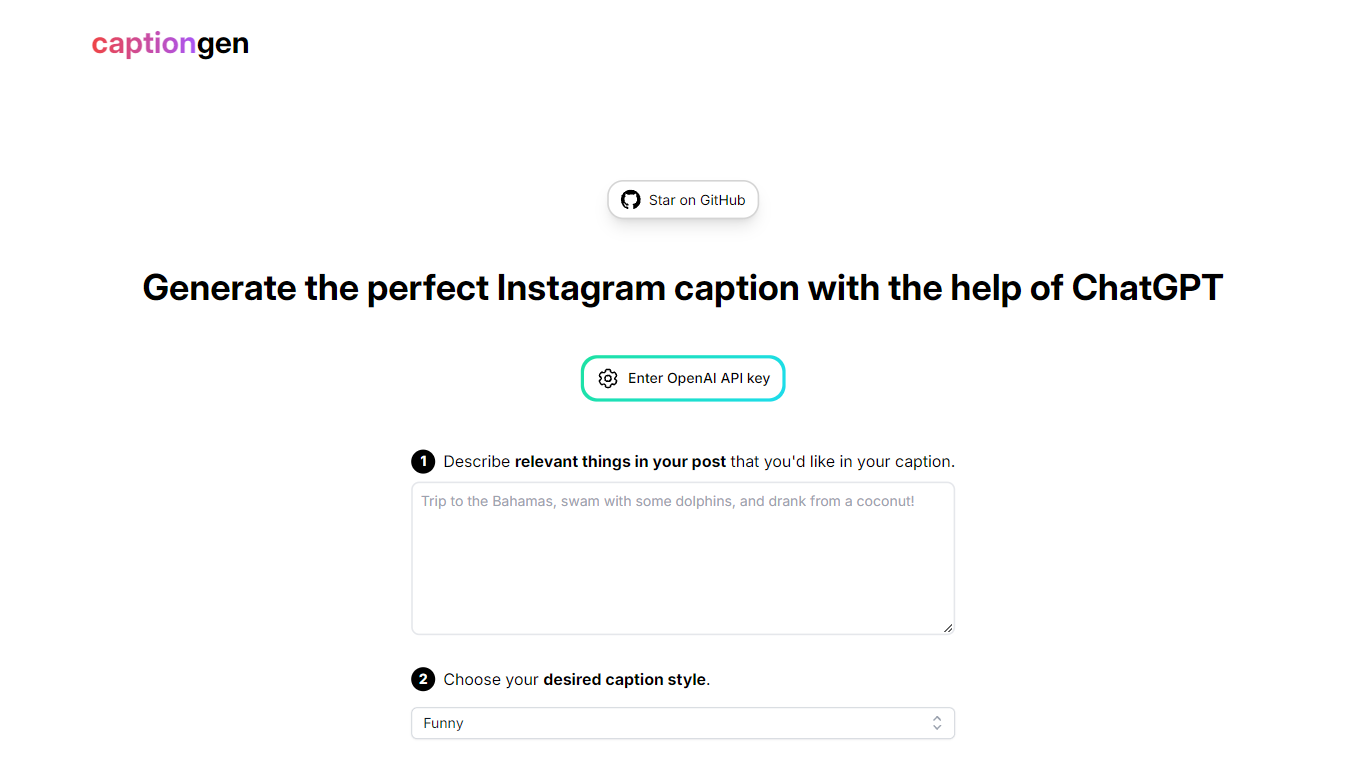
Captiongen is a lightweight social media caption generator that turns a short description of your post into ready-to-paste text. You describe what the image or update is about, pick a tone, and the site sends that prompt through OpenAI's API to draft a caption. The live app at captiongen.stanleyzhao.com runs as a simple two-step form with no signup wall.
Most caption apps bundle scheduling, analytics, or hashtag research. Captiongen skips all of that and stays a single-purpose demo you can run in a browser or clone from GitHub. You supply your own OpenAI API key, so usage cost follows OpenAI's token pricing rather than a separate Captiongen subscription. The project is a fork of @nutlope's twitterBio template, adapted for Instagram-style captions instead of bios.
It fits social media managers, creators, and anyone who knows what they want to say but stalls on the actual line. The Funny style preset on the homepage targets lighthearted Instagram posts, while developers can deploy the Next.js source locally with npm, yarn, or pnpm.
Runs on OpenAI's gpt-3.5-turbo model with Vercel Edge Functions and streaming responses
Two-step flow: describe post details, then pick a caption style such as Funny
Bring-your-own-key design: paste an OpenAI API key in the browser before generating
Open-source Next.js project on GitHub under zhao-stanley/captiongen with 23 stars
Built on the twitterBio template by @nutlope, retargeted for caption writing
Deploy locally with npm, yarn, or pnpm after adding OPENAI_API_KEY to your .env file
No Captiongen account or subscription required
Streaming responses through Vercel Edge Functions feel fast in the browser
Fully open source with a public GitHub repo you can fork and deploy
Simple two-field UI keeps caption drafting quick
Requires your own OpenAI API key and pays OpenAI per token
Only the Funny style preset is visible on the live homepage picker
No built-in scheduling, hashtag tools, or multi-platform posting
Logo and preview assets still reference the old szhao.dev domain
Is Captiongen free to use?
Captiongen charges no subscription fee. You paste your own OpenAI API key into the site, and OpenAI bills you per token for gpt-3.5-turbo calls. The open-source repo on GitHub has no paid tier.
What AI model does Captiongen use?
Captiongen calls OpenAI's gpt-3.5-turbo model through Vercel Edge Functions with streaming. The GitHub README documents that model choice and the Edge function payload flow.
Do I need an account for Captiongen?
No account is required on Captiongen. Open the site, enter your OpenAI API key, describe your post, choose a style like Funny, and click generate. Nothing is stored behind a login.
Can I run Captiongen on my own server?
Yes. Captiongen is open source on GitHub at zhao-stanley/captiongen. Clone the repo, add OPENAI_API_KEY to .env, and start the dev server with npm, yarn, or pnpm on port 3000.
What caption styles does Captiongen support?
The live Captiongen homepage shows a Funny style preset in the style picker. You describe relevant post details in step one, then select that tone before generating the caption.
What platforms does Captiongen target?
Captiongen is a browser web app aimed at social media caption writing. The homepage headline references Instagram captions, and the UI is a simple form with no native mobile app.