
Last updated 08-21-2026
Category:
Reviews:
Join thousands of AI enthusiasts in the World of AI!
ClickSay
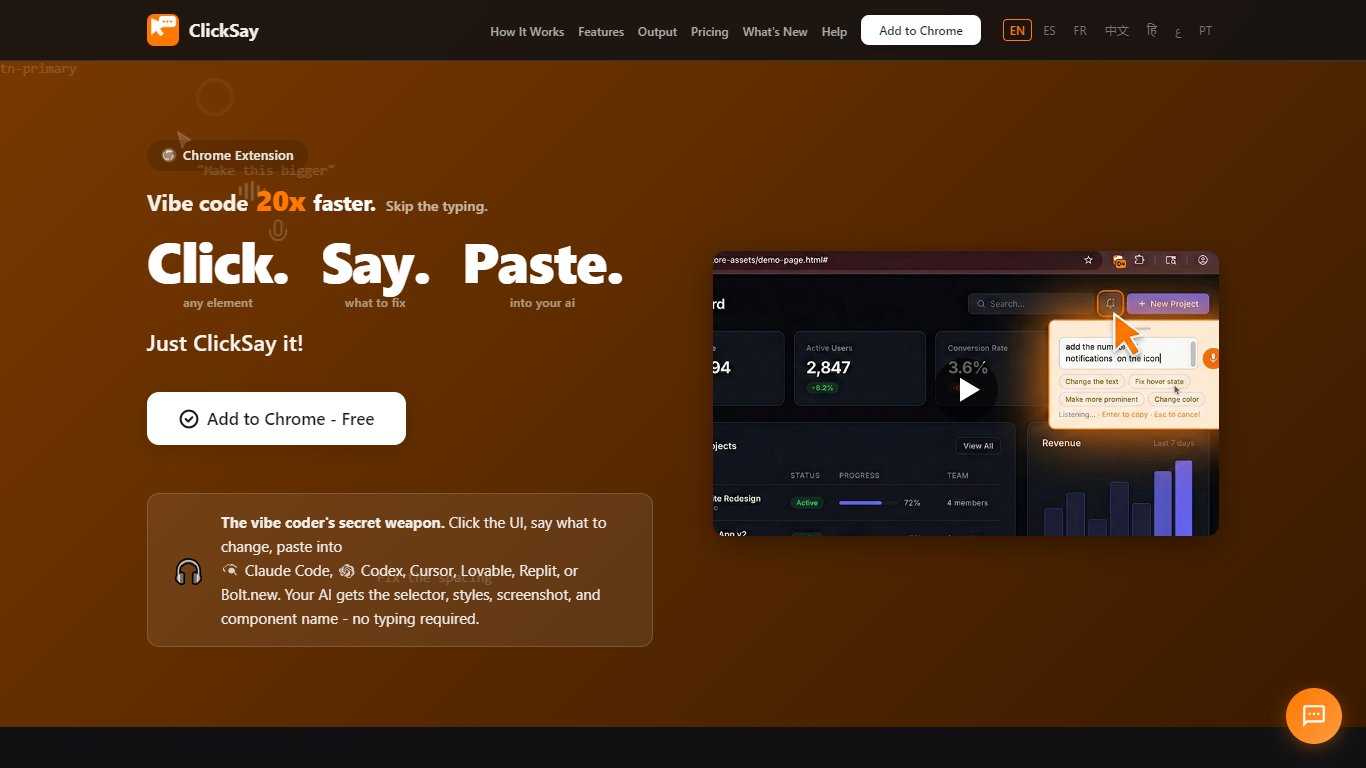
ClickSay is a Chrome extension for developers who iterate on live UIs with coding assistants. You click any element on a page, speak what to change, and paste a structured prompt into Claude Code, Cursor, Codex, Lovable, Replit, or Bolt.new. Each capture includes the CSS selector, computed styles, HTML snippet, component name when available, and a highlighted screenshot so the AI knows exactly what you pointed at.
Dictation tools like Wispr Flow turn speech into text anywhere you type. ClickSay instead captures the exact UI element your AI needs to edit, bundling selector, styles, screenshot, and component context into one paste-ready prompt. That makes it a better fit when the fix depends on what is on screen, not just what you said.
ClickSay is built for vibe coders and front-end developers who ship UI changes through AI tools rather than filing long bug reports. Pro adds framework detection for React, Next.js, Vue, Svelte, and Angular, Sweep mode for multi-element feedback, accessibility audits, and unlimited capture history. The extension runs locally in Chrome with no sign-up required.
One click grabs the selector, styles, HTML, and a highlighted screenshot
Mic turns on when you click so you can say the fix out loud
Free plan includes 5 captures per month with 7-day feedback history
Pro at $7 per month unlocks unlimited captures, Sweep mode, and framework detection
Optional localhost relay pipes prompts straight into Claude Code
No account or login required to install and start capturing UI elements.
Bundles selector, styles, screenshot, and component context into one paste-ready prompt.
Runs locally in the browser with no default transmission to external servers.
Supports 20 voice languages from the feedback popup.
Chrome desktop extension only, with no mobile app yet.
Free tier caps usage at 5 captures per month.
Framework detection, Sweep mode, and full output presets require Pro.
Does ClickSay have a free plan?
Yes. ClickSay Free includes 5 captures per month, voice feedback, screenshots, Simple and Standard output presets, clipboard copy, and 7-day feedback history. No credit card is required to install from the Chrome Web Store.
Which AI coding tools work with ClickSay?
ClickSay outputs structured prompts you paste into Claude Code, OpenAI Codex, Cursor, Lovable, Replit, Bolt.new, and similar assistants. An optional local relay can send prompts directly to Claude Code on your machine.
Do I need an account to use ClickSay?
No. ClickSay does not require sign-up or login. Install the Chrome extension and start capturing elements immediately. Pro upgrades use a license key you paste in the extension options or side panel.
Is ClickSay available on mobile?
ClickSay is a Chrome desktop extension only. The clicksay.net site offers a notify-me form for future mobile support, but there is no mobile app today.
Does ClickSay send my data to external servers?
By default, ClickSay runs entirely in your browser. Feedback history, screenshots, and settings stay in Chrome local storage on your device. The optional relay sends data only to localhost on your computer.
How much does ClickSay Pro cost?
ClickSay Pro costs $7 per month or $45 per year, which works out to $3.75 per month billed annually on clicksay.net. Pro unlocks unlimited captures, all output presets, framework detection, Sweep mode, accessibility audits, and unlimited feedback history.
What frameworks does ClickSay detect?
ClickSay Pro auto-identifies React, Next.js, Vue, Svelte, and Angular components and can include the component name and file path in the prompt according to clicksay.net.