
Last updated 07-27-2026
Category:
Overall Rating:
5.0 🏆
Reviews:
Join thousands of AI enthusiasts in the World of AI!
Code Snippets AI
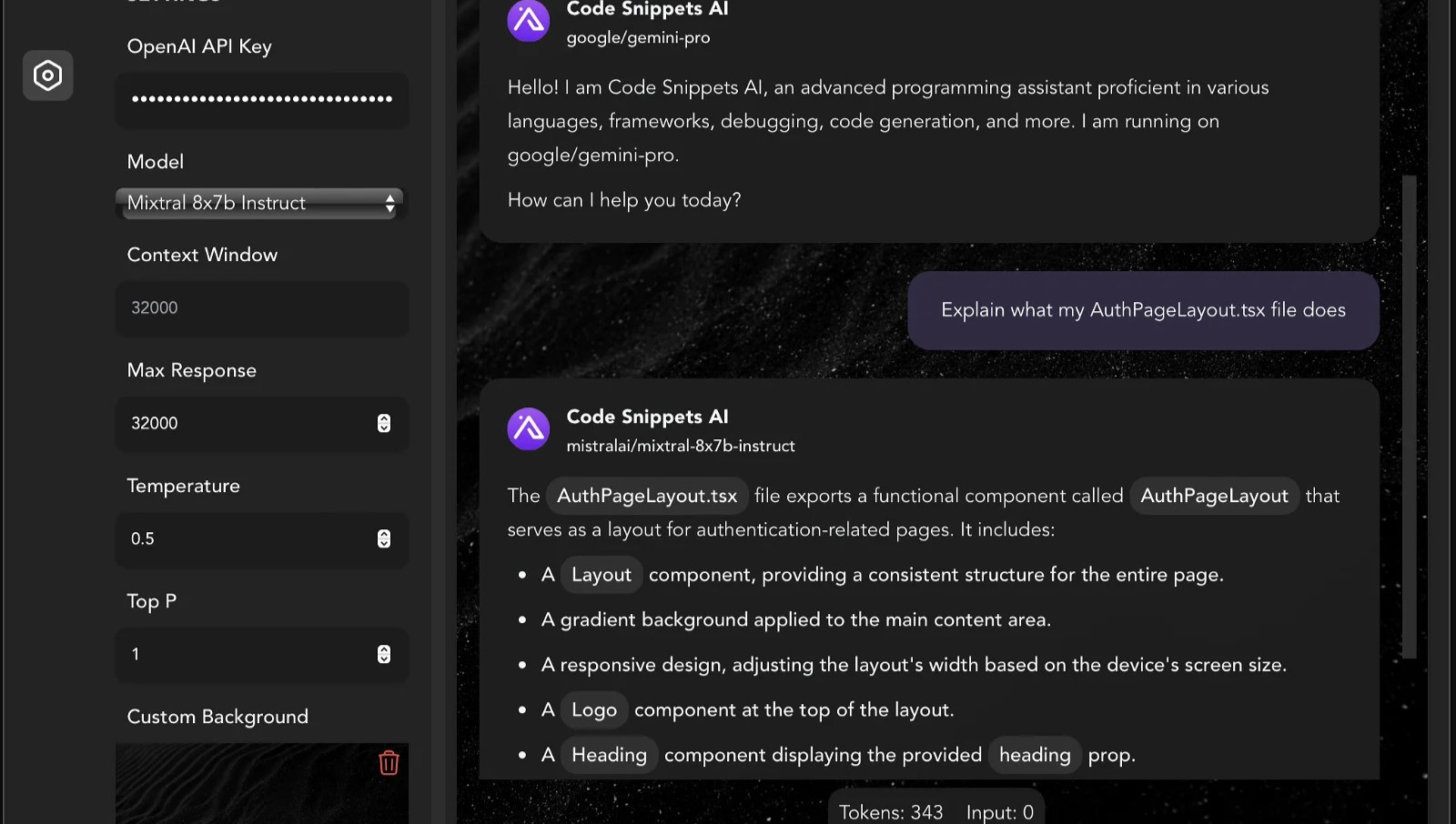
Code Snippets AI helps developers manage and enhance their code snippets using AI-powered tools. It provides a desktop app and IDE extensions that integrate with popular AI models like OpenAI GPT-4 and various open-source large language models. Developers can chat with multiple AI models in a single conversation, improving coding assistance.
What sets Code Snippets AI apart is its ability to index your entire codebase, providing contextual awareness that enhances code generation, refactoring, debugging, and documentation. It supports team collaboration with secure snippet libraries and user management features, suitable for both individuals and teams.
The platform continuously updates chat context based on code changes, helping maintain code quality and accelerate development workflows. Additionally, Code Snippets AI offers AI Agents, which are specialized digital assistants tailored for specific coding tasks and languages to boost productivity. It supports Mac, Windows, and VSCode, with plans to expand IDE support in the future.
💬 Multi-Model Chat: Chat with multiple AI models like GPT-4 and open-source LLMs simultaneously for diverse coding assistance.
📂 Codebase Indexing: Automatically indexes your entire project files to provide AI with up-to-date context for accurate code suggestions.
🤖 AI Agents: Specialized digital assistants for specific languages and frameworks offering tailored coding support and documentation.
👥 Team Collaboration: Securely share and manage code snippets with your team, including user roles and real-time snippet updates.
🛠️ IDE Integration: Desktop apps and VSCode extension enable writing, refactoring, and debugging code efficiently without switching tools.
🔑 API Key Requirement: Basic plan requires users to provide their own OpenRouter or OpenAI API key to access online language models.
💾 Snippet Storage Limits: Basic plan allows saving up to 5 snippets; paid plans offer unlimited snippet storage.
Supports multiple AI models in one chat for versatile coding help
Indexes entire codebase for context-aware suggestions
Offers AI Agents tailored to specific languages and frameworks
Includes team collaboration with secure snippet sharing
Available on desktop and popular IDEs with future IDE support planned
Basic plan requires users to provide their own AI API key
AI Agents and advanced features are limited to paid plans
Currently supports a limited number of AI Agents with ongoing updates
What makes Code Snippets AI different from other AI coding tools?
Code Snippets AI supports chatting with multiple open and closed-source AI models simultaneously, using your entire codebase as context to provide accurate and relevant coding assistance.
Do I need to provide my own AI API key?
Yes, Code Snippets AI requires users on the Basic plan to bring their own OpenRouter or OpenAI API key to access online language models.
Can Code Snippets AI see my code?
Code Snippets AI indexes your code locally on your machine or securely within your team’s snippet library; it does not access your code without your permission.
What programming languages are supported?
Code Snippets AI supports a wide range of programming languages and frameworks, with AI Agents tailored for specific languages to provide specialized help.
Are there team collaboration features?
Yes, Code Snippets AI offers team management, snippet sharing, real-time updates, and user roles in paid plans to facilitate collaboration.
What platforms does Code Snippets AI support?
Code Snippets AI supports Mac and Windows desktop apps, a VSCode extension, and a Chrome extension, with plans to support more IDEs in the future.
What are AI Agents in Code Snippets AI?
AI Agents in Code Snippets AI are pre-configured digital assistants designed for specific coding tasks and languages, providing tailored documentation and faster responses.