
Last updated 08-31-2026
Category:
Reviews:
Join thousands of AI enthusiasts in the World of AI!
CodeFlying
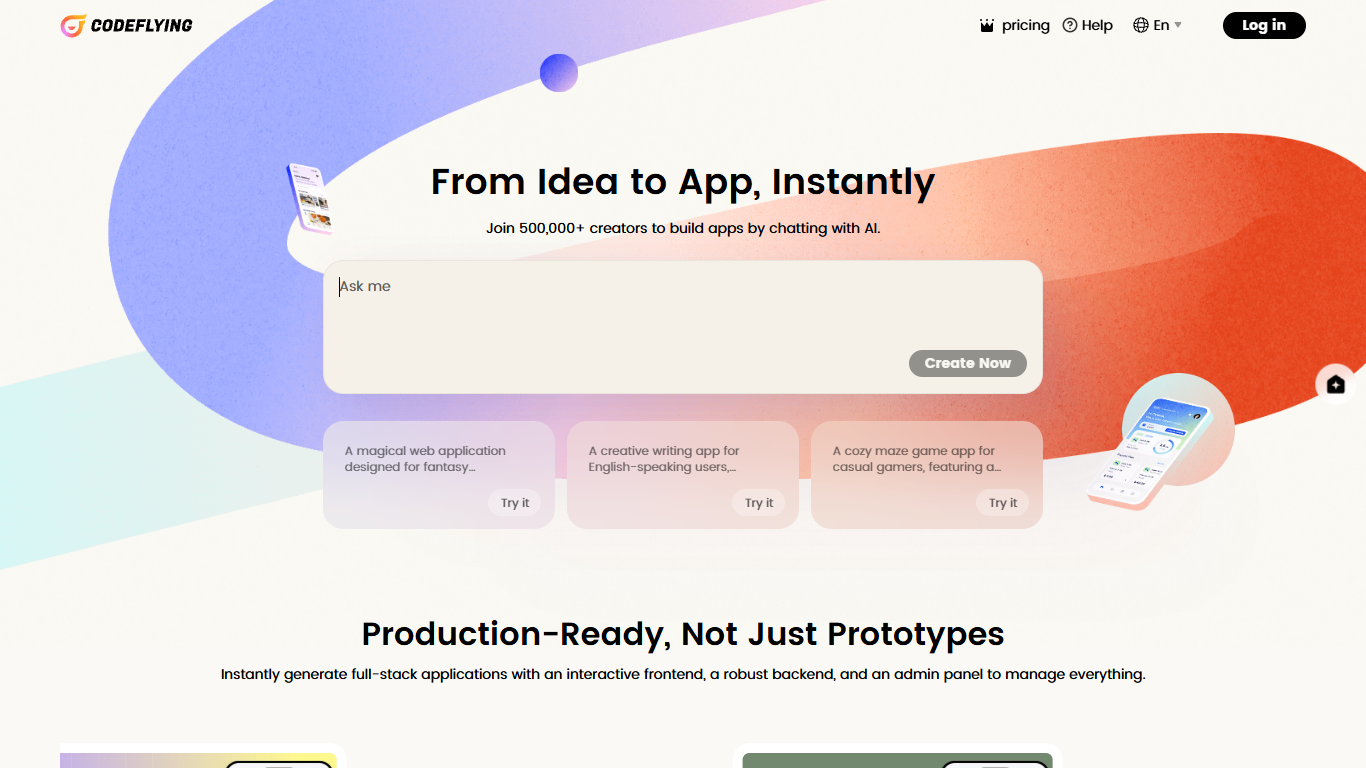
CodeFlying lets you describe an app idea in chat and get back websites, mobile apps, and messaging mini apps for Telegram, WhatsApp, Line, and similar channels. Upload a reference image on the homepage when you want layout or visual direction baked into the first generation.
Most no-code builders stop at landing pages or one output type. CodeFlying also advertises WeChat mini-program building in its site keywords, plus posters, marketing copy, and an AI customer service agent alongside the app generator. The public gallery groups community builds into Personal Tools, Enterprise, Education, Entertainment, and E-commerce tabs so you can browse by use case before prompting.
The product targets creators who want a single builder for web, mobile, and messaging surfaces without writing code first. Coffy, a voice assistant on the homepage, helps when you do not have a starting idea. CodeFlying is operated by KUAFUAI LTD., powered by KuaFuAI, supports 14 interface languages, and its meta description reports more than 1 million creators on the platform.
Accept chat prompts up to 50,000 characters on the homepage builder
Generate websites, mobile apps, and mini apps for Telegram, WhatsApp, and Line
Upload reference images in PNG, JPEG, GIF, WebP, or SVG to steer visual direction
Build WeChat mini programs alongside web and mobile targets per site keywords
Call Coffy for voice-guided help when you need a first project idea or prompt
Bundle AI marketing tools and a smart customer agent with apps you publish
Switch the interface among 14 languages including English, Spanish, Japanese, and Arabic
One builder covers websites, mobile apps, messaging mini apps, and WeChat mini programs per site keywords.
Image uploads in five common formats give non-technical users a concrete way to steer design before generation.
Coffy offers a guided starting point when you do not already have a project prompt.
The public gallery sorts community apps into five industry tabs so you can browse by use case first.
Pricing and plan limits load client-side, so plan details are not visible in static page crawls without signing in.
Help documentation is hosted on a separate Feishu wiki rather than on codeflying.app.
What can I build with CodeFlying?
CodeFlying builds websites, mobile apps, and mini apps for messaging platforms such as Telegram, WhatsApp, and Line. Its site keywords also list WeChat mini-program building, and the homepage gallery shows Personal Tools, Enterprise, Education, Entertainment, and E-commerce examples.
Can I upload an image when creating an app on CodeFlying?
Yes. CodeFlying accepts PNG, JPEG, GIF, WebP, and SVG uploads on the homepage builder so you can guide the visual direction of the app you want generated.
What is Coffy on CodeFlying?
Coffy is CodeFlying's voice assistant for users who do not have a project idea yet. The homepage button reads "No ideas? Just Call Coffy" when you need help getting started.
Does CodeFlying include marketing or customer support features?
Yes. CodeFlying's homepage subtitle mentions posters, marketing copy, and AI customer service, and its meta description lists built-in AI marketing plus a smart customer agent for apps you create.
Which languages does CodeFlying support?
CodeFlying offers 14 interface languages on its site, including English, Simplified Chinese, Portuguese, Indonesian, German, French, Vietnamese, Korean, Japanese, Thai, Hindi, Arabic, Turkish, and Spanish.
Who operates CodeFlying?
CodeFlying is operated by KUAFUAI LTD. The site footer states the product is powered by KuaFuAI.
Is there a free way to try CodeFlying?
CodeFlying lists a pricing section in its header, but plan limits load inside the signed-in app rather than on static pages. Sign in and open pricing there to see current free or paid allowances.