AI Art Generator, Image-Maker vs ArtRoom AI
In the clash of AI Art Generator, Image-Maker vs ArtRoom AI, which AI Image Generation tool emerges victorious? We assess reviews, pricing, alternatives, features, upvotes, and more.
When we put AI Art Generator, Image-Maker and ArtRoom AI head to head, which one emerges as the victor?
Let's take a closer look at AI Art Generator, Image-Maker and ArtRoom AI, both of which are AI-driven image generation tools, and see what sets them apart. The upvote count is neck and neck for both AI Art Generator, Image-Maker and ArtRoom AI. Join the aitools.fyi users in deciding the winner by casting your vote.
Does the result make you go "hmm"? Cast your vote and turn that frown upside down!
AI Art Generator, Image-Maker
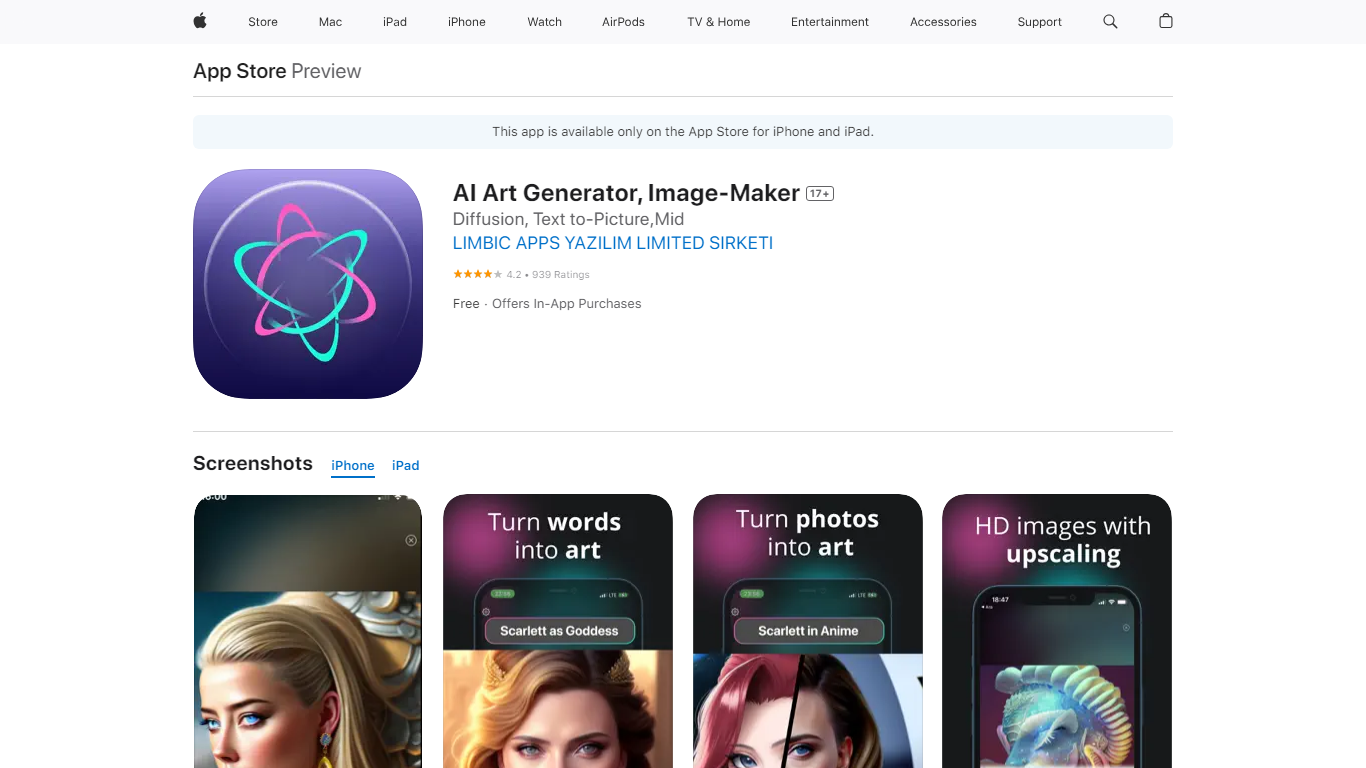

What is AI Art Generator, Image-Maker?
AI Art Generator, Image-Maker turns text prompts into shareable artwork on iPhone and iPad using models such as DALL·E, Stable Diffusion, and Flux. The App Store listing brands it as Video-Art-X and highlights text-to-art, AI selfies, image-to-image edits, inpainting, and HD upscaling.
Mobile art apps often lock you into one style preset. This one exposes multiple named models like Realistic Vision, Stable Diffusion XL, DreamShaper, Deliberate 2, and anime-focused checkpoints, so you can swap aesthetics without leaving the app.
Hobbyist creators and social media posters use it to draft surreal, vaporwave, or cyberpunk looks, then upscale results for sharing. It requires iOS 15 or later, ships free with in-app purchases, and is rated 4.1 stars across about 1.7K App Store reviews.
ArtRoom AI
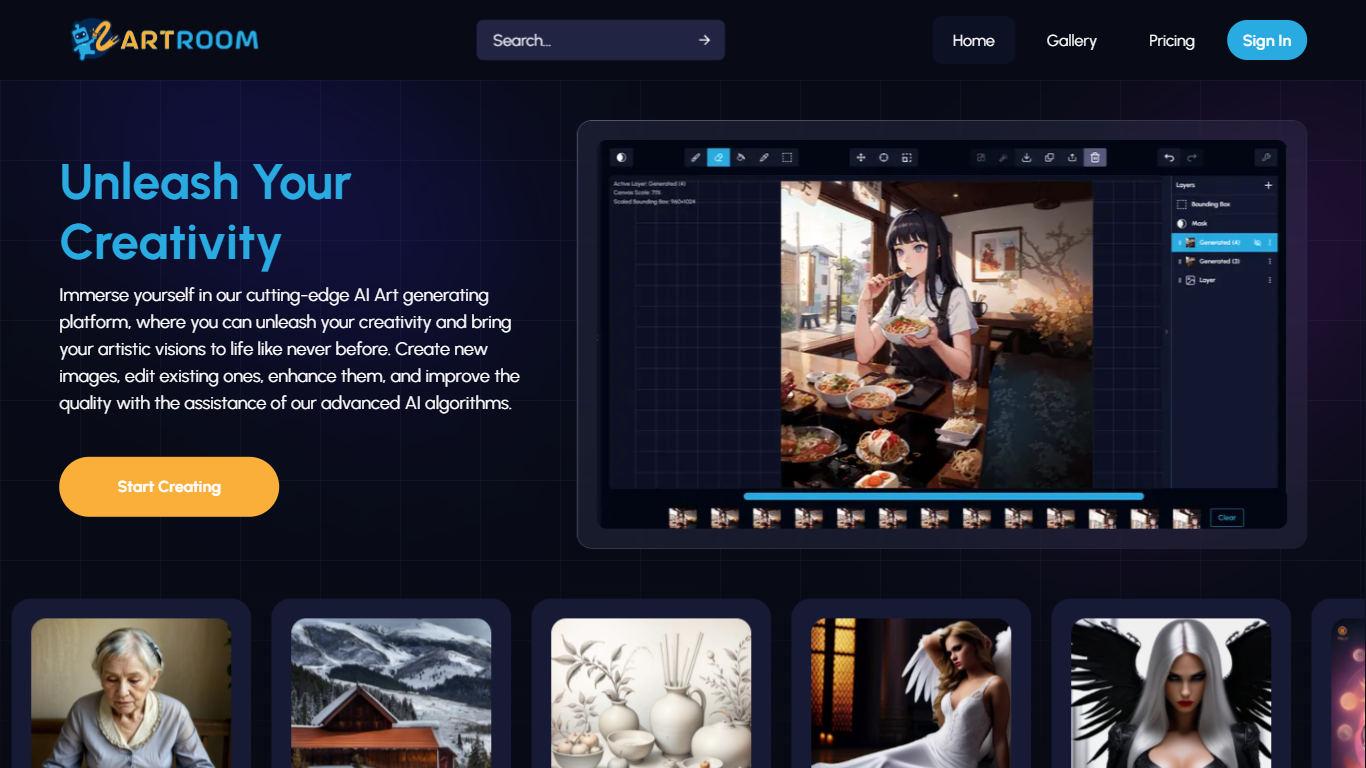
What is ArtRoom AI?
ArtRoom AI turns Stable Diffusion into a layered painting workspace where you generate, edit, and refine images in the browser. You can create new art, remix existing files, and steer outputs with ControlNet, unlimited LoRAs from permitted CivitAI models, and background removal. Generations run in the cloud on premium GPUs, with resolution caps tied to your plan.
Compared with barebones web UIs that only expose a prompt box, ArtRoom AI treats generation like a canvas: layers, queued jobs, and ControlNet inputs let you keep pose, outline, or depth from a reference image while exploring variations. It also limits LoRA access to models creators explicitly allow on generative services, which is a stricter catalog than sites that mirror all CivitAI uploads.
Hobbyists, illustrators, and digital artists use it for character concepts, reference photos, and style experiments. The Free tier grants 120 shards per day with 100 MB storage; paid plans scale to 80,000 monthly shards and up to 4K (3840x3840) output on Premium.
AI Art Generator, Image-Maker Upvotes
ArtRoom AI Upvotes
AI Art Generator, Image-Maker Top Features
Text-to-image generation using DALL·E, Stable Diffusion, and Flux model families
AI Selfie Generator turns portraits into stylized artwork
Image-to-image and inpainting tools for partial edits
HD upscaling for sharper exports
Style presets spanning surrealism, vaporwave, cyberpunk, and anime models
180.5 MB download size with iOS 15+ and iPad support
In-app credit packs and weekly or annual subscriptions listed on the App Store
ArtRoom AI Top Features
Free plan includes 120 shards per day with 100 MB storage
Paid Pro tier outputs up to 2K (2048x2048) with 35,000 shards per month
Unlimited LoRAs integrated with CivitAI models that creators permit for generative use
ControlNet keeps pose, outline, or depth maps from a reference image during generation
Layer-based painting UI for editing and refining generations instead of one-shot prompts
Cloud rendering on premium GPUs with queued generation jobs on paid plans
AI Art Generator, Image-Maker Category
- Image Generation
ArtRoom AI Category
- Image Generation
AI Art Generator, Image-Maker Pricing Type
- Freemium
ArtRoom AI Pricing Type
- Freemium