AnimateAI vs Spikes Studio
Explore the showdown between AnimateAI vs Spikes Studio and find out which AI Video Generation tool wins. We analyze upvotes, features, reviews, pricing, alternatives, and more.
When comparing AnimateAI and Spikes Studio, which one rises above the other?
When we contrast AnimateAI with Spikes Studio, both of which are exceptional AI-operated video generation tools, and place them side by side, we can spot several crucial similarities and divergences. With more upvotes, Spikes Studio is the preferred choice. Spikes Studio has 16 upvotes, and AnimateAI has 6 upvotes.
Not your cup of tea? Upvote your preferred tool and stir things up!
AnimateAI


What is AnimateAI?
You turn a script into a multi-scene animated series without leaving one browser tab. AnimateAI chains character design, storyboard editing, and final video rendering into a single video generation workflow built for serialized animation rather than one-off clips.
Standalone text-to-video tools generate disconnected scenes. AnimateAI centers a Character Vault that stores your cast and reuses the same faces across episodes, then turns scripts into editable storyboards with narration and voiceovers before Kling, Minimax, Runway, or Luma models render the footage. The homepage also lists Seedance1.5Pro as a newly live model option.
Creators producing anime web series, lofi music videos, kids bedtime stories, movie trailers, and social shorts are the target audience. Product Hunt badges on the site highlight it as a video generator for animated series, and the platform claims 10x faster creation plus 30% savings on bundled model access compared with juggling separate apps.
Autopilot mode can optimize prompts and assemble full videos with minimal manual steps. Community templates let you regenerate videos in a matching style with one click, and paid subscribers get watermark-free downloads with full commercial rights.
Spikes Studio
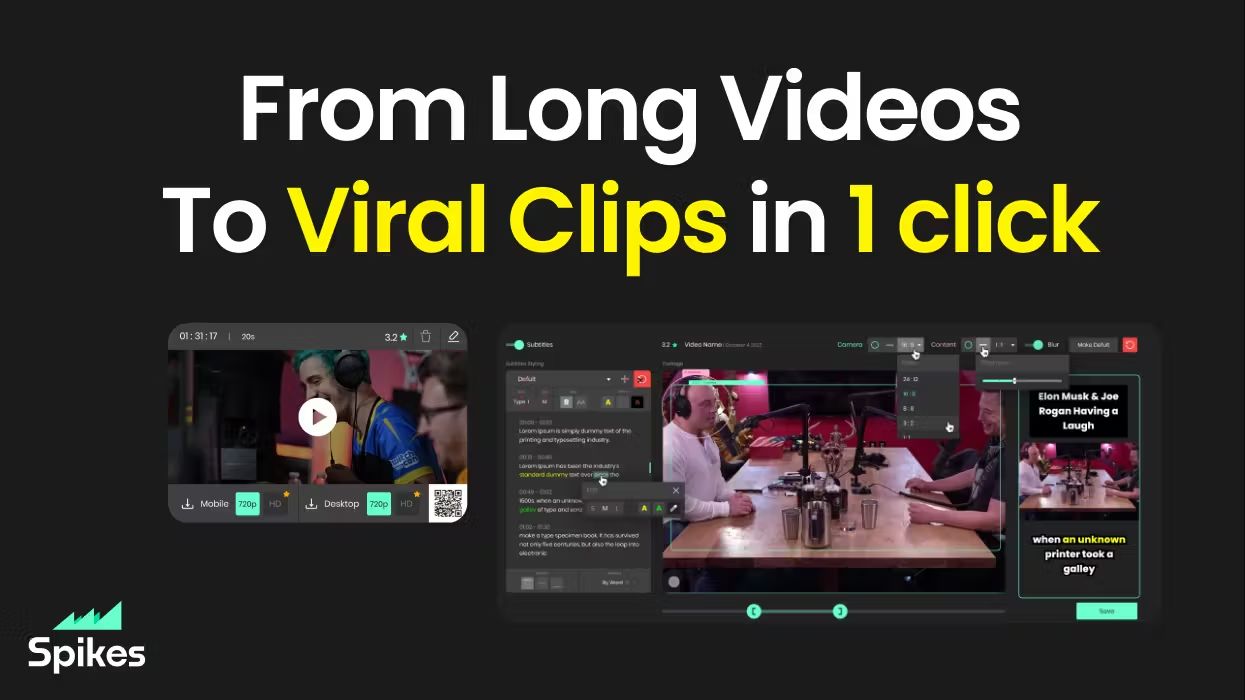
What is Spikes Studio?
Spikes Studio turns long videos into short clips sized for TikTok, Instagram Reels, and YouTube Shorts. Upload a file or pull from a stream, and its in-house model flags standout moments, adds animated captions in 99+ languages, and exports platform-ready formats from one dashboard.
Generic clip tools stop at cutting highlights. Spikes bundles scheduling, cross-posting, and per-clip analytics so you are not bouncing between an editor, a caption app, and a social calendar. Paid tiers unlock 1080p output, AI B-roll, virality scoring, and longer cloud storage; the free plan caps you at 30 minutes of processed video per month with a watermark.
Creators, podcasters, and agencies use it to repurpose webinars, Twitch broadcasts, and sermons without rebuilding each clip by hand. The web editor also handles standalone files up to five minutes through the Add Captions tab when you only need reframing and effects.
AnimateAI Upvotes
Spikes Studio Upvotes
AnimateAI Top Features
Character Vault stores generated anime characters for reuse across multi-episode series
Standard trial costs $5.99 for 7 days with 200 credits, then $39.99 per month with 500 credits
Pro plan at $99.99 per month includes 2000 credits plus Kling 2.0 Master and V2.5 Turbo Pro access
Script-to-storyboard builds scene visuals, narration, and voiceovers from text in minutes
Integrates GPT-4o, Claude, Gemini, MidJourney, FLUX, ElevenLabs, Suno, Kling, Minimax, Runway, and Luma
Full-length videos support up to 10 scenes with up to 2 generation tasks in queue
Seedance1.5Pro is listed on the homepage as a newly live video model option
Spikes Studio Top Features
In-house AI trained on hundreds of thousands of broadcasts flags highlight moments across 99+ caption languages
Free plan processes up to 30 minutes of video per month with no credit card required
Basic plan at $12.99 per month exports 720p clips with 7-day cloud storage
PRO+ at $14.09 per month adds 1080p output, animated captions, and 90-day storage
Built-in social scheduler posts to TikTok, YouTube, Facebook, and LinkedIn from one calendar
Web editor handles files up to 5 minutes with auto-reframe, effects, titles, and hashtag suggestions
AnimateAI Category
- Video Generation
Spikes Studio Category
- Video Generation
AnimateAI Pricing Type
- Freemium
Spikes Studio Pricing Type
- Freemium