AnyToSpeech vs SpeechGPT
In the battle of AnyToSpeech vs SpeechGPT, which AI Audio Generation tool comes out on top? We compare reviews, pricing, alternatives, upvotes, features, and more.
Between AnyToSpeech and SpeechGPT, which one is superior?
Upon comparing AnyToSpeech with SpeechGPT, which are both AI-powered audio generation tools, The upvote count is neck and neck for both AnyToSpeech and SpeechGPT. The power is in your hands! Cast your vote and have a say in deciding the winner.
Does the result make you go "hmm"? Cast your vote and turn that frown upside down!
AnyToSpeech
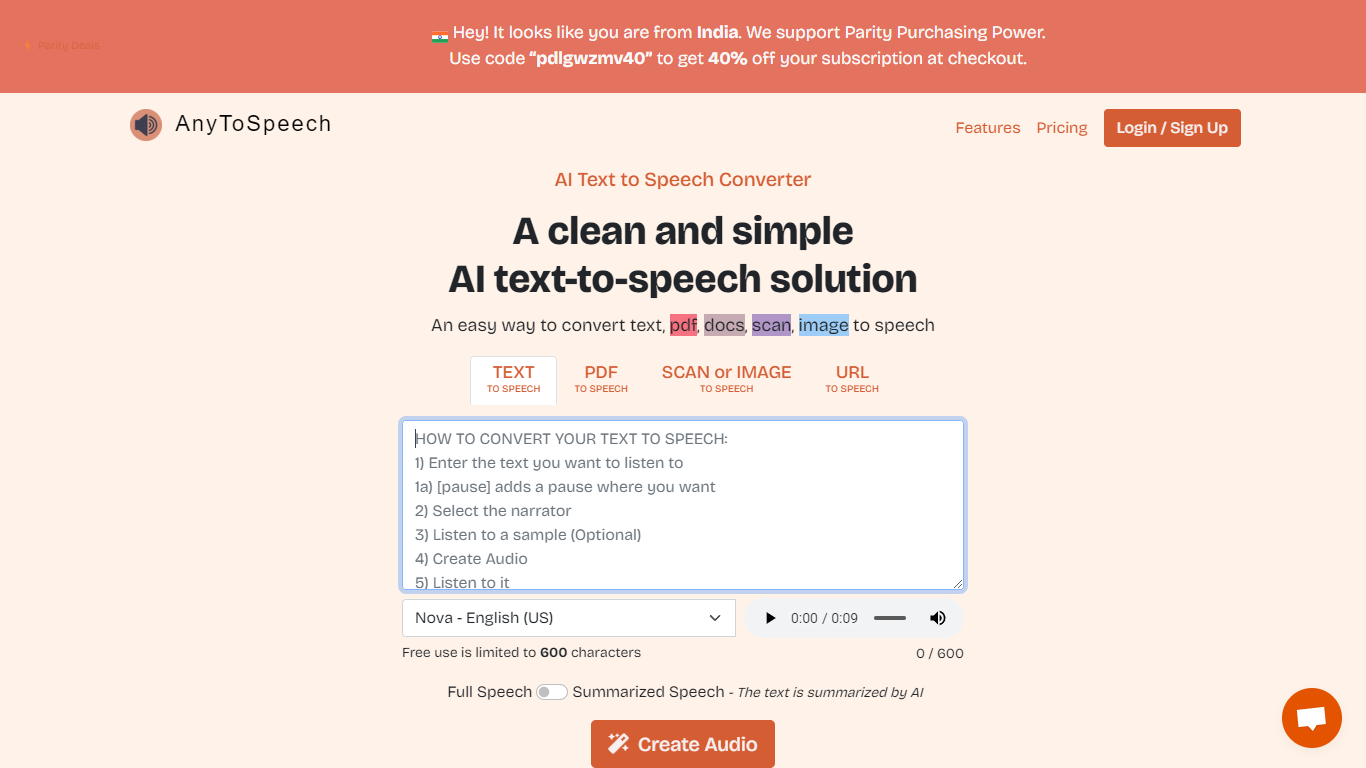

What is AnyToSpeech?
AnyToSpeech is an online text-to-speech platform that turns written content into spoken audio. Paste plain text, upload PDFs, drop in URLs, or pull text from images and get MP3 files back with natural-sounding voices.
The platform goes well beyond basic TTS. You can build PDF and document audiobooks, narrate webpages, run speech-to-text transcription, clone your voice from short recordings, and generate two-speaker podcast episodes from a topic brief or script. PDF conversion skips page numbers, footnotes, and table-of-contents sections so the listening flow stays clean.
AnyToSpeech offers hundreds of voice options across many languages and accents, plus a large set of free analysis tools for pronunciation, accent detection, and voice scoring. Mobile apps are available on Google Play and the Apple App Store.
It fits creators, authors, educators, and anyone who wants to listen instead of read.
SpeechGPT

What is SpeechGPT?
SpeechGPT lets you hold voice conversations in the browser using your own OpenAI API key. You type or record messages, send them through a chat interface, and hear spoken replies without installing desktop software.
Unlike hosted TTS services that bundle model costs into a subscription, SpeechGPT runs in the browser and bills you only through the OpenAI, Azure Speech Services, or Amazon Polly accounts you connect. That makes it a lightweight option for developers and language learners who already have API access and want a simple voice chat front end.
The interface supports English, Spanish, and Chinese UI labels, includes a record button for speech input, and stores session data locally in the browser. It suits developers testing voice chat flows, language learners practicing spoken prompts, and anyone who wants a minimal ChatGPT voice client on mobile or desktop.
AnyToSpeech Upvotes
SpeechGPT Upvotes
AnyToSpeech Top Features
Paste text or upload PDFs, DOCX, and URLs, then download polished MP3 audio with adjustable speaking rate
Clone your voice from three short recordings in about 30 seconds and use it across every conversion tool
Generate two-speaker podcast episodes from a topic or script, complete with intro music and a spoken title
Upload audio or video files for transcription you can translate to 100+ languages, with 50 free minutes monthly
Choose from hundreds of voices across 24+ interface languages, including region-specific accents worldwide
SpeechGPT Top Features
Chat interface accepts typed messages or recorded speech input with Enter to send
Requires your OpenAI API key in settings before the app will run conversations
Optional Azure Speech Services or Amazon Polly access keys for alternate text-to-speech backends
UI available in English, Spanish, and Chinese from the in-app language selector
Shift plus Enter inserts a newline without sending the message
Runs as a web app on Vercel with no separate desktop install required
AnyToSpeech Category
- Audio Generation
SpeechGPT Category
- Audio Generation
AnyToSpeech Pricing Type
- Freemium
SpeechGPT Pricing Type
- Free