AutoCut vs Clipchamp
In the face-off between AutoCut vs Clipchamp, which AI Video Editing tool takes the crown? We scrutinize features, alternatives, upvotes, reviews, pricing, and more.
In a face-off between AutoCut and Clipchamp, which one takes the crown?
If we were to analyze AutoCut and Clipchamp, both of which are AI-powered video editing tools, what would we find? Both tools are equally favored, as indicated by the identical upvote count. Since other aitools.fyi users could decide the winner, the ball is in your court now to cast your vote and help us determine the winner.
You don't agree with the result? Cast your vote to help us decide!
AutoCut

What is AutoCut?
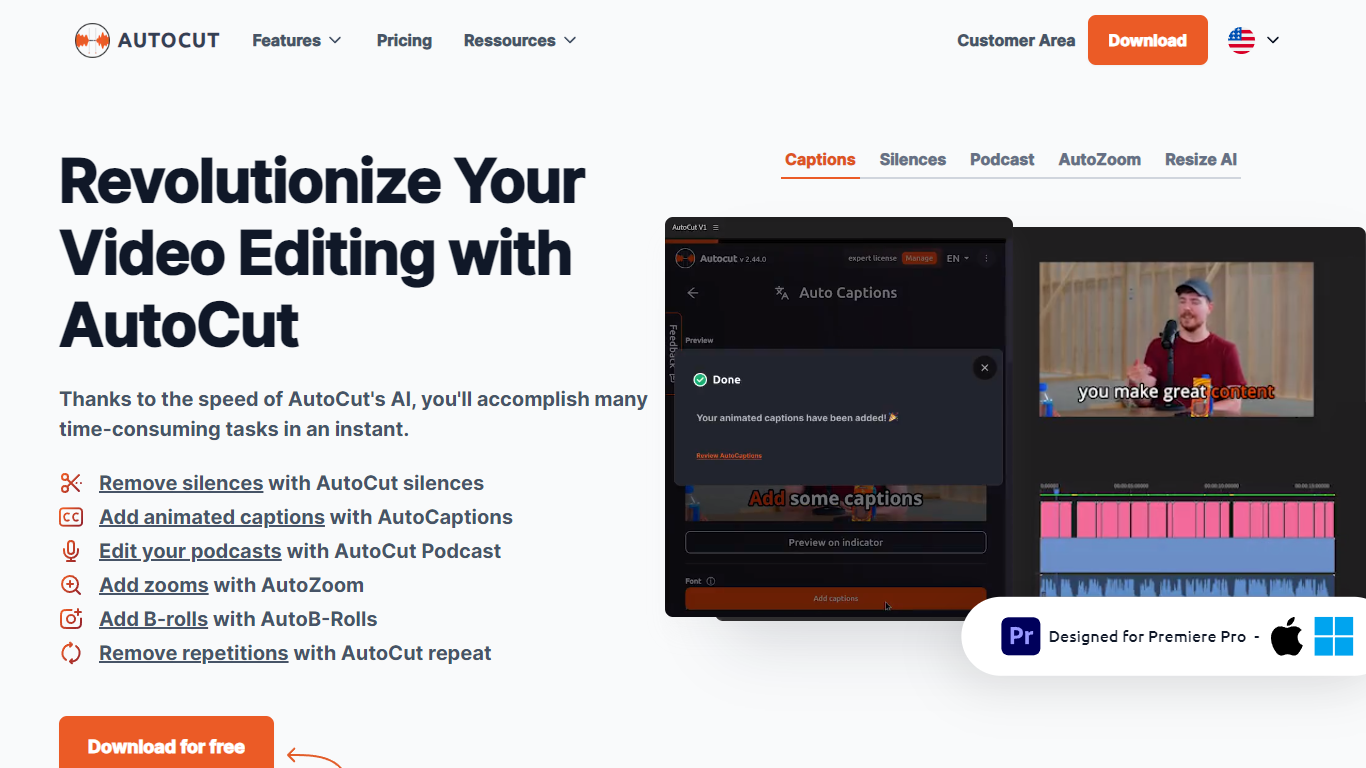
Experience seamless video editing with AutoCut, a feature-rich Premiere Pro plugin designed to streamline your editing workflow. AutoCut leverages AI technology to offer an array of innovative features, including the automatic removal of silent segments, adding beautifully animated captions, splicing together perfect podcast cuts, and much more.
It integrates easily into your existing Premiere Pro setup, working on both Windows and OSX.
AutoCut saves editors valuable time, whether optimizing video lengths or enhancing user engagement with animated subtitles tailored for social media trends on platforms like TikTok and YouTube.
With a variety of subscription options, including a free 14-day trial, AutoCut makes advanced video editing accessible to everyone from amateurs to professional videographers. Join its growing community and transform the way you create video content.
Clipchamp

What is Clipchamp?
Clipchamp is a versatile video editing platform that empowers users to create stunning videos with ease. Whether you're editing on a browser, using the Windows app, or on mobile, Clipchamp simplifies the process with its smart tools and royalty-free content. It's ideal for everything from YouTube and TikTok videos to promo videos and Facebook video ads. Notable for its AI video editing capabilities, such as autocaptions and text-to-speech, Clipchamp also offers features like green screen effects, video overlays, and even speaker coaching. It ensures that your video fits any platform perfectly by allowing you to resize and transform your video with stylish elements. For business, education, or fun, Clipchamp is the way to go for creating high-quality videos without watermarks in up to 4K resolution. Now a part of Microsoft, this tool assures a smooth experience for all your video creation needs.
AutoCut Upvotes
Clipchamp Upvotes
AutoCut Top Features
Automatic Silence Removal: The plugin swiftly cuts out silences, streamlining the video editing process.
Podcast Editing: AutoCut's AI analyzes multiple audio tracks, automatically selecting the relevant camera angles.
Zoom Enhancement: A sophisticated auto-zoom feature captivates viewers by focusing attention where it's needed.
Repetition Detection: Improved storytelling by detecting and removing repeated phrases from the footage.
Clipchamp Top Features
Autocaptions: Automatically generate accurate captions in over 140 languages using advanced speech-to-text technology.
Text to Speech: Easily convert text into natural-sounding speech in various languages and voices.
Resize Video: Adjust the aspect ratio of your videos to fit different platforms with customizable background colors and blur effects.
Speaker Coach: Improve communication skills with feedback on pace pitch and filler words using the webcam recorder tool.
Royalty-Free Elements: Enhance your videos with access to a wide range of stock elements including text overlays filters and templates.
AutoCut Category
- Video Editing
Clipchamp Category
- Video Editing
AutoCut Pricing Type
- Freemium
Clipchamp Pricing Type
- Freemium