Beatmo vs Deep Brain - AI STUDIOS
In the clash of Beatmo vs Deep Brain - AI STUDIOS, which AI Video Generation tool emerges victorious? We assess reviews, pricing, alternatives, features, upvotes, and more.
If you had to choose between Beatmo and Deep Brain - AI STUDIOS, which one would you go for?
Let's take a closer look at Beatmo and Deep Brain - AI STUDIOS, both of which are AI-driven video generation tools, and see what sets them apart. The upvote count shows a clear preference for Beatmo. The number of upvotes for Beatmo stands at 6, and for Deep Brain - AI STUDIOS it's 5.
Does the result make you go "hmm"? Cast your vote and turn that frown upside down!
Beatmo

What is Beatmo?
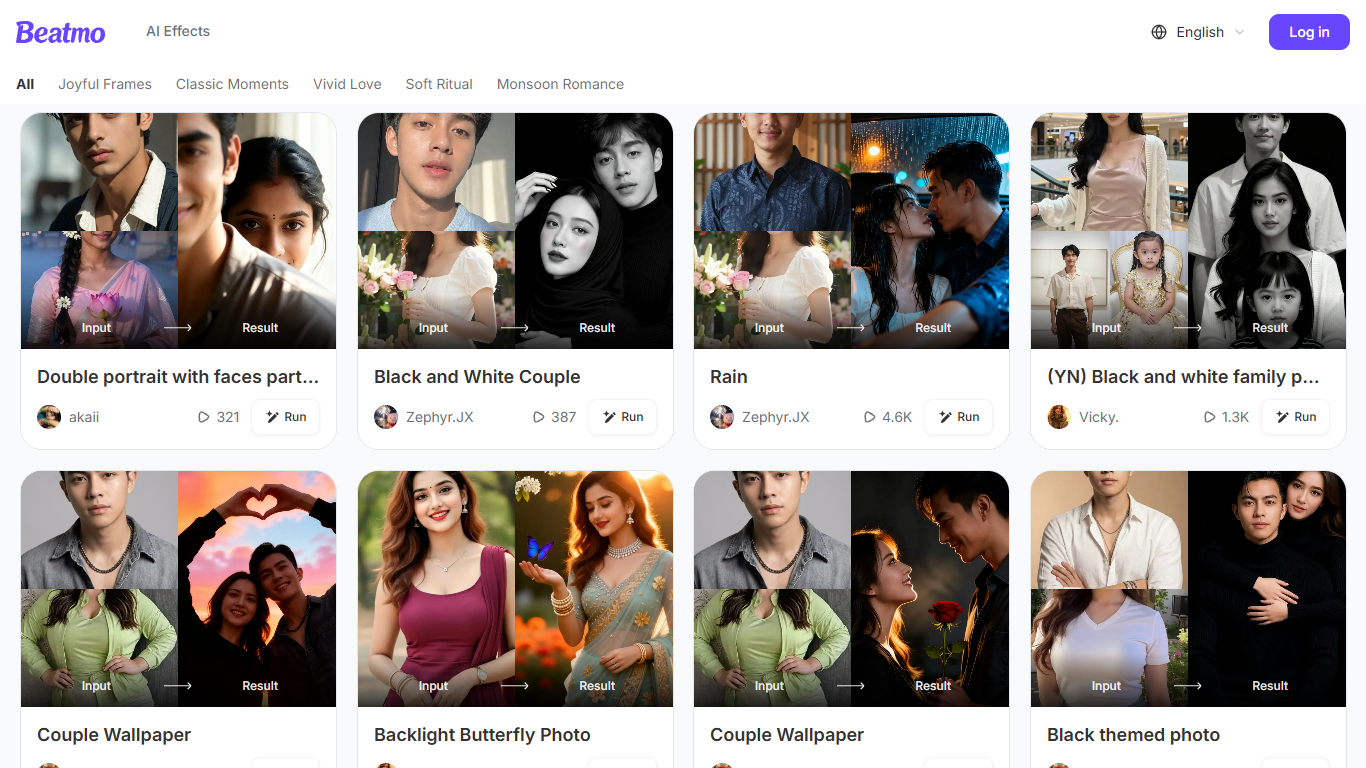
Beatmo turns a still photo into a short motion video you can save as HD MP4. You pick a template, upload a portrait, and the Android app animates it with dance moves, blinks, kisses, or slow cinematic pans. The site bills itself as an image to video generator, but the actual studio lives on Google Play. It is built for people who want a shareable clip without opening a desktop editor.
Most photo-to-video products let you generate in the browser. Beatmo does not. Its own FAQ says image to video features are exclusive to the Google Play app, and beatmo.live is mostly a template gallery with themed rows like Vivid Love and Monsoon Romance. Generation runs on a points system, and failed jobs refund those points automatically.
Couples and families are the obvious audience. The homepage is packed with pair portraits, baby photo walls, and black-and-white revival clips, plus a separate face-swap flow. Marketing pages also pitch text-to-video prompts and product Reels, but those still send you to the same Android app.
Deep Brain - AI STUDIOS
What is Deep Brain - AI STUDIOS?
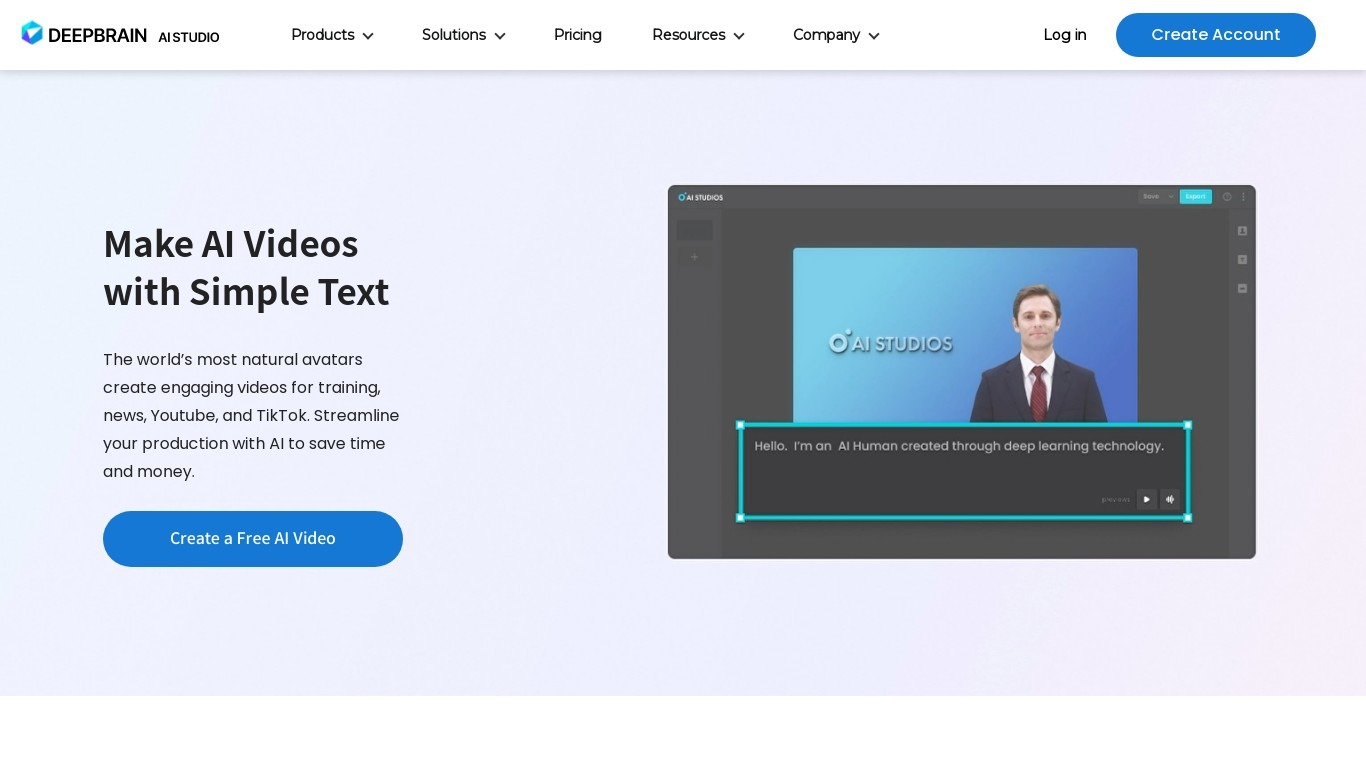
Deep Brain AI STUDIOS is a browser-based video generation workspace that turns scripts, documents, URLs, or text prompts into finished videos with AI avatars, voiceovers, and visuals. You can start from a topic, paste a product link, upload a PDF or PowerPoint, or type a generative prompt, then edit everything in one timeline before exporting.
Where many avatar tools stop at talking-head clips, AI STUDIOS bundles presenter videos, generative scene models like Veo 3.1 and Seedance 2.0, dubbing with lip-sync across 73 languages, and interactive conversational avatars that run on websites and kiosks. That mix lets marketing teams, trainers, and creators produce explainers, ads, and localized versions without juggling separate dubbing, translation, and editing apps.
The free tier includes three AI videos per month up to one minute in 720p plus 16 generative credits. Paid Personal plans start at $24 per month with unlimited videos up to 30 minutes and 120 dubbing minutes, while Team seats at $55 per month add 4K export and shared workspaces. Enterprise plans add SCORM export, SAML SSO, and bulk generation for large organizations.
Beatmo Upvotes
Deep Brain - AI STUDIOS Upvotes
Beatmo Top Features
Themed template rows such as Vivid Love, Soft Ritual, and Monsoon Romance
Image-to-video clips usually finish in 10 to 30 seconds, then export as HD MP4
Text to video, image to video, and text to image modes inside the Android app
Keeps each face distinct in group photos, with no blended features
Free starter credits, then VIP points that refill every 24 hours
Deep Brain - AI STUDIOS Top Features
Choose from 2,000+ AI avatars or build custom ones from a short video clip
Generate scenes with Veo 3.1, Seedance 2.0, Kling 2.6 Pro, and Sora 2 models
Dub videos into 73 languages with multi-speaker lip-sync and voice cloning
Turn topics, URLs, PDFs, or PowerPoints into full videos from one workspace
Access 7,000+ templates and 1,000+ text-to-speech voices in 150+ languages
Build interactive training videos with quizzes, branching, and SCORM 1.2 export
Deploy conversational avatars on web, mobile, WhatsApp, and kiosks with custom LLMs
Beatmo Category
- Video Generation
Deep Brain - AI STUDIOS Category
- Video Generation
Beatmo Pricing Type
- Freemium
Deep Brain - AI STUDIOS Pricing Type
- Freemium