Beatmo vs Supercreator AI
Dive into the comparison of Beatmo vs Supercreator AI and discover which AI Video Generation tool stands out. We examine alternatives, upvotes, features, reviews, pricing, and beyond.
In a comparison between Beatmo and Supercreator AI, which one comes out on top?
When we compare Beatmo and Supercreator AI, two exceptional video generation tools powered by artificial intelligence, and place them side by side, several key similarities and differences come to light. With more upvotes, Supercreator AI is the preferred choice. The upvote count for Supercreator AI is 52, and for Beatmo it's 6.
Want to flip the script? Upvote your favorite tool and change the game!
Beatmo

What is Beatmo?
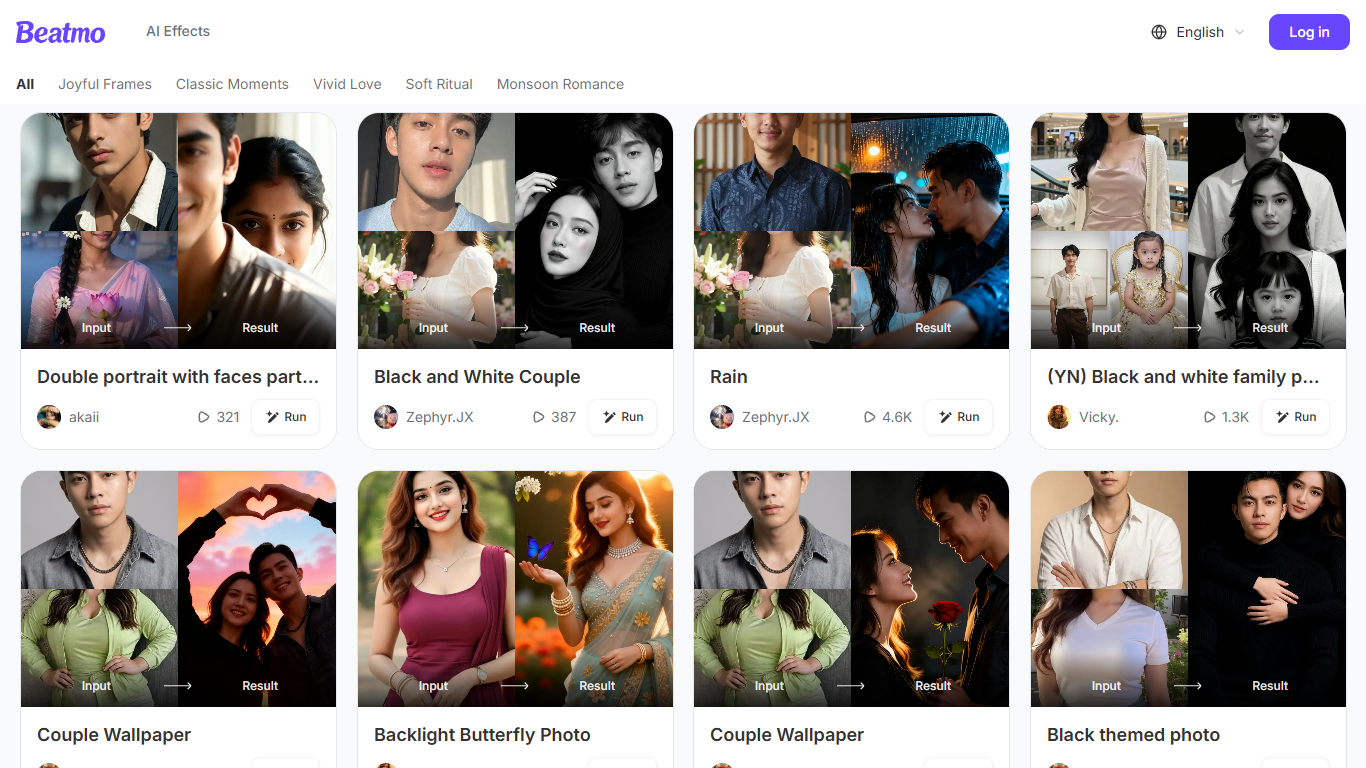
Beatmo turns a still photo into a short motion video you can save as HD MP4. You pick a template, upload a portrait, and the Android app animates it with dance moves, blinks, kisses, or slow cinematic pans. The site bills itself as an image to video generator, but the actual studio lives on Google Play. It is built for people who want a shareable clip without opening a desktop editor.
Most photo-to-video products let you generate in the browser. Beatmo does not. Its own FAQ says image to video features are exclusive to the Google Play app, and beatmo.live is mostly a template gallery with themed rows like Vivid Love and Monsoon Romance. Generation runs on a points system, and failed jobs refund those points automatically.
Couples and families are the obvious audience. The homepage is packed with pair portraits, baby photo walls, and black-and-white revival clips, plus a separate face-swap flow. Marketing pages also pitch text-to-video prompts and product Reels, but those still send you to the same Android app.
Supercreator AI

What is Supercreator AI?
Supercreator AI lets you plan a short video scene by scene, record it with a scrolling teleprompter, then trim and caption the footage in the same browser workspace. Storyboarding, recording, timeline editing, and mini apps for AI media, talking avatars, and multi-shot sequences all sit on one home screen. You sign in to save creations, but every tool is listed before you start.
Where many video editors assume you already have footage, Supercreator AI front-loads scripting and recording. The storyboard maps scenes before capture, the recorder scrolls your script while you film, and one-click templates plus AI captions sit beside standalone tools like a Reel transcriber and clip editor. That workflow keeps scripting, capture, and polish in one tab instead of three separate apps.
It fits creators who publish to TikTok, Reels, and Shorts and want scripting, capture, and caption polish without switching tools. Founders, educators, and on-camera marketers get teleprompter support, visual aids, and reusable identity presets across projects.
Beatmo Upvotes
Supercreator AI Upvotes
Beatmo Top Features
Themed template rows such as Vivid Love, Soft Ritual, and Monsoon Romance
Image-to-video clips usually finish in 10 to 30 seconds, then export as HD MP4
Text to video, image to video, and text to image modes inside the Android app
Keeps each face distinct in group photos, with no blended features
Free starter credits, then VIP points that refill every 24 hours
Supercreator AI Top Features
Storyboard maps scripts scene by scene before you hit record
Built-in recorder pairs a teleprompter with visual aids and smart overlays
Timeline editor cuts clips and adds AI-generated stylized captions
One-click templates turn raw clips into scroll-stopping social videos
Script Trainer collects high-performing videos, transcribes them, and drafts new scripts
Avatars mini app builds talking-head videos with AI voices
Super Director stitches multi-shot AI video sequences from one workspace
Beatmo Category
- Video Generation
Supercreator AI Category
- Video Generation
Beatmo Pricing Type
- Freemium
Supercreator AI Pricing Type
- Freemium