Bing Microsoft AI Translator vs LingoSync.io
When comparing Bing Microsoft AI Translator vs LingoSync.io, which AI Translation tool shines brighter? We look at pricing, alternatives, upvotes, features, reviews, and more.
In a comparison between Bing Microsoft AI Translator and LingoSync.io, which one comes out on top?
When we put Bing Microsoft AI Translator and LingoSync.io side by side, both being AI-powered translation tools, The upvote count favors Bing Microsoft AI Translator, making it the clear winner. The number of upvotes for Bing Microsoft AI Translator stands at 10, and for LingoSync.io it's 9.
Think we got it wrong? Cast your vote and show us who's boss!
Bing Microsoft AI Translator


What is Bing Microsoft AI Translator?
Microsoft Translator on Bing is a free web translator for turning words and phrases between English and more than 100 languages. Paste text, pick languages from long dropdown lists, or let the page auto-detect the source language before you translate.
The Bing interface adds practical extras beyond basic text swap. You can listen to a translation, open an on-screen keyboard, capture or upload an image to translate text in photos, and regenerate results in Standard, Casual, or Formal tone. A phrase helper surfaces common expressions grouped by topics like travel, dining, and emergencies.
It fits travelers, students, and anyone who needs a quick translation in the browser without installing software. Navigation on the page also points to separate Microsoft Translator experiences for live conversation, mobile apps, and business use.
LingoSync.io
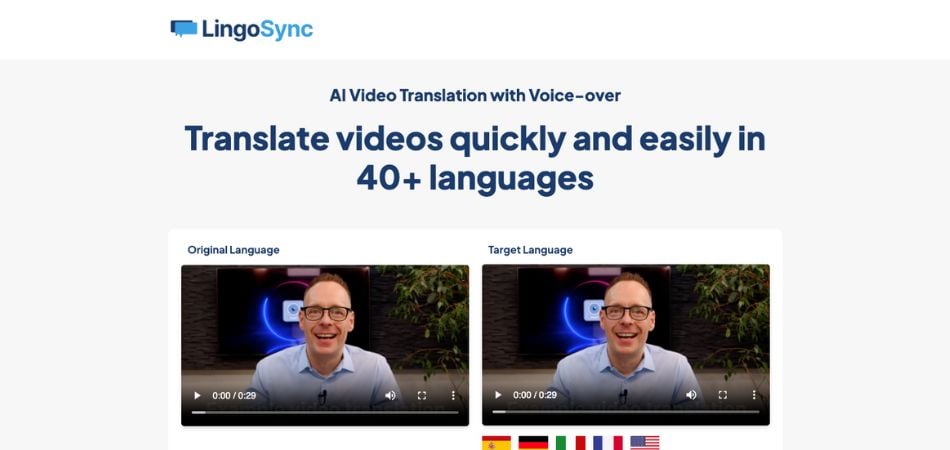
What is LingoSync.io?
LingoSync.io translates spoken video into 40+ languages with a new voice-over track synced to the original timing. Upload a file, pick a target language from more than 220 voice options, edit the translated transcript if needed, and download a dubbed version. It is built for creators, trainers, and marketers who want multilingual video without hiring translators and voice actors for every language.
Traditional dubbing chains together transcription, human translation, voice casting, and a video editor. LingoSync collapses that into one upload-and-download flow and prices translation by the minute rather than per project quote. The trade-off is you get speed and predictable monthly caps, not broadcast-studio localization with cultural adaptation or lip-sync retiming beyond pause alignment.
YouTubers, e-learning teams, HR recruiters, and social marketers use LingoSync to repurpose one recording for international audiences. The product runs on Fyyn.io infrastructure with sign-up at app.fyyn.io, and paid tiers add browser recording, white-label sharing, VTT transcription, and team workspaces when you outgrow the free minute allowance.
Bing Microsoft AI Translator Upvotes
LingoSync.io Upvotes
Bing Microsoft AI Translator Top Features
Auto-detect source language across more than 100 listed language options
Each translation request accepts up to 1,000 characters of input text
Regenerate results in Standard, Casual, or Formal tone with one click
Capture or upload an image to translate text found in photos
Speak to translate when typing is awkward on mobile or desktop
Listen to translations read aloud from the results panel
Browse common phrase sets for travel, dining, and emergencies
LingoSync.io Top Features
Translates videos into 40+ languages with 220+ voice choices per language
Three-step workflow: upload video, choose language, download dubbed file
Edit translated transcript manually before speech synthesis runs
Free plan includes 1 minute of translation and 1 GB storage per month
Independent plan at $40 per month includes 45 translation minutes and 200 GB storage
Pause-aware audio sync aligns dubbed speech to gaps in the original video
14-day risk-free trial on paid subscriptions with cancel-anytime billing
Bing Microsoft AI Translator Category
- Translation
LingoSync.io Category
- Translation
Bing Microsoft AI Translator Pricing Type
- Free
LingoSync.io Pricing Type
- Freemium