Colorize.cc vs RemoveBG
In the contest of Colorize.cc vs RemoveBG, which AI Photo Editing tool is the champion? We evaluate pricing, alternatives, upvotes, features, reviews, and more.
If you had to choose between Colorize.cc and RemoveBG, which one would you go for?
When we examine Colorize.cc and RemoveBG, both of which are AI-enabled photo editing tools, what unique characteristics do we discover? In the race for upvotes, RemoveBG takes the trophy. RemoveBG has garnered 11 upvotes, and Colorize.cc has garnered 6 upvotes.
Feeling rebellious? Cast your vote and shake things up!
Colorize.cc
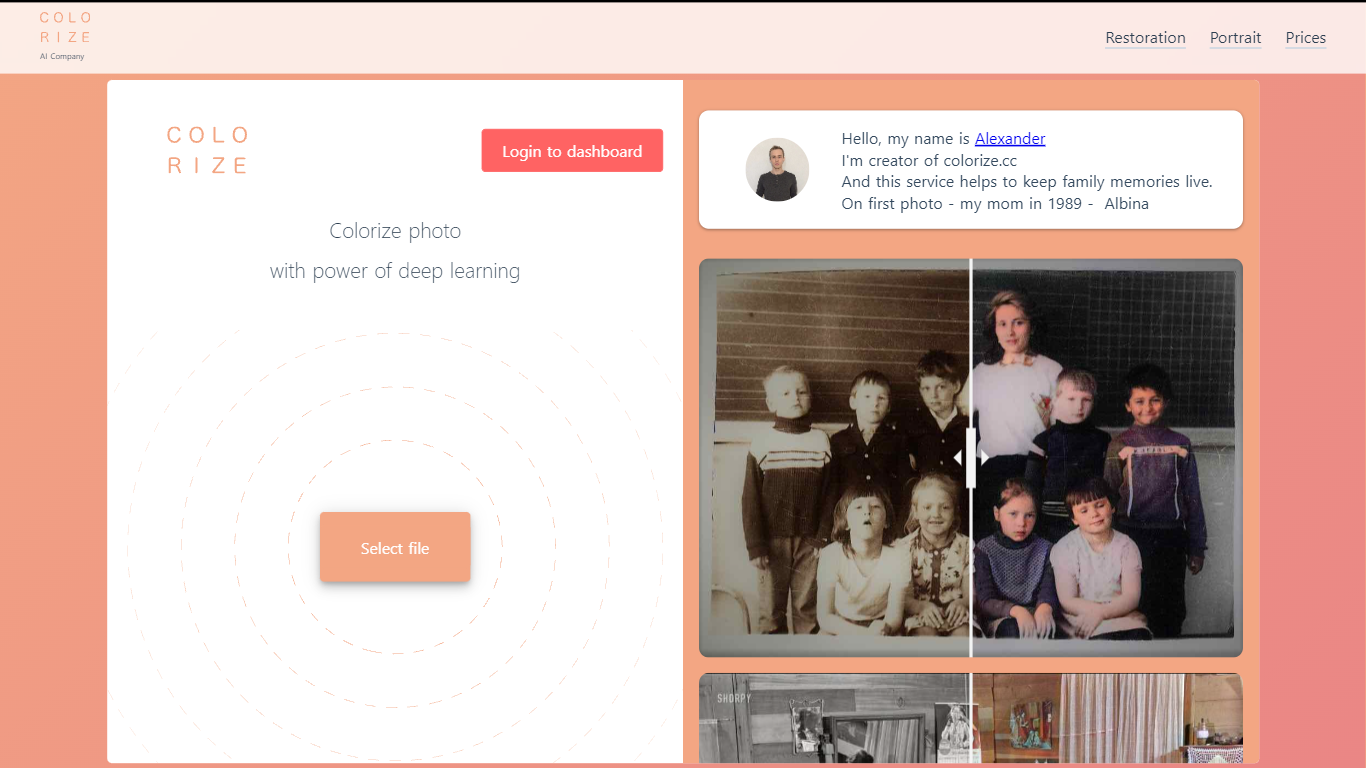

What is Colorize.cc?
Colorize.cc turns black-and-white family photos into full-color images using neural network models trained on millions of color photographs. Upload a JPG or PNG up to 5 MB and get results in seconds without manual painting. The same platform handles photo restoration, resolution upscaling, portrait generation, and animated photo effects from a shared dashboard. A free preview runs on the homepage in simplified quality before you spend credits on full-resolution output.
Most one-click colorizers run a single generic model on every image. Colorize.cc offers a lineup of V2 through V8 neural networks, each tuned for different speed and fidelity tradeoffs, plus V8 Studio for iterative edits with text prompts. The service pairs colorization with scratch removal and face restoration in one pass, and sells credits in one-time packs rather than locking users into subscriptions. Credit packs stay valid for 365 days, which suits occasional family archive projects better than monthly billing.
The site targets people digitizing family albums, genealogy researchers coloring ancestor portraits, and studios processing memorial or historical photos. Documented use cases include torn prints, faded group shots, film negatives, and museum archive materials. Batch upload through the dashboard handles hundreds of files at once for larger collections.
RemoveBG

What is RemoveBG?
RemoveBG is a powerful and user-friendly online tool that allows you to remove image backgrounds in seconds, and the best part is, it's completely free! With advanced AI technology, RemoveBG makes background removal a breeze, saving you time and effort. Whether you need to edit images for creative projects, marketing materials, or personal use, RemoveBG has got you covered.
With RemoveBG, the process of removing image backgrounds is as easy as 1-2-3. First, choose the image you want to edit and upload it into the tool. Second, let the advanced AI technology analyze your image and automatically remove the background. Finally, download the new image and use it for any purpose you desire. Say goodbye to background woes and hello to hassle-free image editing with RemoveBG.
Colorize.cc Upvotes
RemoveBG Upvotes
Colorize.cc Top Features
Upload JPG or PNG files up to 5 MB on the homepage for a free colorization preview before buying credits.
Choose from 10+ neural models (V2 through V8 High) with credit costs from 1 credit on V2 up to 6 credits on V7 per photo.
V8 Studio lets you refine colorized photos with text prompts, region masking, and LOW or HIGH 2K output at 2 to 4 credits per edit.
Built-in restoration removes scratches, tears, noise, and blur while colorizing, with resolution upscaling up to 10x on the dashboard.
Batch upload accepts hundreds of photos at once through the dashboard for archive-scale processing.
Output reaches 4K resolution on premium V8 High colorization for print-ready family albums.
RemoveBG Top Features
Quick and Easy Background Removal: RemoveBG makes it incredibly simple to remove image backgrounds with just a few clicks. No need for complex editing software or extensive manual work.
Free of Cost: RemoveBG offers its background removal services completely free of charge. Say goodbye to expensive editing tools and hello to cost-effective image editing.
Advanced AI Technology: Powered by advanced AI technology RemoveBG analyzes your images and accurately detects and removes the background ensuring clean and professional results.
Versatile Usage: The images edited with RemoveBG can be used for a wide range of purposes including creative projects marketing materials or personal use. The possibilities are endless.
User-Friendly Interface: RemoveBG's user-friendly interface makes it easy for anyone to use regardless of their level of expertise in image editing. No technical skills required.
Colorize.cc Category
- Photo Editing
RemoveBG Category
- Photo Editing
Colorize.cc Pricing Type
- Freemium
RemoveBG Pricing Type
- Free