CourseGen vs RTutor
In the clash of CourseGen vs RTutor, which AI Education tool emerges victorious? We assess reviews, pricing, alternatives, features, upvotes, and more.
When we put CourseGen and RTutor head to head, which one emerges as the victor?
Let's take a closer look at CourseGen and RTutor, both of which are AI-driven education tools, and see what sets them apart. Both tools are equally favored, as indicated by the identical upvote count. Every vote counts! Cast yours and contribute to the decision of the winner.
Want to flip the script? Upvote your favorite tool and change the game!
CourseGen

What is CourseGen?
CourseGen is an innovative web platform designed to streamline the process of creating educational courses online. It leverages advanced technology to simplify and enhance the course creation experience for educators and course designers. With a focus on user-friendly design, CourseGen offers a set of tools that make it easy for professionals to develop comprehensive and engaging courses for a variety of subjects. The platform's core objective is to facilitate the creation of high-quality educational content that can be accessed by learners globally. The integration of search engine optimization (SEO) strategies ensures that the courses generated can easily be discovered by interested learners using search engines, thereby increasing the visibility and reach of the educational materials.
RTutor
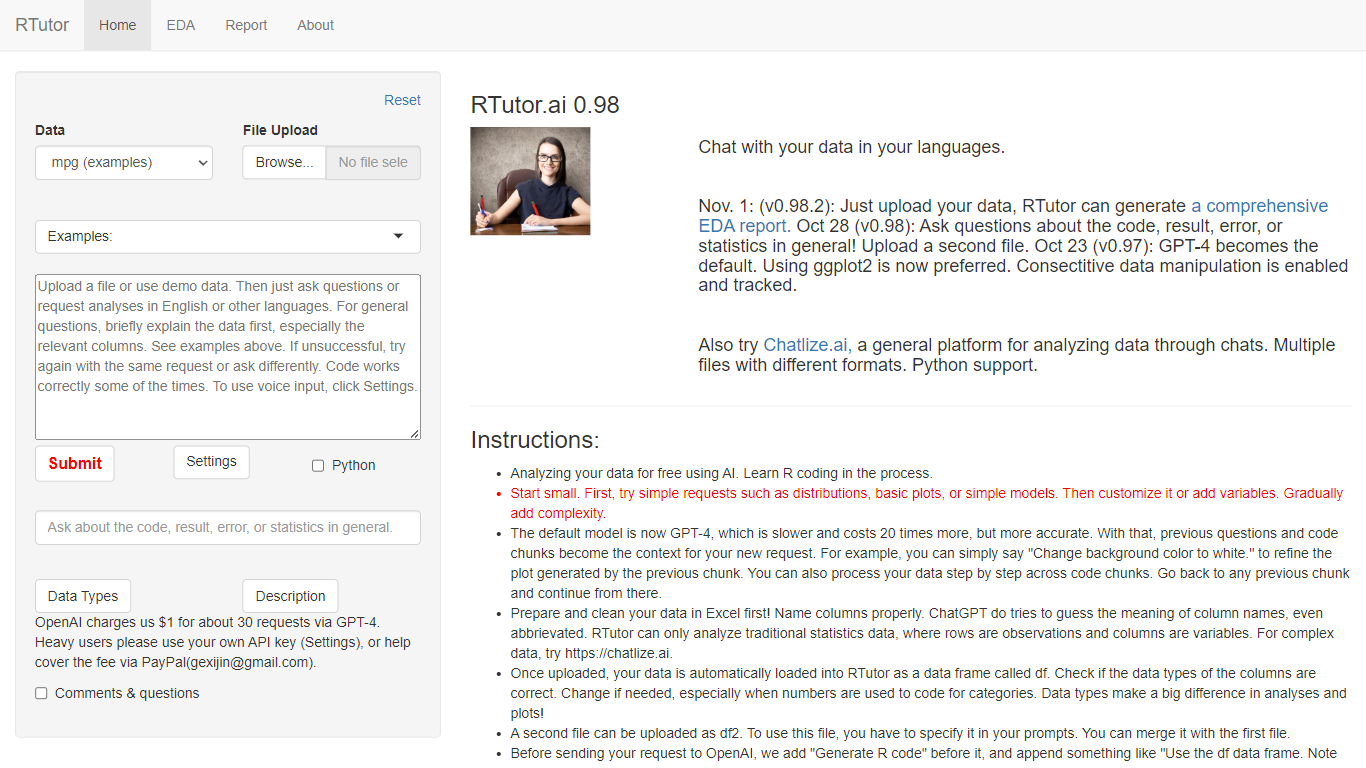
What is RTutor?
RTutor lets you analyze spreadsheet data by typing questions in plain English and getting executed R code back in seconds. Upload a CSV, TSV, or Excel file, describe the analysis you want, and RTutor uses OpenAI models (GPT-4o by default) to generate and run R scripts in the browser. Orditus LLC maintains the web app and the open-source R package on GitHub.
Unlike general chatbots that only suggest code, RTutor executes the generated R on your uploaded data and returns plots, tables, and EDA reports you can download as HTML. It includes built-in exploratory data analysis tabs, an Ask RTutor Q&A box for follow-up questions, and session memory so you can refine plots with prompts like change background color to white.
RTutor targets students, researchers, and analysts who know their data but not R syntax. The website is free for non-profit organizations; commercial use requires a license from Orditus.
CourseGen Upvotes
RTutor Upvotes
CourseGen Top Features
User-Friendly Design: Intuitive interface to simplify the course creation process.
Educational Tools: A comprehensive suite of tools to develop various types of courses.
Global Reach: Courses designed to be accessible by a global audience.
SEO Optimization: Incorporates SEO strategies to enhance course discoverability.
Quality Content: Supports the creation of high-quality educational materials.
RTutor Top Features
Upload CSV, TSV, tab-delimited text, or Excel files and analyze them in plain English prompts
Uses GPT-4o by default with session context so follow-up prompts refine prior code chunks
Built-in EDA tabs for basic stats, correlations, GGpairs plots, and DataExplorer reports
Generates and executes R code in the browser, with optional Python support noted on the site
Download results as HTML reports and ask follow-up questions via the Ask RTutor Q&A box
Open-source R package available on GitHub (gexijin/RTutor) for local installation
CourseGen Category
- Education
RTutor Category
- Education
CourseGen Pricing Type
- Freemium
RTutor Pricing Type
- Freemium