
Last updated 07-30-2026
Category:
Reviews:
Join thousands of AI enthusiasts in the World of AI!
RTutor
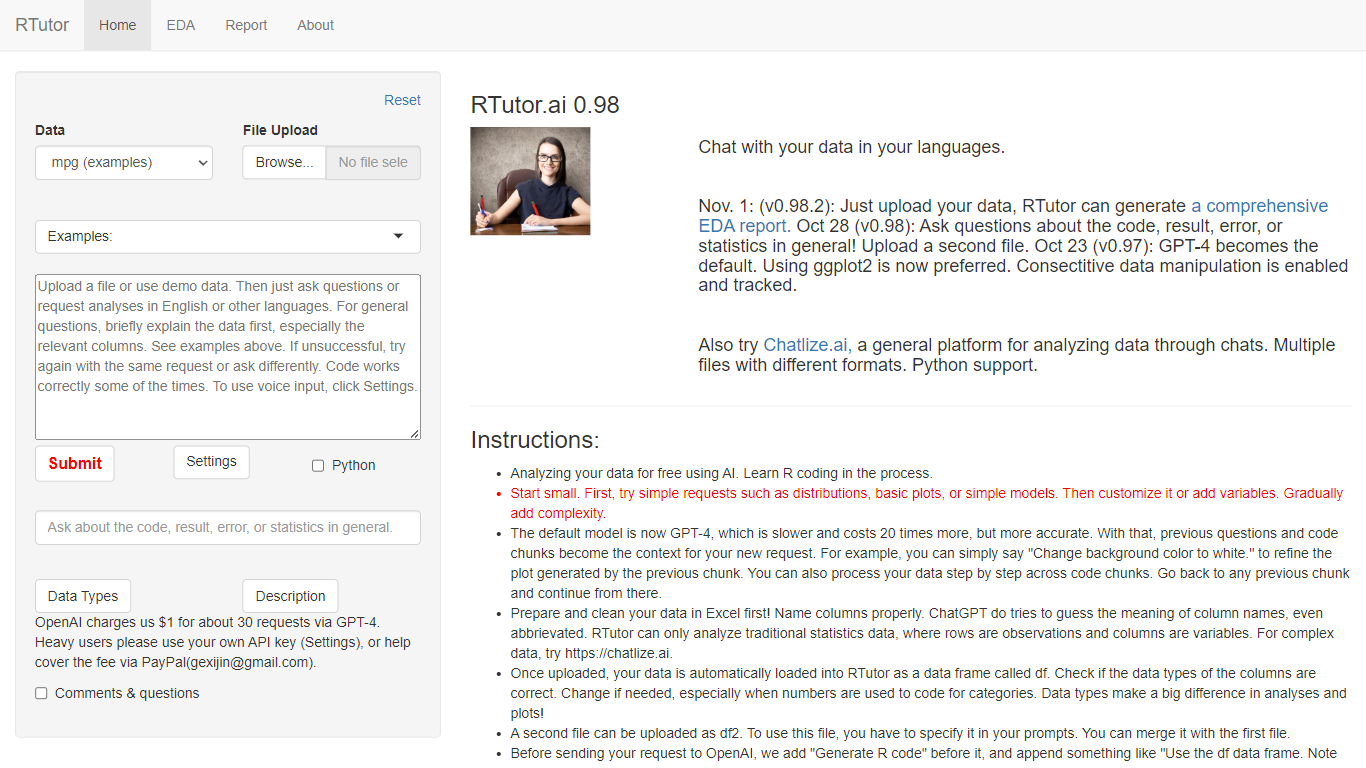
RTutor lets you analyze spreadsheet data by typing questions in plain English and getting executed R code back in seconds. Upload a CSV, TSV, or Excel file, describe the analysis you want, and RTutor uses OpenAI models (GPT-4o by default) to generate and run R scripts in the browser. Orditus LLC maintains the web app and the open-source R package on GitHub.
Unlike general chatbots that only suggest code, RTutor executes the generated R on your uploaded data and returns plots, tables, and EDA reports you can download as HTML. It includes built-in exploratory data analysis tabs, an Ask RTutor Q&A box for follow-up questions, and session memory so you can refine plots with prompts like change background color to white.
RTutor targets students, researchers, and analysts who know their data but not R syntax. The website is free for non-profit organizations; commercial use requires a license from Orditus.
Upload CSV, TSV, tab-delimited text, or Excel files and analyze them in plain English prompts
Uses GPT-4o by default with session context so follow-up prompts refine prior code chunks
Built-in EDA tabs for basic stats, correlations, GGpairs plots, and DataExplorer reports
Generates and executes R code in the browser, with optional Python support noted on the site
Download results as HTML reports and ask follow-up questions via the Ask RTutor Q&A box
Open-source R package available on GitHub (gexijin/RTutor) for local installation
Runs generated R code on your data instead of just showing suggestions.
Free for non-profit organizations with no account barrier on the web app.
Built-in EDA tabs and HTML report export speed up exploratory analysis.
Commercial use requires a paid license from Orditus.
Only handles traditional tabular data; complex formats need Chatlize.ai instead.
Generated code can be logically wrong even when it runs without errors.
What is RTutor?
RTutor is a web tool from Orditus LLC that translates natural language into R code and runs it on your uploaded data. You upload a spreadsheet, ask questions in plain English, and get plots, tables, and downloadable HTML reports.
Is RTutor free?
RTutor is free for non-profit organizations. Commercial use requires a license from Orditus LLC, as stated on the rtutor.ai About page. Businesses can also request customized local installations.
What file formats does RTutor support?
RTutor accepts CSV, TSV, tab-delimited text files, and Excel spreadsheets. Once uploaded, data loads automatically as an R data frame called df. A second file can be uploaded as df2 for joint analysis.
What AI model does RTutor use?
RTutor uses OpenAI large language models, with GPT-4o as the default. The site adds prompt engineering around your data, including column types, before sending requests to OpenAI.
Does RTutor store my data?
RTutor does not store your data on its web server after the session ends, according to the Quick Start guide. By default, 5 random rows are sent to OpenAI for coding context, but you can opt out in Settings.
Can I install RTutor locally?
Yes. RTutor is available as an open-source R package on GitHub at github.com/gexijin/RTutor. Orditus LLC also offers customized local installations for businesses that need to analyze files, SQL databases, or APIs.