RTutor vs Learnitive
In the clash of RTutor vs Learnitive, which AI Education tool emerges victorious? We assess reviews, pricing, alternatives, features, upvotes, and more.
When we put RTutor and Learnitive head to head, which one emerges as the victor?
Let's take a closer look at RTutor and Learnitive, both of which are AI-driven education tools, and see what sets them apart. Learnitive is the clear winner in terms of upvotes. Learnitive has 36 upvotes, and RTutor has 6 upvotes.
Disagree with the result? Upvote your favorite tool and help it win!
RTutor

What is RTutor?
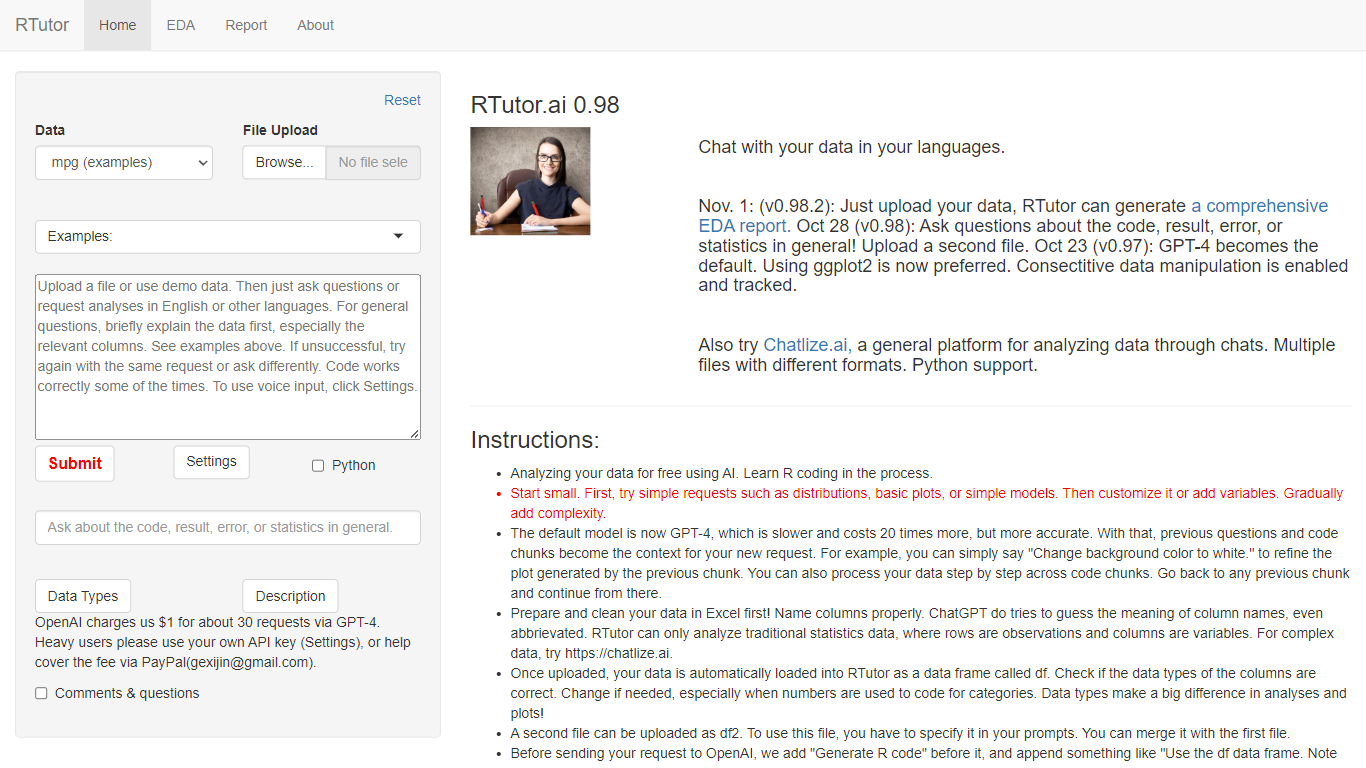
RTutor lets you analyze spreadsheet data by typing questions in plain English and getting executed R code back in seconds. Upload a CSV, TSV, or Excel file, describe the analysis you want, and RTutor uses OpenAI models (GPT-4o by default) to generate and run R scripts in the browser. Orditus LLC maintains the web app and the open-source R package on GitHub.
Unlike general chatbots that only suggest code, RTutor executes the generated R on your uploaded data and returns plots, tables, and EDA reports you can download as HTML. It includes built-in exploratory data analysis tabs, an Ask RTutor Q&A box for follow-up questions, and session memory so you can refine plots with prompts like change background color to white.
RTutor targets students, researchers, and analysts who know their data but not R syntax. The website is free for non-profit organizations; commercial use requires a license from Orditus.
Learnitive
What is Learnitive?
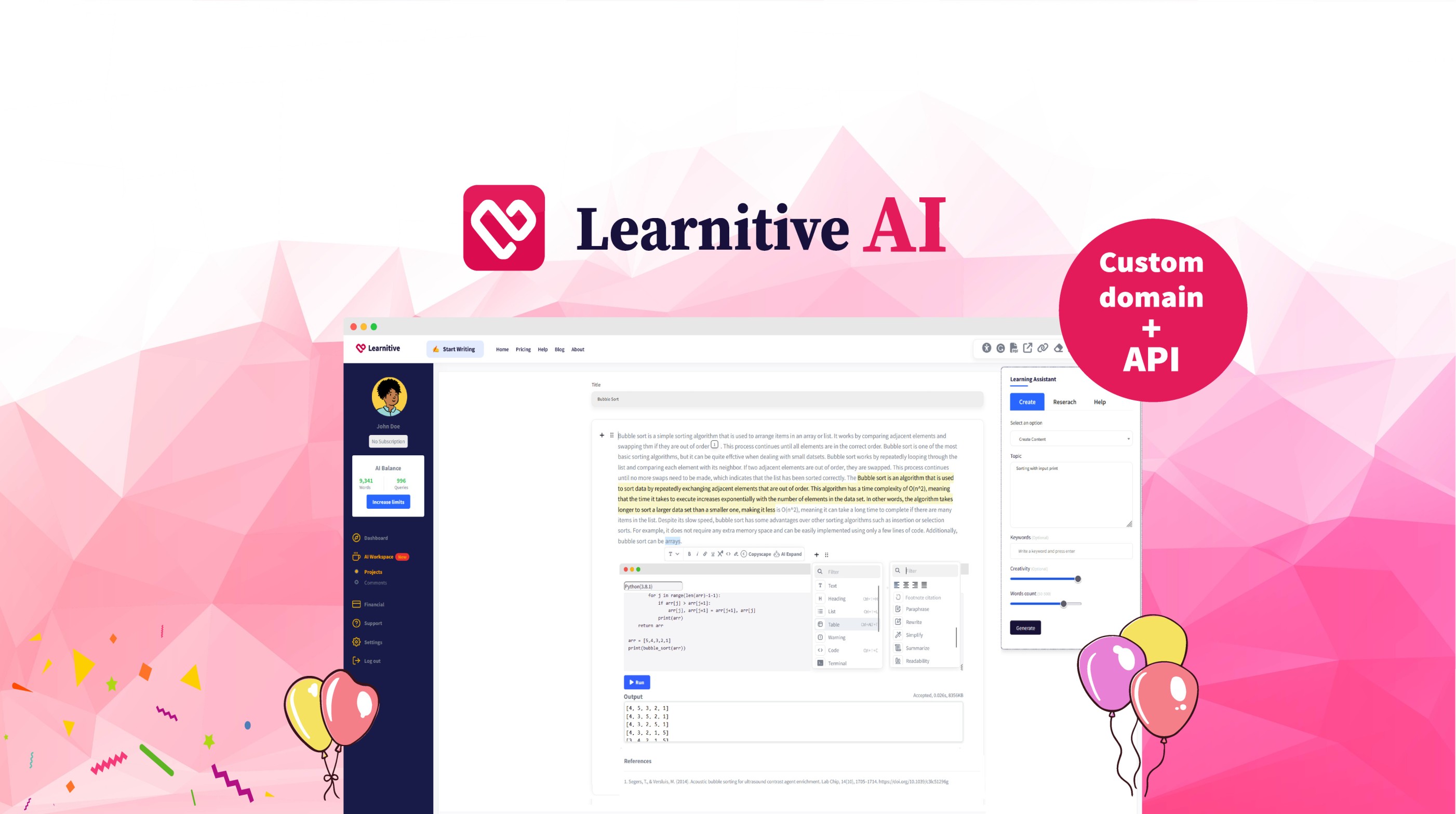
Learnitive helps students and researchers draft academic writing with AI while grounding answers in a library of 250 million papers. The editor includes plagiarism checks through Copyscape and a Judge0 code sandbox for runnable examples inside lessons.
Paid tiers sell prepaid word credits instead of a flat monthly seat. Learn30 covers 25,000 words for $9, Learn365 delivers 1 million words for $99, and a $49 lifetime option targets writers who want a one-time purchase rather than recurring billing.
WordPress plugins extend the same writing and research workflow into blogs and course sites, so teams can publish from familiar CMS dashboards without retraining authors on a new interface.
RTutor Upvotes
Learnitive Upvotes
RTutor Top Features
Upload CSV, TSV, tab-delimited text, or Excel files and analyze them in plain English prompts
Uses GPT-4o by default with session context so follow-up prompts refine prior code chunks
Built-in EDA tabs for basic stats, correlations, GGpairs plots, and DataExplorer reports
Generates and executes R code in the browser, with optional Python support noted on the site
Download results as HTML reports and ask follow-up questions via the Ask RTutor Q&A box
Open-source R package available on GitHub (gexijin/RTutor) for local installation
Learnitive Top Features
Search and cite from a corpus of 250 million academic papers
Free tier includes 1,000 words before you buy credits
Learn30 adds 25,000 words for $9 and Learn365 adds 1 million words for $99
Copyscape plagiarism checks run inside the writing workflow
Judge0 code sandbox executes snippets without leaving the editor
WordPress plugins bring the editor into existing blogs and course sites
RTutor Category
- Education
Learnitive Category
- Education
RTutor Pricing Type
- Freemium
Learnitive Pricing Type
- Freemium