Dragonfly vs SigmaOS
When comparing Dragonfly vs SigmaOS, which AI Web Apps tool shines brighter? We look at pricing, alternatives, upvotes, features, reviews, and more.
In a comparison between Dragonfly and SigmaOS, which one comes out on top?
When we put Dragonfly and SigmaOS side by side, both being AI-powered web apps tools, Both tools are equally favored, as indicated by the identical upvote count. Since other aitools.fyi users could decide the winner, the ball is in your court now to cast your vote and help us determine the winner.
Think we got it wrong? Cast your vote and show us who's boss!
Dragonfly

What is Dragonfly?
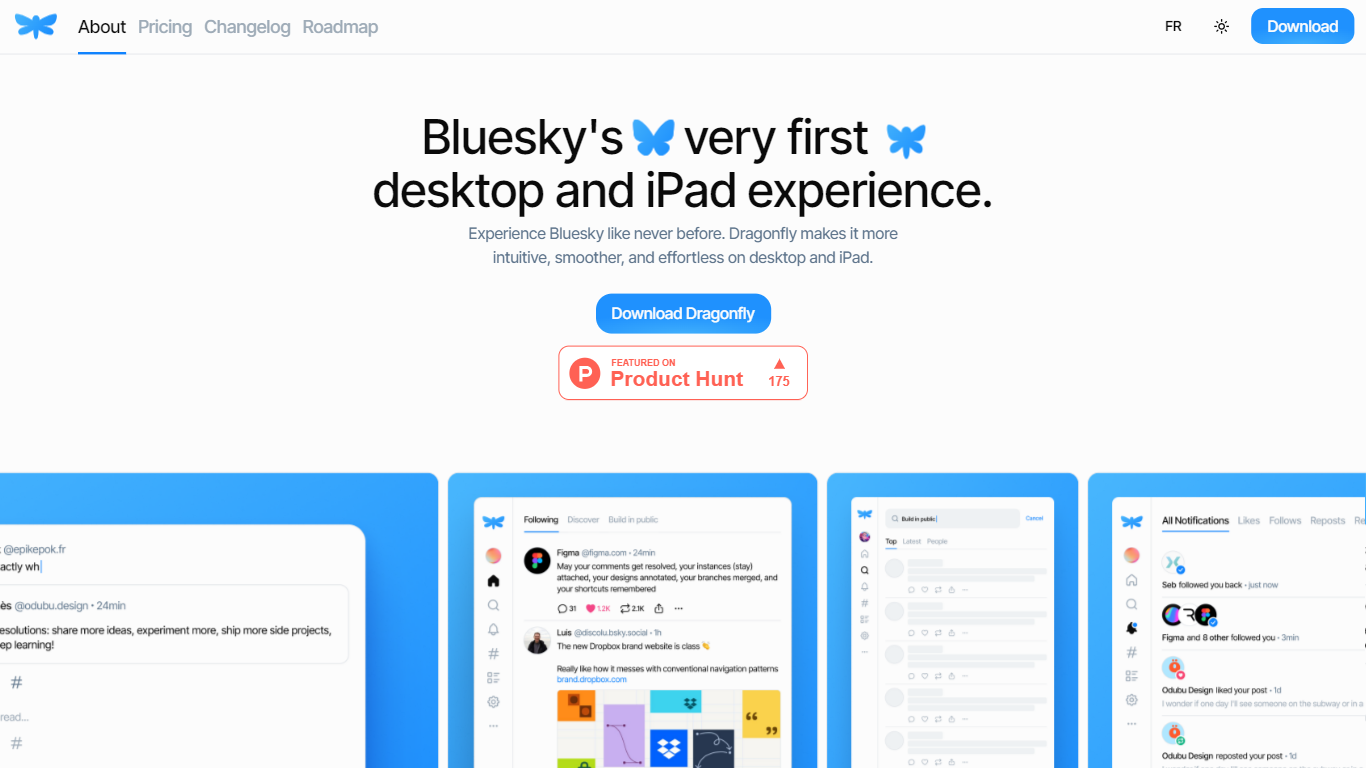
Dragonfly is a desktop and iPad client for Bluesky, built to make the social network feel smoother and more at home on Apple hardware. It is the first dedicated desktop and tablet experience for Bluesky, with a timeline, posting tools, and account controls wrapped in a native-style interface.
S?bastien Gruhier and In?s Gruhier, a father-daughter team behind Async Development and Odubu Design, built Dragonfly in Flutter after years of mobile game and app work. The app focuses on a cleaner reading and writing flow than browsing Bluesky in a web tab.
Dragonfly targets Bluesky users who want a focused Mac or iPad app with push notifications, theme switching, and roadmap features like synced bookmarks, custom feeds, and chat. Windows, Linux, iPhone, and Android versions are listed as coming soon on the site.
SigmaOS
What is SigmaOS?
SigmaOS is a macOS web browser built around workspaces, vertical tabs, and AI-assisted browsing. Instead of a single row of tabs, it organizes pages into separate workspaces so you can keep research, writing, and personal accounts in distinct lists. Tabs behave like tasks: mark them done when finished or lock them to keep them pinned.
The browser ships with Airis, an in-browser assistant that can chat with the page you are on, explain selected text, and run Look it up searches that compile answers from multiple sources. Lazy Search opens from the spacebar to search tabs, bookmarks, commands, and the web from one place. Simplify turns long pages into short interactive summaries, and Focus Mode hides everything except the active page.
SigmaOS runs on WebKit like Safari, is built with native SwiftUI for macOS, and supports Chromium extensions from the Chrome Web Store. It includes a built-in ad blocker, split-screen multitasking, autosync across Macs, and page suspension to reduce RAM use. SigmaOS Personal is free; paid Personal Pro and Personal Max plans add higher Airis usage and additional LLM models.
Dragonfly Upvotes
SigmaOS Upvotes
Dragonfly Top Features
Read your Bluesky timeline and trending posts on Mac or iPad
Like, repost, and quote posts without leaving the app
Push notifications when someone interacts with your account
Switch between light and dark themes at any time
Compose threads and posts in a dedicated writing screen
Follow, unfollow, block, and unblock accounts from profile views
Drafts and bookmarks for saving posts and unfinished writing
SigmaOS Top Features
Workspaces group tabs into separate lists so research, work, and personal browsing stay organized
Vertical tabs and task-style tab controls make it easier to scan open pages and mark them done
Airis answers questions in page context, runs Look it up searches, and simplifies long pages into summaries
Lazy Search opens from the spacebar to search tabs, bookmarks, commands, and the web in one place
Built on WebKit with SwiftUI, Chrome extension support, ad blocking, split screen, and autosync across Macs
Dragonfly Category
- Web Apps
SigmaOS Category
- Web Apps
Dragonfly Pricing Type
- Paid
SigmaOS Pricing Type
- Freemium