EasyTranscribe vs Peech AI
In the clash of EasyTranscribe vs Peech AI, which AI Video Editing tool emerges victorious? We assess reviews, pricing, alternatives, features, upvotes, and more.
When we put EasyTranscribe and Peech AI head to head, which one emerges as the victor?
Let's take a closer look at EasyTranscribe and Peech AI, both of which are AI-driven video editing tools, and see what sets them apart. The upvote count favors EasyTranscribe, making it the clear winner. EasyTranscribe has attracted 6 upvotes from aitools.fyi users, and Peech AI has attracted 5 upvotes.
Want to flip the script? Upvote your favorite tool and change the game!
EasyTranscribe
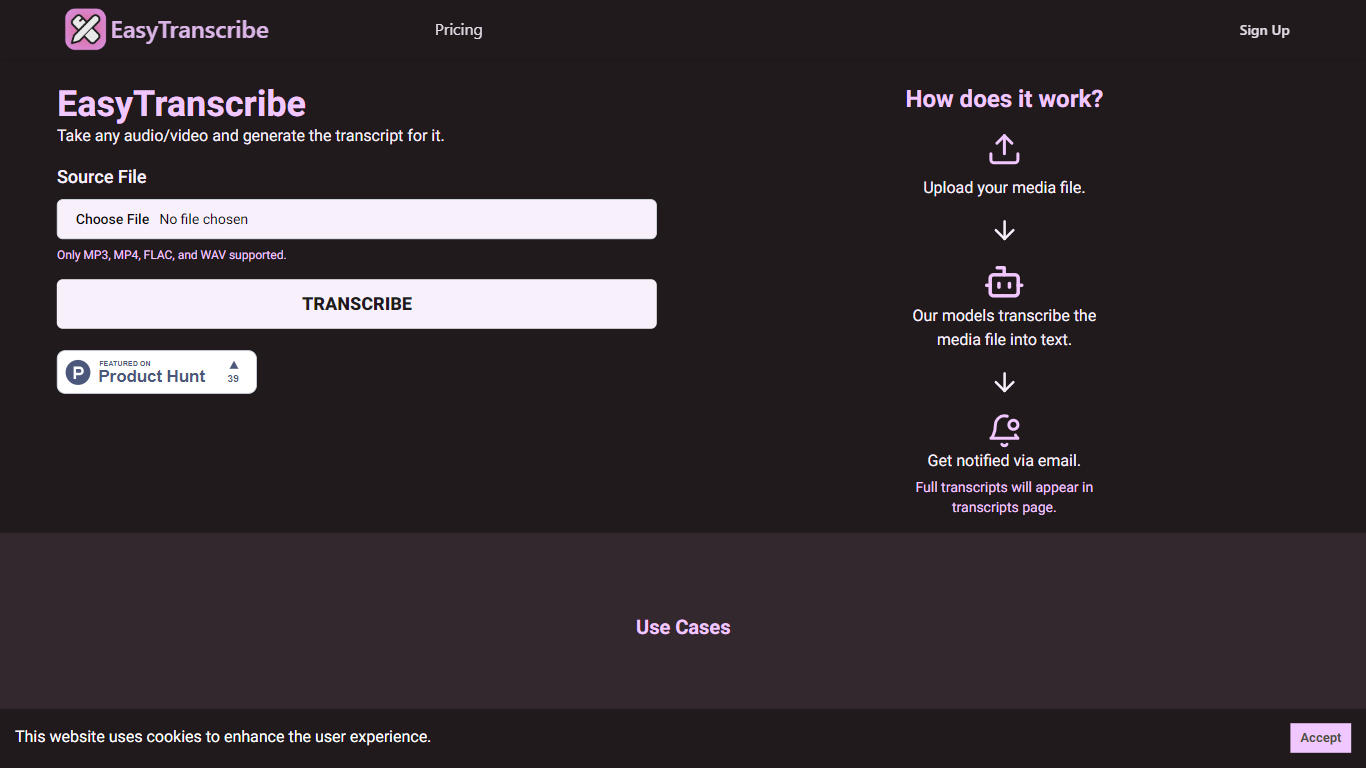

What is EasyTranscribe?
EasyTranscribe converts audio and video files into text by transcribing spoken words into written transcripts. It supports popular formats such as MP3, MP4, FLAC, and WAV, allowing users to upload various media files for transcription. After processing, transcripts are accessible on a dedicated page, and users receive email notifications when their files are ready.
What sets EasyTranscribe apart is its combination of multi-language and dialect support with a built-in transcript editor, enabling users to correct transcripts directly on the platform. It also offers syncing of transcripts with audio to enhance viewer engagement, which is not always available in basic transcription tools.
EasyTranscribe is designed for content creators, educators, podcasters, researchers, and video producers who need accurate and accessible transcripts quickly. Its simple interface requires no technical skills, making it easy to manage transcriptions and improve content accessibility for people with hearing impairments.
The platform focuses on automating transcription to save time and reduce manual note-taking or caption creation. By providing searchable, clear transcripts and ongoing improvements in speed and accuracy, EasyTranscribe supports efficient content management and accessibility needs.
Peech AI

What is Peech AI?
Peech turns raw video footage into branded, platform-ready clips through automated post-production. Upload your content and the platform tags scenes, transcribes speech, applies your brand elements, and outputs resized versions for social, web, and ads. A text-to-video editor lets you trim clips and remove filler words as easily as editing a document.
Agency-style post-production usually means days of editor time for every batch of marketing videos. Peech automates transcription in 20+ languages, facial-recognition framing, aspect-ratio cropping, and highlight clip generation in one workflow. Media teams report cutting post-production time by up to 95% and design costs by over 80% compared to hiring external editors.
Marketing teams at B2B companies like Peerspot and Datarails use Peech to repurpose webinars and interviews into daily social clips. Media companies organize large footage libraries with automatic tagging and topic-based highlight recommendations. You can start free without a credit card, then scale to dozens of branded videos per month through the app at app.peech-ai.com.
EasyTranscribe Upvotes
Peech AI Upvotes
EasyTranscribe Top Features
🎧 Supports multiple audio and video formats including MP3, MP4, FLAC, and WAV
⏱️ Fast transcription with email notifications when transcripts are ready
📝 Built-in transcript editor for direct corrections and adjustments
🌍 Multi-language and dialect support for global transcription needs
🔗 Sync transcripts with audio to enhance viewer engagement
Peech AI Top Features
Real-time transcription and translation into 20+ languages with subtitle export
Text-to-video editor cuts clips and removes filler words like editing a doc
Automated brand elements applied across every output with one-click execution
Frame cropper centers speakers via facial recognition across aspect ratios
Clip Generator produces ready-to-publish social videos from long-form footage
EasyTranscribe Category
- Video Editing
Peech AI Category
- Video Editing
EasyTranscribe Pricing Type
- Freemium
Peech AI Pricing Type
- Freemium