Face Distortion vs Extrapolate
In the battle of Face Distortion vs Extrapolate, which AI Fun tool comes out on top? We compare reviews, pricing, alternatives, upvotes, features, and more.
Between Face Distortion and Extrapolate, which one is superior?
Upon comparing Face Distortion with Extrapolate, which are both AI-powered fun tools, There's no clear winner in terms of upvotes, as both tools have received the same number. Be a part of the decision-making process. Your vote could determine the winner.
You don't agree with the result? Cast your vote to help us decide!
Face Distortion
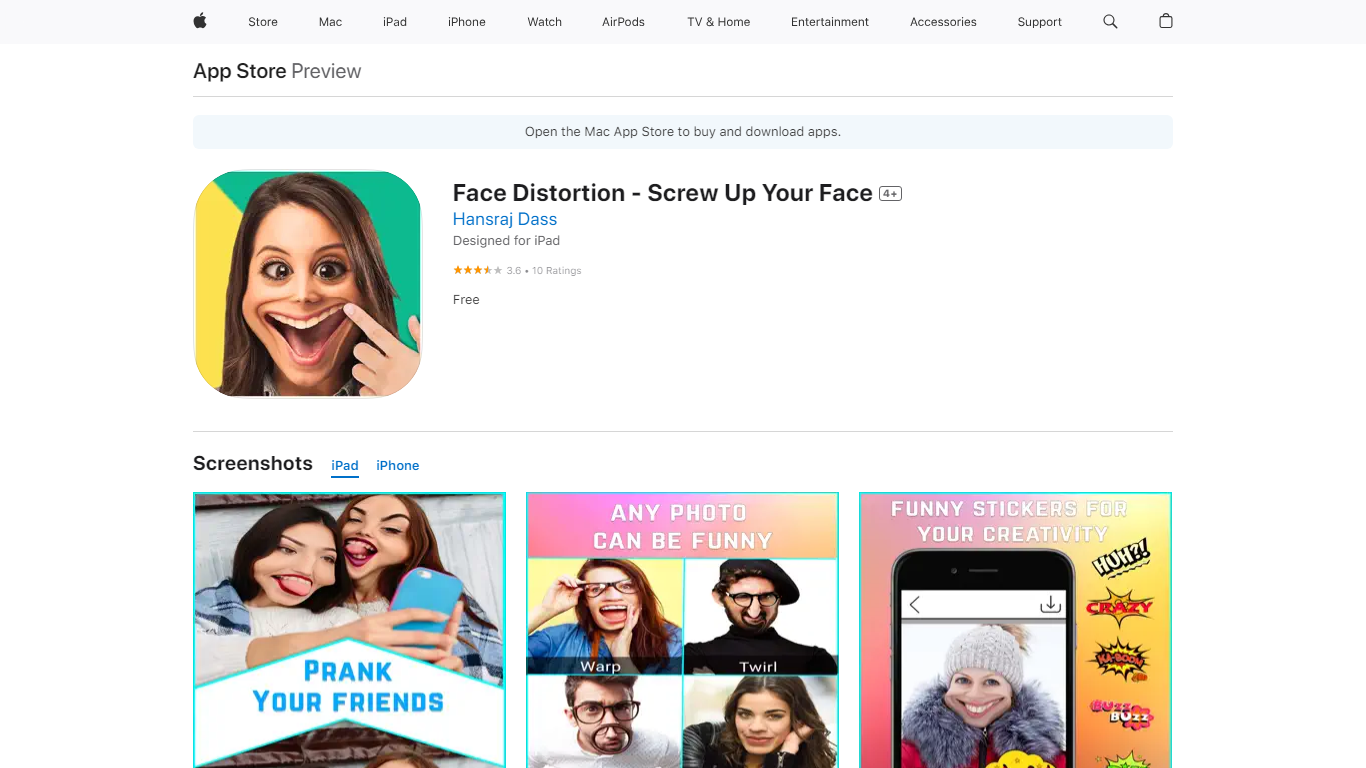

What is Face Distortion?
Face Distortion is a fun iOS photo warping app that bends selfies and portraits with finger-touch controls on iPhone and iPad. You pinch, bump, twirl, or glitch any part of a photo to build exaggerated faces, swap features, or morph body shapes for jokes you can share right away.
Most face filters apply preset stickers. Face Distortion gives you eight manual warp modes, including pinch, bump, linear distortion, hole distortion, glitch, and twirl, so you control exactly how far a nose stretches or a smile puckers. That makes it closer to a pocket caricature tool than a one-tap beauty filter.
Party hosts, meme makers, and anyone who pranks friends on iMessage use it to warp group photos, add funny stickers, and post results to Facebook, email, or MMS. The base app is free on the App Store with optional Pro subscriptions for premium features.
Extrapolate

What is Extrapolate?
Extrapolate turns a single uploaded selfie into AI previews of how you might look in 10 years, 20 years, or at 90 on extrapolate.app. You sign in, upload an image, and the site returns an aging animation you can reopen from your personal gallery.
Unlike generic photo filters, Extrapolate focuses narrowly on age progression rather than hairstyles, makeup, or cartoon effects. The homepage tracks 377.9K photos generated, and results are stored in a personal gallery at extrapolate.app/gallery for signed-in users.
It is a quick novelty tool for curious users, social sharing, or party entertainment. The site lists FAQ entries about usage, account deletion, and trials, with Terms of Service and Privacy Policy PDFs linked in the footer.
Face Distortion Upvotes
Extrapolate Upvotes
Face Distortion Top Features
Eight distortion modes: pinch, bump, linear distortion, hole distortion, glitch, and twirl face effects
Finger-touch warping lets you bend any part of a photo in real time on iPhone or iPad
Funny sticker pack included for extra caricature effects beyond manual warps
Share warped images to Facebook, email, or MMS directly from the app
Requires iOS 15.0 or iPadOS 15.0 or later; app size is 32 MB
Face Distortion Pro Annual in-app purchase listed at $34.99 on the App Store
Developer Pankaj Kumar; App Store rating 3.8 out of 5 from 9 ratings
Extrapolate Top Features
Upload one photo to preview aging at 10, 20, and 90 years old
377.9K photos generated according to the homepage counter
Personal gallery at extrapolate.app/gallery for signed-in users
Homepage sample shows a JPEG input transformed into an animated aging GIF output
Sign-in flow to save and revisit generated aging images
Face Distortion Category
- Fun
Extrapolate Category
- Fun
Face Distortion Pricing Type
- Freemium
Extrapolate Pricing Type
- Free