
Last updated 08-15-2026
Category:
Reviews:
Join thousands of AI enthusiasts in the World of AI!
Face Distortion
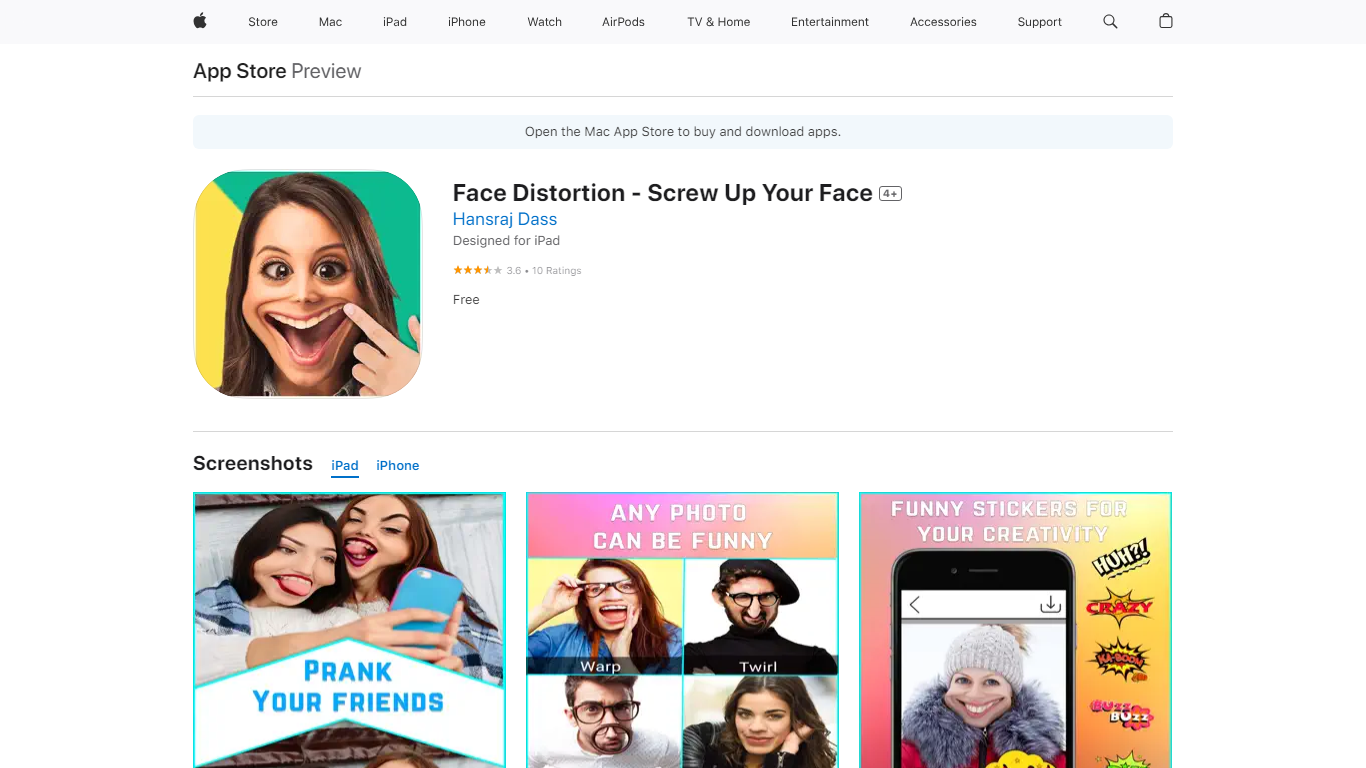
Face Distortion is a fun iOS photo warping app that bends selfies and portraits with finger-touch controls on iPhone and iPad. You pinch, bump, twirl, or glitch any part of a photo to build exaggerated faces, swap features, or morph body shapes for jokes you can share right away.
Most face filters apply preset stickers. Face Distortion gives you eight manual warp modes, including pinch, bump, linear distortion, hole distortion, glitch, and twirl, so you control exactly how far a nose stretches or a smile puckers. That makes it closer to a pocket caricature tool than a one-tap beauty filter.
Party hosts, meme makers, and anyone who pranks friends on iMessage use it to warp group photos, add funny stickers, and post results to Facebook, email, or MMS. The base app is free on the App Store with optional Pro subscriptions for premium features.
Eight distortion modes: pinch, bump, linear distortion, hole distortion, glitch, and twirl face effects
Finger-touch warping lets you bend any part of a photo in real time on iPhone or iPad
Funny sticker pack included for extra caricature effects beyond manual warps
Share warped images to Facebook, email, or MMS directly from the app
Requires iOS 15.0 or iPadOS 15.0 or later; app size is 32 MB
Face Distortion Pro Annual in-app purchase listed at $34.99 on the App Store
Developer Pankaj Kumar; App Store rating 3.8 out of 5 from 9 ratings
Manual warp controls with eight distortion types beat one-tap filter apps for custom caricatures
Free download includes core finger-touch editing and direct social sharing
Works on both iPhone and iPad with a small 32 MB install size
Premium features require iTunes subscriptions with auto-renewal billing
App Store rating is 3.8 out of 5 from only 9 reviews, a thin sample size
Privacy labels note tracking and linked identifiers, which may bother privacy-conscious users
Is Face Distortion free on iPhone?
Face Distortion is free to download on the App Store with in-app purchases. The base app includes warp tools and sharing, while Face Distortion Pro subscriptions unlock premium features through monthly, yearly, or lifetime plans billed via iTunes.
What devices does Face Distortion support?
Face Distortion runs on iPhone, iPad, and iPod touch with iOS or iPadOS 15.0 or later. The listing notes it is designed for iPad and also supports Mac with Apple M1 or later on macOS 12.0 or later.
What warp effects does Face Distortion include?
Face Distortion lists eight effects: pinch, bump, linear distortion, hole distortion, glitch, twirl face, and related warp tools. You drag a finger across the photo to bend features like lips, eyes, or body shapes.
Can I share Face Distortion edits?
Yes. Face Distortion lets you post warped photos to Facebook or send them through email and MMS from the app. You can also save edited images to share through other iOS apps.
How much is Face Distortion Pro?
Face Distortion Pro Annual is listed at $34.99 as an in-app purchase on the App Store. The developer also offers one-month, one-year, and lifetime subscription options that auto-renew through your iTunes account unless canceled.
Who makes Face Distortion?
Face Distortion is published on the App Store by developer Pankaj Kumar under the Photo and Video category. The current App Store version is 1.6 with bug fixes and stability improvements.