FlowSavvy vs MonitUp
Compare FlowSavvy vs MonitUp and see which AI Productivity tool is better when we compare features, reviews, pricing, alternatives, upvotes, etc.
Which one is better? FlowSavvy or MonitUp?
When we compare FlowSavvy with MonitUp, which are both AI-powered productivity tools, The upvote count is neck and neck for both FlowSavvy and MonitUp. Be a part of the decision-making process. Your vote could determine the winner.
Want to flip the script? Upvote your favorite tool and change the game!
FlowSavvy

What is FlowSavvy ?
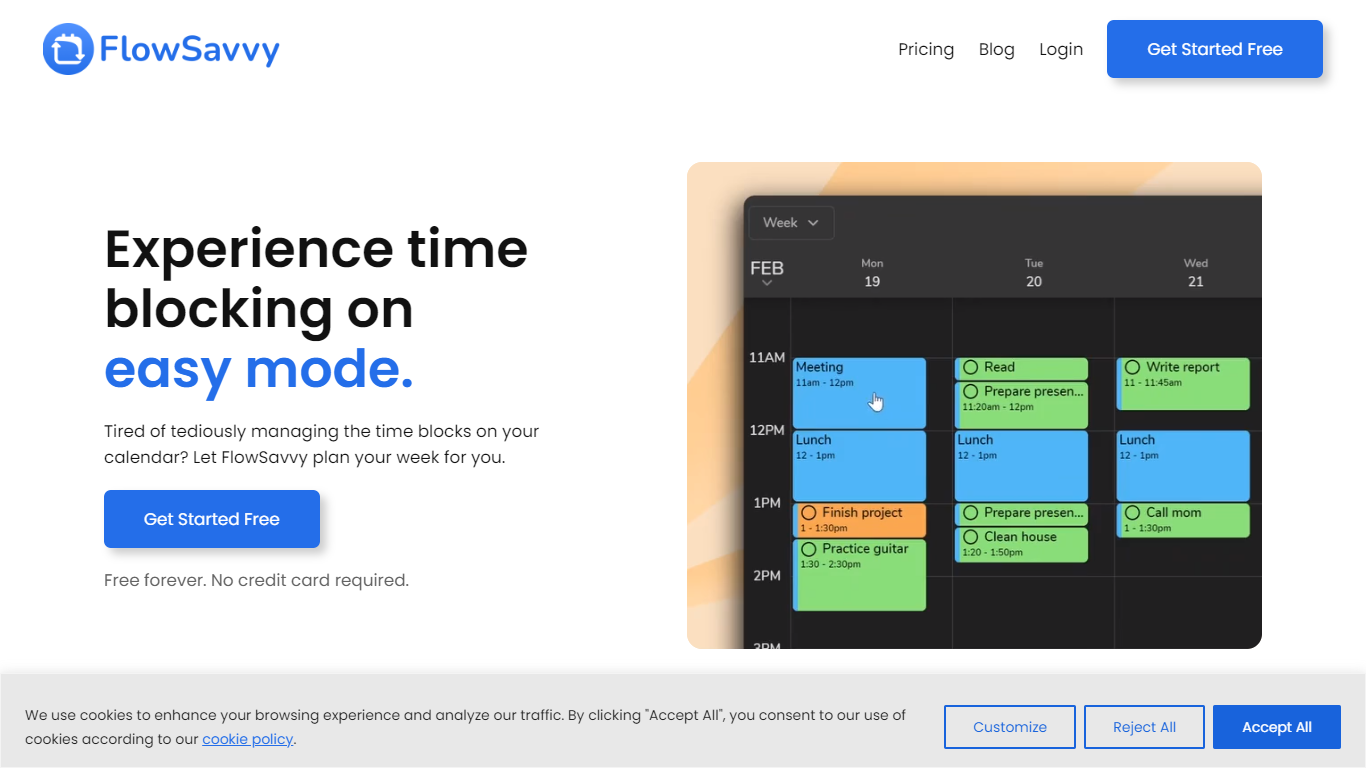
FlowSavvy offers a fresh take on time management by automating time blocking and task scheduling to reduce stress and manual effort. It acts like a digital assistant that creates weekly plans and adjusts them automatically when your schedule changes, so you don’t have to constantly rearrange tasks yourself. The platform supports habit building by letting you set recurring tasks that fit your lifestyle and work hours, helping you maintain a healthy work-life balance. It integrates smoothly with popular calendars like Google, iCloud, and Outlook, keeping all your appointments and tasks in one place. The interface is clean and easy to use, with color-coded tasks that give you a quick view of your workload. FlowSavvy is accessible on all devices and lets you start for free without needing a credit card. This makes it a practical tool for anyone looking to organize their time more effectively without the hassle of manual scheduling. Whether you’re a busy professional, a student, or managing a household, FlowSavvy adapts to your needs and helps you stay on track effortlessly.
MonitUp
What is MonitUp?
MonitUp is a Windows desktop time tracker that logs which apps and websites you use, how long you keep the computer on, and optional screenshots throughout the day. It sits in the background with low resource use and turns that activity into productivity reports you can review in a web dashboard.
Most time trackers ask you to start timers manually. MonitUp's Premium plan flips that: it auto-starts when your PC boots during hours you set, captures random screenshots every 5 minutes if you enable them, and feeds the data into AI suggestions. The cheaper Freelancer tier keeps tracking manual, which suits contractors who bill by task rather than by clock time.
Remote managers get a performance appraisal view built on objective usage data instead of self-reported hours. You can label apps efficient, inefficient, or neutral so reports reflect your actual workflow, not a generic productivity score. GDPR monitoring is built in for teams that need compliance documentation.
Freelancers, remote employees, and small teams on Windows who want automatic activity logging with optional screenshot proof will get the most from MonitUp. Mac users can join a waitlist by emailing [email protected].
FlowSavvy Upvotes
MonitUp Upvotes
FlowSavvy Top Features
🗓️ Automatic weekly planning that adjusts as your schedule changes
🔄 Smart recurring tasks to build and maintain good habits
📅 Syncs with Google, iCloud, and Outlook calendars for unified scheduling
🎨 Color-coded tasks for quick workload visualization
📱 Available on all devices with no credit card required to start
MonitUp Top Features
Premium plan auto-starts tracking when your PC boots during set working hours
Freelancer plan at $6 per user per month with manual task start and stop
Premium plan at $9 per user per month with notifications and PC performance tracking
Random screenshots every 5 minutes when enabled, passive mode by default
Label apps efficient, inefficient, or neutral for custom productivity reports
AI analyzes daily activity logs and sends personalized efficiency suggestions
FlowSavvy Category
- Productivity
MonitUp Category
- Productivity
FlowSavvy Pricing Type
- Freemium
MonitUp Pricing Type
- Freemium