Gempix 2 vs Green Screen AI
When comparing Gempix 2 vs Green Screen AI, which AI Photo Editing tool shines brighter? We look at pricing, alternatives, upvotes, features, reviews, and more.
In a comparison between Gempix 2 and Green Screen AI, which one comes out on top?
When we put Gempix 2 and Green Screen AI side by side, both being AI-powered photo editing tools, Both tools are equally favored, as indicated by the identical upvote count. Since other aitools.fyi users could decide the winner, the ball is in your court now to cast your vote and help us determine the winner.
Feeling rebellious? Cast your vote and shake things up!
Gempix 2


What is Gempix 2?
Gempix 2 runs a browser-based photo editing workspace where you upload an image, write a prompt up to 2,000 characters, and spend credits on AI edits or generations. The homepage lists Image Edit, Text to Image, Text to Video, Image to Video, Video Edit, and Wan Animate tabs powered by NanoBanana 2 and SeeDream V4.
Most online editors charge flat subscriptions before you test output quality. Gempix 2 starts with free credits, then sells monthly credit buckets on plans that include commercial licensing, 1080p output, batch generation, and no watermarks when you upgrade.
It targets creators who want quick prompt-driven retouching without installing desktop software. The site advertises no registration required on the homepage and routes paid users through monthly, annual, or one-time billing options on its pricing page.
Green Screen AI
What is Green Screen AI?
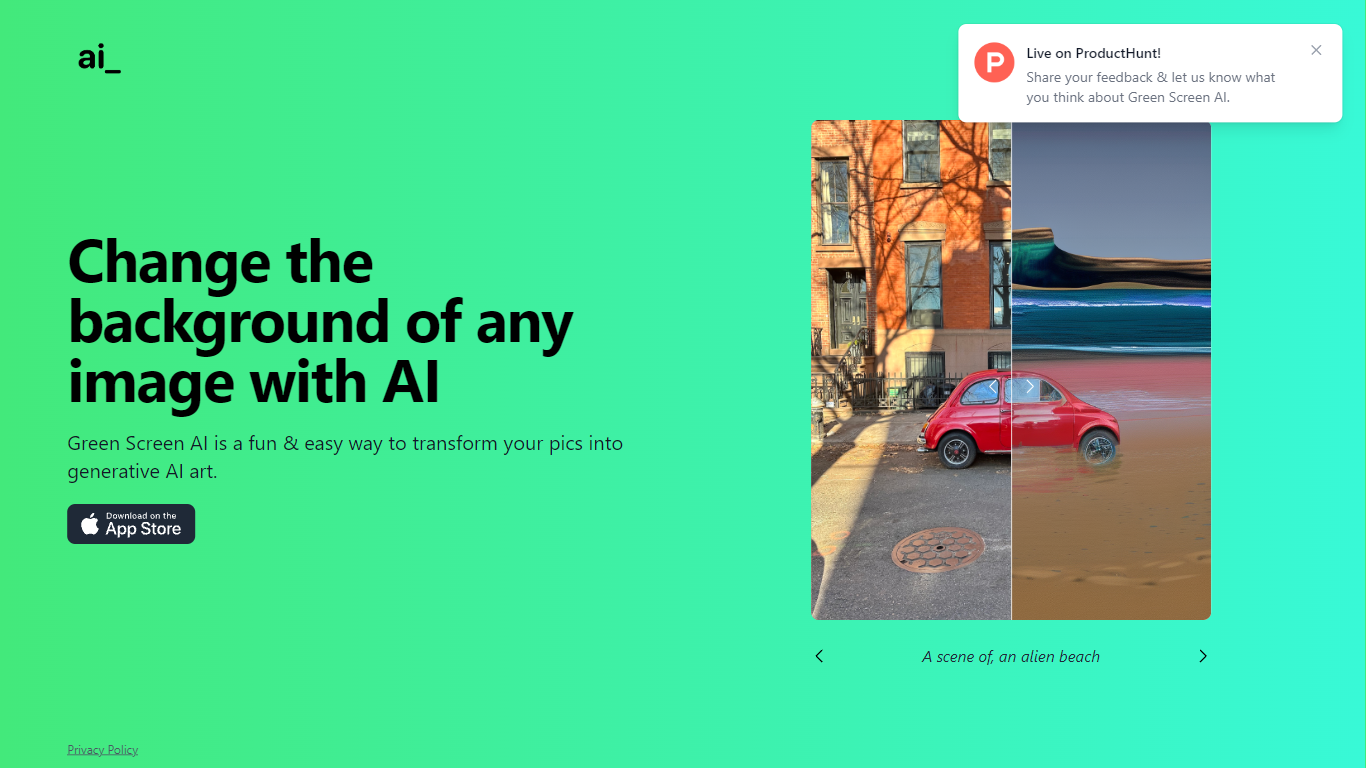
Green Screen AI swaps the background of a photo for a generative scene you describe in text, no physical green screen required. Upload a picture, type a prompt like "an alien beach," and the site replaces the backdrop with AI-generated art.
Dedicated keying software expects studio lighting and manual masks. Green Screen AI targets casual creators who want a one-step background swap in the browser, with a Product Hunt launch page collecting community feedback on the experience.
Social creators, hobby photographers, and anyone making quick profile or post images can use it when they want a fun scene change without opening Photoshop. The marketing site keeps the workflow short: upload, prompt, and share the result.
Gempix 2 Upvotes
Green Screen AI Upvotes
Gempix 2 Top Features
Homepage image edit flow shows a Generate button costing 20 credits
Prompt field accepts up to 2,000 characters with dimension and advanced settings
Pricing Basic plan includes 1,500 credits per month and 1080p HD output
Plus plan raises the allowance to 7,500 credits per month on the pricing page
Enterprise adds API access and dedicated support with a 2 hour response target
Batch generation and commercial licensing appear on all paid pricing tiers
Green Screen AI Top Features
Replaces image backgrounds using text prompts such as "an alien beach"
Runs in the browser at greenscreenai.com with no physical green screen
Generates unique AI art backgrounds for each upload
Product Hunt launch page for community feedback
Preview image hosted at greenscreenai.com/assets/preview.png
Gempix 2 Category
- Photo Editing
Green Screen AI Category
- Photo Editing
Gempix 2 Pricing Type
- Freemium
Green Screen AI Pricing Type
- Free