Glitter AI vs Regex.ai
Compare Glitter AI vs Regex.ai and see which AI Automation tool is better when we compare features, reviews, pricing, alternatives, upvotes, etc.
Which one is better? Glitter AI or Regex.ai?
When we compare Glitter AI with Regex.ai, which are both AI-powered automation tools, Interestingly, both tools have managed to secure the same number of upvotes. Since other aitools.fyi users could decide the winner, the ball is in your court now to cast your vote and help us determine the winner.
Don't agree with the result? Cast your vote and be a part of the decision-making process!
Glitter AI


What is Glitter AI ?
Glitter AI turns screen recordings, videos, and live walkthroughs into polished step-by-step guides and SOPs. Record a process with the desktop app or browser extension, narrate as you go, and the platform captures screenshots, transcribes your speech, and writes the documentation for you.
You can also upload existing videos, including Zoom recordings, mobile screen captures, or footage of physical tasks, and Glitter converts them into editable guides. The guide editor lets you polish steps, screenshots, and copy before sharing via link, PDF, HTML, Markdown, or embed.
It supports 99 languages for recording and one-click translation. Teams at companies like Google, Walmart, and Salesforce use it for employee onboarding, IT runbooks, customer help articles, and compliance SOPs. The platform is SOC 2 Type II certified.
Regex.ai
What is Regex.ai?
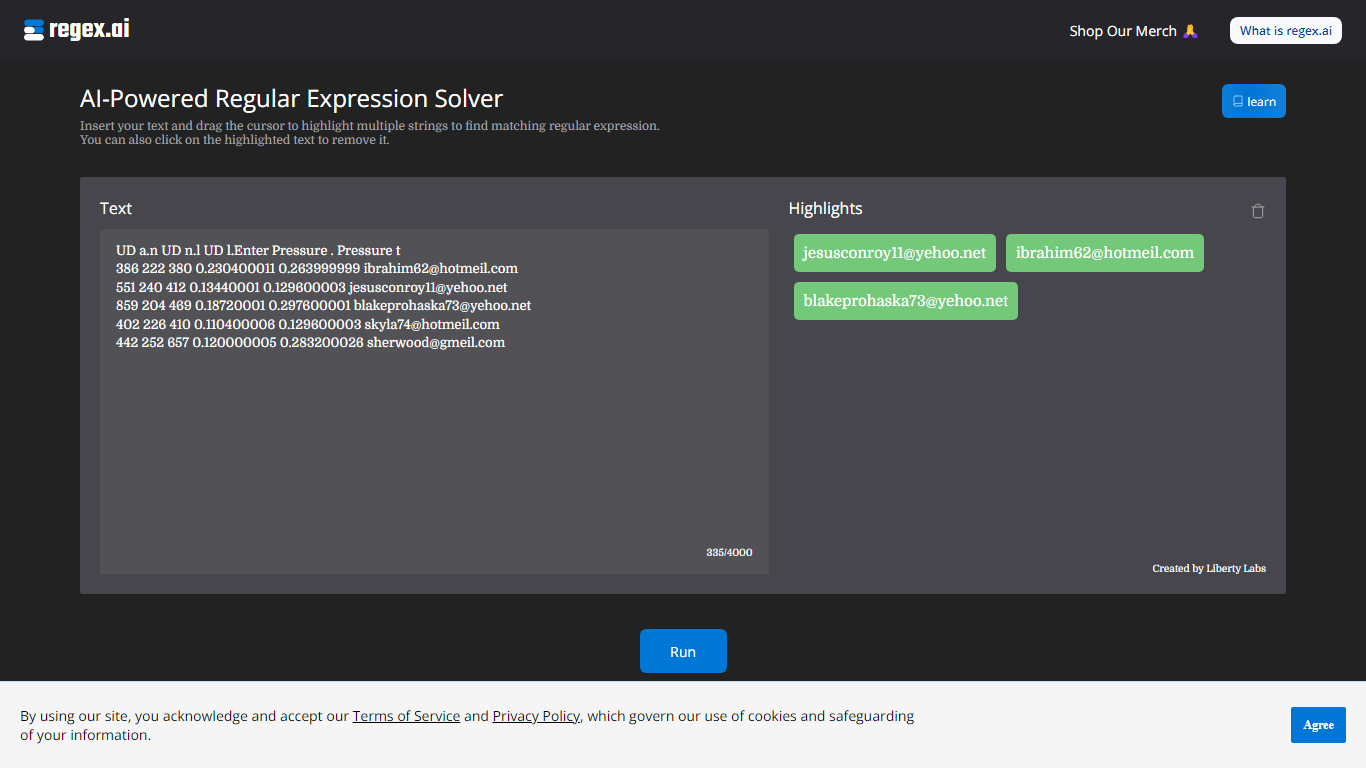
Regex.ai builds regular expressions from highlighted text samples in your browser. You paste a block of text, drag the cursor to mark the strings you want to match, and the site returns candidate regex patterns instead of making you write them by hand. It turns messy real-world strings into reusable search patterns for log parsing, data cleanup, and validation scripts in automation workflows.
Most regex generators ask you to describe the pattern in words or pick from templates. Regex.ai runs four separate agents on the same highlights, each with a different strategy: Agent A generalizes like a human would, Agent B finds a pattern from highlights and surrounding text, Agent C handles adjacent single characters, and Agent D focuses on character counts and types. You compare four outputs side by side and pick the one that fits your data.
The tool is built for developers, data analysts, and QA engineers who hit regex walls during extraction or validation work. Paste sample rows from a CSV, log file, or email list, highlight the parts that repeat, and walk away with a pattern you can drop into Python, JavaScript, or your ETL pipeline. A built-in documentation section covers metacharacters and special sequences for anyone still learning regex syntax.
Glitter AI Upvotes
Regex.ai Upvotes
Glitter AI Top Features
Record your screen with desktop app or browser extension and get a guide with screenshots and text automatically
Upload any existing video and convert it into a step-by-step guide with AI step detection
Translate guides into any of 99 languages with a single click
Export to PDF, HTML, Markdown, or embed in Confluence, Notion, Zendesk, and more
SOC 2 Type II certified with on-device blur to redact sensitive data before upload
Regex.ai Top Features
Four agents (A through D) each return a different regex pattern from the same highlighted text
Paste up to 4,000 characters of sample text and highlight multiple strings with a drag cursor
Agent B returns lookbehind patterns like (?<=\s)\w+@\w+.(?:com|net) for .com and .net email matching
Agent D adds broader matches such as \w+@\w+.(?:com|net) that include addresses like [email protected]
Built-in documentation page lists 11 metacharacters and 12 special sequences with worked examples
Discord community at discord.com/invite/AZPWnBUGmP linked from the about page for regex help
Glitter AI Category
- Automation
Regex.ai Category
- Automation
Glitter AI Pricing Type
- Freemium
Regex.ai Pricing Type
- Free