
Last updated 08-14-2026
Category:
Reviews:
Join thousands of AI enthusiasts in the World of AI!
Regex.ai
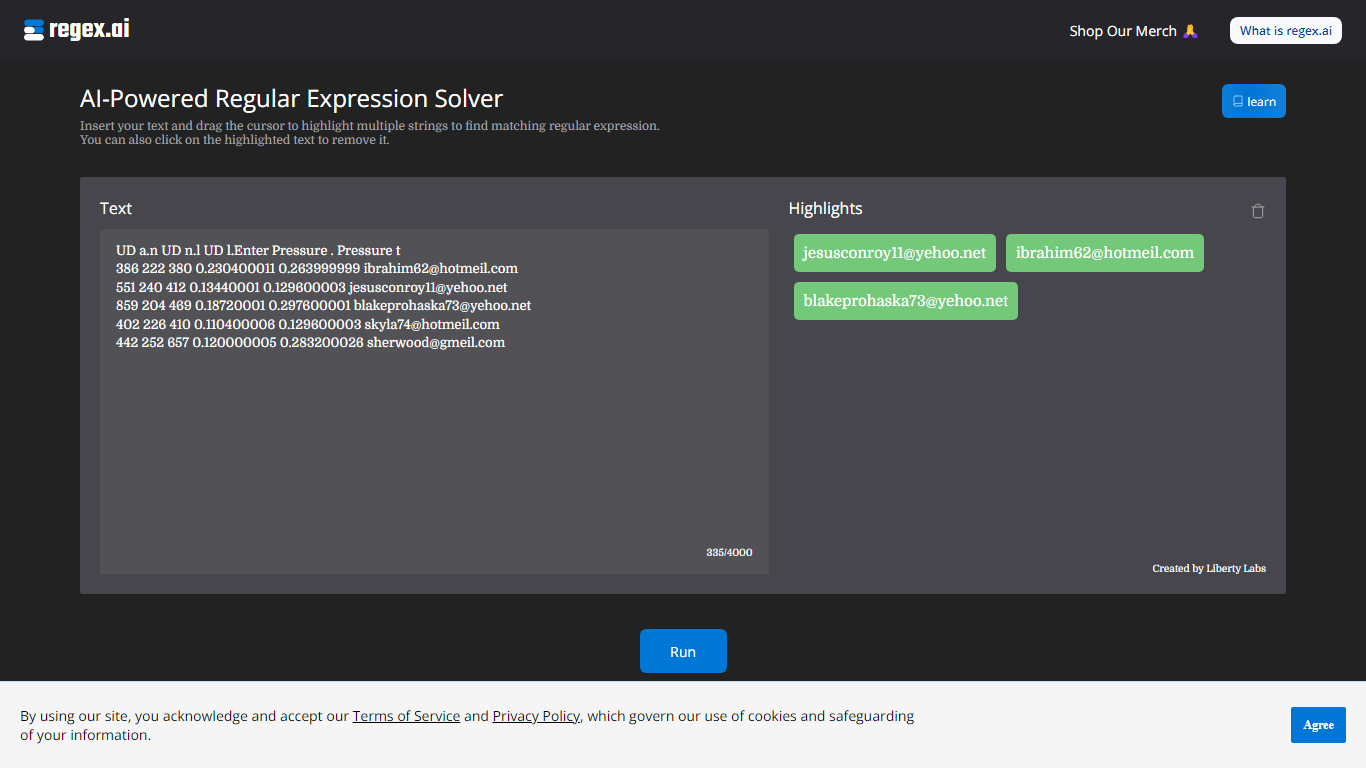
Regex.ai builds regular expressions from highlighted text samples in your browser. You paste a block of text, drag the cursor to mark the strings you want to match, and the site returns candidate regex patterns instead of making you write them by hand. It turns messy real-world strings into reusable search patterns for log parsing, data cleanup, and validation scripts in automation workflows.
Most regex generators ask you to describe the pattern in words or pick from templates. Regex.ai runs four separate agents on the same highlights, each with a different strategy: Agent A generalizes like a human would, Agent B finds a pattern from highlights and surrounding text, Agent C handles adjacent single characters, and Agent D focuses on character counts and types. You compare four outputs side by side and pick the one that fits your data.
The tool is built for developers, data analysts, and QA engineers who hit regex walls during extraction or validation work. Paste sample rows from a CSV, log file, or email list, highlight the parts that repeat, and walk away with a pattern you can drop into Python, JavaScript, or your ETL pipeline. A built-in documentation section covers metacharacters and special sequences for anyone still learning regex syntax.
Four agents (A through D) each return a different regex pattern from the same highlighted text
Paste up to 4,000 characters of sample text and highlight multiple strings with a drag cursor
Agent B returns lookbehind patterns like (?<=\s)\w+@\w+.(?:com|net) for .com and .net email matching
Agent D adds broader matches such as \w+@\w+.(?:com|net) that include addresses like [email protected]
Built-in documentation page lists 11 metacharacters and 12 special sequences with worked examples
Discord community at discord.com/invite/AZPWnBUGmP linked from the about page for regex help
Four agent outputs let you compare different valid patterns for the same highlights
Drag-to-highlight interface is faster than writing regex from scratch for unfamiliar data
No account or signup required to run the solver
Documentation page covers metacharacters and special sequences with examples
Free with no listed usage caps or paid tiers on the site
Sample text is capped at 4,000 characters per run
No API or batch mode for processing large files outside the browser
Four agents can return overlapping patterns, so you still need to pick the best fit
Browser-only tool with no desktop or CLI version listed
Is Regex.ai free to use?
Yes, Regex.ai is free. The site has no pricing page or paid tier listed, and you can paste text and run the regex solver without creating an account.
How does Regex.ai generate regex patterns?
Regex.ai analyzes the text block you paste and the strings you highlight with the cursor. It then runs four agents that each propose a different regular expression pattern matched to your selections.
What are the four Regex.ai agents?
Regex.ai uses Agent A to generalize highlights like a human, Agent B to find a pattern from highlights and surrounding text, Agent C for adjacent single characters, and Agent D for character counts and types.
What is the text limit on Regex.ai?
Regex.ai accepts sample text up to 4,000 characters in the input field. The interface shows a character counter so you can see how much space remains as you paste.
Does Regex.ai require an account?
No account is required to use Regex.ai. You open the site, paste your text, highlight the strings you want to match, and click Run to see pattern suggestions from all four agents.
Does Regex.ai include regex learning resources?
Yes, Regex.ai has a documentation page that explains metacharacters like [], \d, and {}, plus special sequences such as \b and \w with examples. It is linked from the main navigation.