Packmind vs Regex.ai
Dive into the comparison of Packmind vs Regex.ai and discover which AI Automation tool stands out. We examine alternatives, upvotes, features, reviews, pricing, and beyond.
In a comparison between Packmind and Regex.ai, which one comes out on top?
When we compare Packmind and Regex.ai, two exceptional automation tools powered by artificial intelligence, and place them side by side, several key similarities and differences come to light. Neither tool takes the lead, as they both have the same upvote count. You can help us determine the winner by casting your vote and tipping the scales in favor of one of the tools.
Don't agree with the result? Cast your vote and be a part of the decision-making process!
Packmind


What is Packmind?
Packmind captures and governs your engineering playbook so AI coding agents across your repositories follow your team's standards instead of guessing from generic training data. It turns scattered decisions, patterns, and conventions into a versioned playbook, then distributes that context to assistants like Copilot, Cursor, Claude Code, and Gemini Code Assist.
Where generic assistants guess from training data, Packmind feeds them your team's rules. Its CLI can open pull requests that update copilot-instructions.md, AGENTS.md, and Cursor rules files, and its MCP server lets developers capture standards while coding. Violations show up in the IDE, CLI, or pre-commit with optional auto-fix before review.
Engineering leaders and platform teams use Packmind to scale agentic coding without losing consistency. The open source edition is free with unlimited developers and repositories; enterprise tiers add RBAC, SSO, SCIM, and audit trails. SOC 2 Type II certified since 2024, with public cloud or self-hosted Kubernetes deployment including air-gapped options.
Regex.ai
What is Regex.ai?
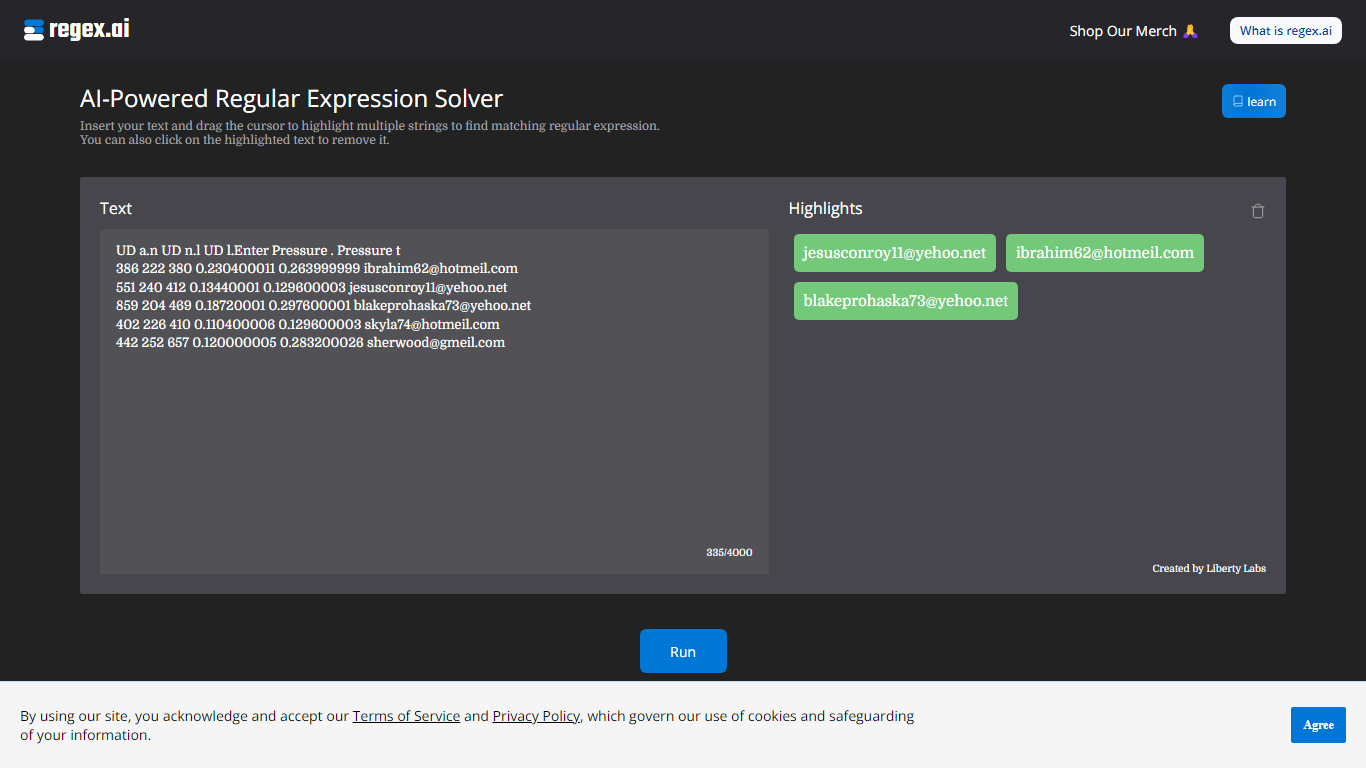
Regex.ai builds regular expressions from highlighted text samples in your browser. You paste a block of text, drag the cursor to mark the strings you want to match, and the site returns candidate regex patterns instead of making you write them by hand. It turns messy real-world strings into reusable search patterns for log parsing, data cleanup, and validation scripts in automation workflows.
Most regex generators ask you to describe the pattern in words or pick from templates. Regex.ai runs four separate agents on the same highlights, each with a different strategy: Agent A generalizes like a human would, Agent B finds a pattern from highlights and surrounding text, Agent C handles adjacent single characters, and Agent D focuses on character counts and types. You compare four outputs side by side and pick the one that fits your data.
The tool is built for developers, data analysts, and QA engineers who hit regex walls during extraction or validation work. Paste sample rows from a CSV, log file, or email list, highlight the parts that repeat, and walk away with a pattern you can drop into Python, JavaScript, or your ETL pipeline. A built-in documentation section covers metacharacters and special sequences for anyone still learning regex syntax.
Packmind Upvotes
Regex.ai Upvotes
Packmind Top Features
Open source core is free with unlimited developers and repositories on GitHub and GitLab
CLI syncs standards to copilot-instructions.md, AGENTS.md, and Cursor rules via pull request
Imports standards from ADRs or Git docs, or captures rules via MCP while you code
Flags violations in VS Code, JetBrains, Visual Studio, CLI, or pre-commit with auto-fix
Distributes playbook context to Copilot, Cursor, Claude Code, Gemini Code Assist, and Junie
SOC 2 Type II certified since 2024 with cloud or self-hosted Kubernetes deployment
Regex.ai Top Features
Four agents (A through D) each return a different regex pattern from the same highlighted text
Paste up to 4,000 characters of sample text and highlight multiple strings with a drag cursor
Agent B returns lookbehind patterns like (?<=\s)\w+@\w+.(?:com|net) for .com and .net email matching
Agent D adds broader matches such as \w+@\w+.(?:com|net) that include addresses like [email protected]
Built-in documentation page lists 11 metacharacters and 12 special sequences with worked examples
Discord community at discord.com/invite/AZPWnBUGmP linked from the about page for regex help
Packmind Category
- Automation
Regex.ai Category
- Automation
Packmind Pricing Type
- Freemium
Regex.ai Pricing Type
- Free