HitPaw Video Enhancer vs Reface
In the contest of HitPaw Video Enhancer vs Reface, which AI Video Editing tool is the champion? We evaluate pricing, alternatives, upvotes, features, reviews, and more.
If you had to choose between HitPaw Video Enhancer and Reface, which one would you go for?
When we examine HitPaw Video Enhancer and Reface, both of which are AI-enabled video editing tools, what unique characteristics do we discover? With more upvotes, HitPaw Video Enhancer is the preferred choice. The number of upvotes for HitPaw Video Enhancer stands at 7, and for Reface it's 6.
Think we got it wrong? Cast your vote and show us who's boss!
HitPaw Video Enhancer
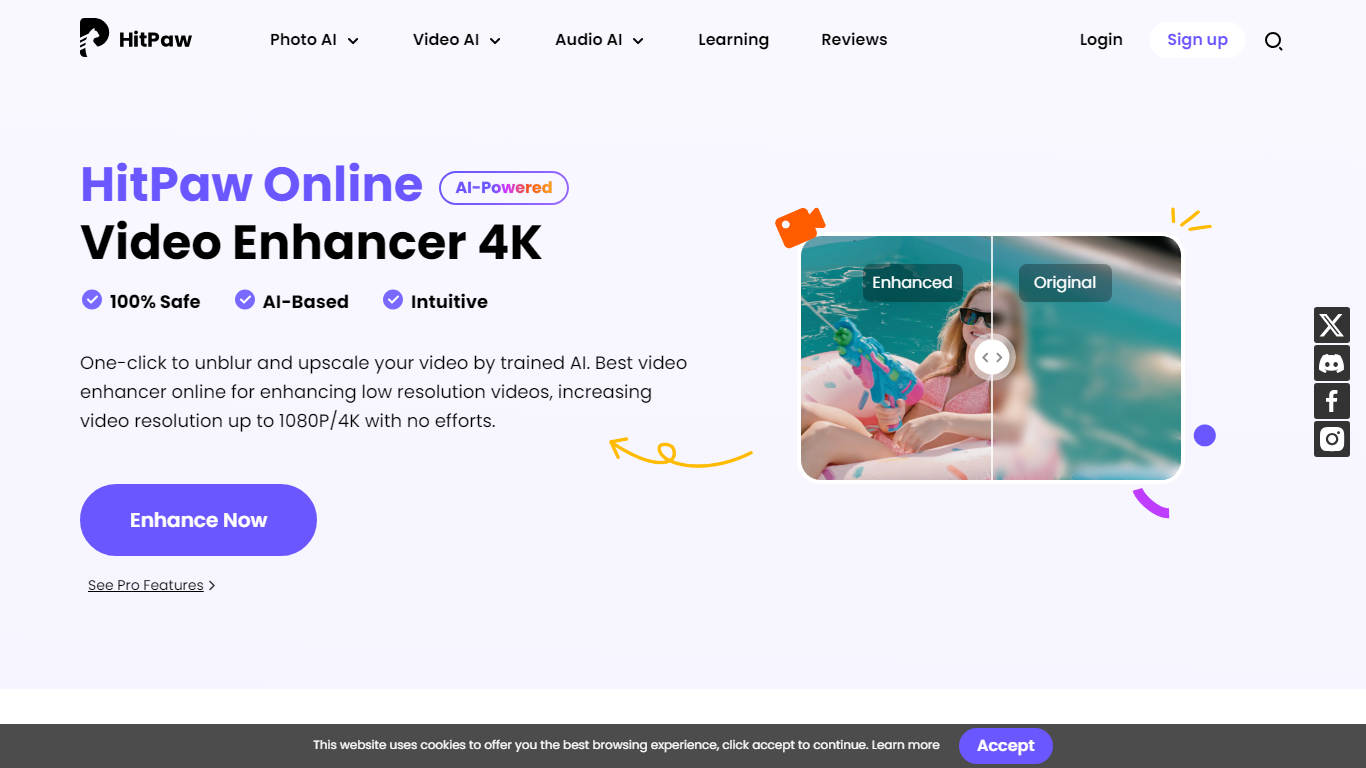

What is HitPaw Video Enhancer?
Elevate your video quality effortlessly with HitPaw Online AI 4K Video Enhancer, designed to be your go-to solution for AI-enhanced video upscaling. Experience the power of advanced technology to transform your videos to stunning 4K resolution in a flash.
Our easy-to-use platform offers a seamless process to enhance and upscale your videos up to 1080P/4K, elevating the viewing experience with crisp, clear visuals. Backed by a 100% safety guarantee, HitPaw ensures a secure enhancement process, so you can focus on the quality without worrying about the security of your content.
The HitPaw Online Toolbox provides a range of features for a comprehensive video enhancement journey. Whether for personal use or professional projects, HitPaw stands as your first and best choice in the realm of AI-powered video quality enhancement. Try it now for free and witness the remarkable difference!
Reface
What is Reface?
Swap your face into GIFs, clips, and photos, or generate AI avatars from a selfie, using the Reface mobile app. The company behind reface.ai builds AI-native consumer apps, and the flagship Reface product focuses on face-swap video edits and avatar creation with downloads topping 300 million across its portfolio.
Dedicated face-swap apps usually stop at one gimmick filter. Reface pairs real-time face replacement with a growing app lineup, including Revive for singing photos, Restyle for AI filters on video, and Ink AI for tattoo previews, all shipped from the same studio. That breadth matters if you want face edits plus related creative tools without juggling unrelated vendors.
Casual creators, meme makers, and social media users download Reface on iOS and Android for quick face swaps before posting. Subscriptions auto-renew through the App Store or Google Play, and reface.ai documents how to manage or cancel plans from device settings or the web dashboard.
HitPaw Video Enhancer Upvotes
Reface Upvotes
HitPaw Video Enhancer Top Features
AI Upscaling: Instantly upscale videos to 1080P/4K resolutions using AI technology.
User-Friendly Interface: Effortlessly enhance videos with an intuitive drag-and-drop system.
Secure Enhancement Process: Guaranteed safety with a platform that prioritizes the security of your content.
Comprehensive Toolbox: Access a variety of AI tools for enhancing video and image quality.
Free Trial: Experience the exceptional quality for yourself with a risk-free trial.
Reface Top Features
Face-swap and AI avatar creation in the flagship Reface mobile app
Portfolio apps exceed 300 million total downloads per reface.ai
Revive turns still photos into singing videos from the same studio
Restyle applies AI filters to photos and videos via a separate app
Subscriptions auto-renew through App Store or Google Play billing
HitPaw Video Enhancer Category
- Video Editing
Reface Category
- Video Editing
HitPaw Video Enhancer Pricing Type
- Paid
Reface Pricing Type
- Freemium