HitPaw VoicePea (formerly HitPaw Voice Changer) vs SpeechGPT
In the battle of HitPaw VoicePea (formerly HitPaw Voice Changer) vs SpeechGPT, which AI Audio Generation tool comes out on top? We compare reviews, pricing, alternatives, upvotes, features, and more.
Between HitPaw VoicePea (formerly HitPaw Voice Changer) and SpeechGPT, which one is superior?
Upon comparing HitPaw VoicePea (formerly HitPaw Voice Changer) with SpeechGPT, which are both AI-powered audio generation tools, Both tools are equally favored, as indicated by the identical upvote count. Be a part of the decision-making process. Your vote could determine the winner.
Feeling rebellious? Cast your vote and shake things up!
HitPaw VoicePea (formerly HitPaw Voice Changer)
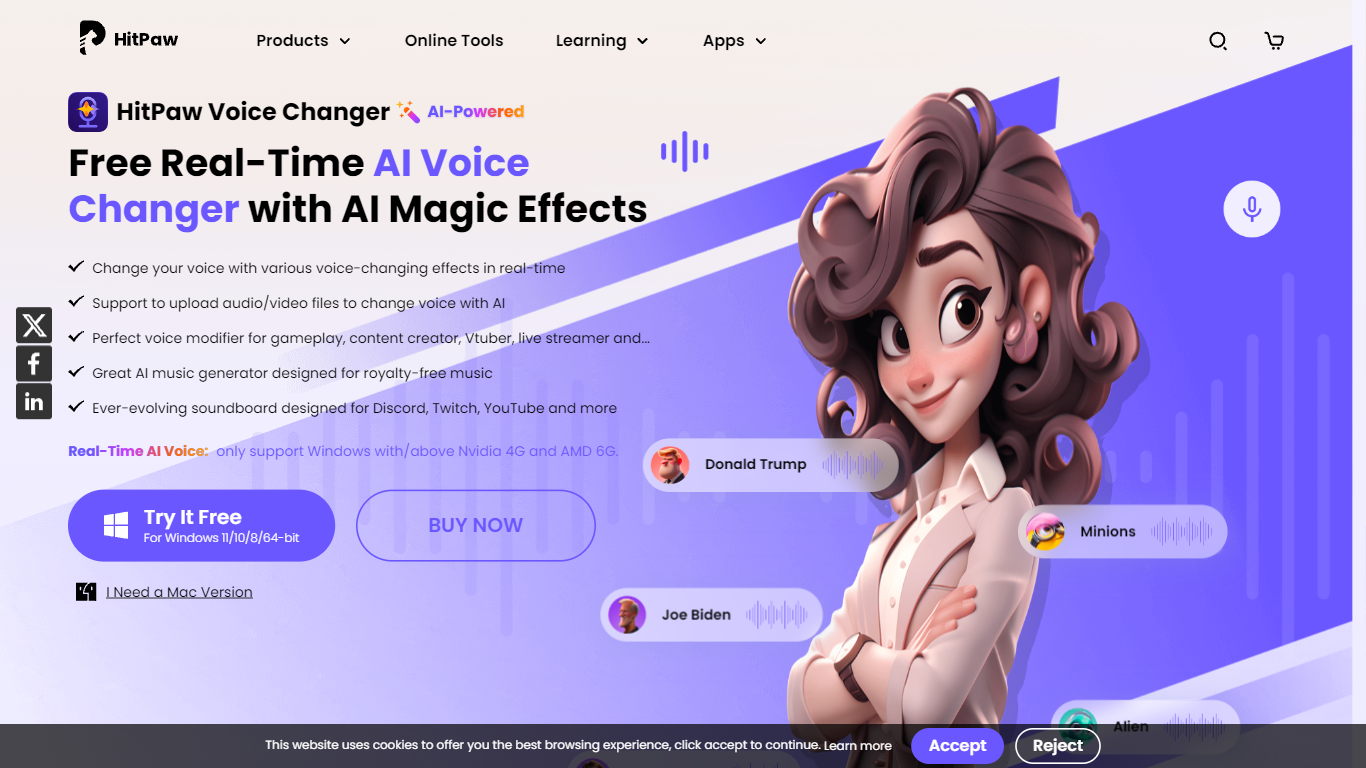

What is HitPaw VoicePea (formerly HitPaw Voice Changer)?
HitPaw VoicePea turns your microphone into 200+ live AI voices for games, streams, and calls on PC and Mac. Pick a character voice, map keybinds, trigger a built-in meme soundboard, and route the output through Discord, Zoom, Microsoft Teams, Twitch, YouTube, or Kick with ultra-low latency.
Most voice changers add noticeable delay that breaks game comms. HitPaw VoicePea targets real-time use with noise reduction, virtual audio routing, and one-click voice swaps mid-stream. The same app also covers AI cover songs, text-to-speech voiceovers, audio and video file voice replacement in 50+ formats, royalty-free AI music generation, and AI audio cleanup.
Gamers, streamers, VTubers, and remote workers who want privacy or character voices during live sessions are the core users. A free tier covers basic real-time voice changing, while paid plans on the HitPaw store start at $15.95 per month for the full VoicePea desktop app.
SpeechGPT

What is SpeechGPT?
SpeechGPT lets you hold voice conversations in the browser using your own OpenAI API key. You type or record messages, send them through a chat interface, and hear spoken replies without installing desktop software.
Unlike hosted TTS services that bundle model costs into a subscription, SpeechGPT runs in the browser and bills you only through the OpenAI, Azure Speech Services, or Amazon Polly accounts you connect. That makes it a lightweight option for developers and language learners who already have API access and want a simple voice chat front end.
The interface supports English, Spanish, and Chinese UI labels, includes a record button for speech input, and stores session data locally in the browser. It suits developers testing voice chat flows, language learners practicing spoken prompts, and anyone who wants a minimal ChatGPT voice client on mobile or desktop.
HitPaw VoicePea (formerly HitPaw Voice Changer) Upvotes
SpeechGPT Upvotes
HitPaw VoicePea (formerly HitPaw Voice Changer) Top Features
200+ AI voices for real-time voice changing on PC and Mac
Ultra-low latency processing for Discord, Zoom, Teams, Twitch, and YouTube
Built-in one-click meme soundboard with custom sound upload support
AI cover song generation from uploaded audio or YouTube links
Transform audio and video files in 50+ formats with AI voice replacement
Text-to-speech voiceovers with pitch, speed, and volume controls
16 supported languages with varied accent and character voice styles
SpeechGPT Top Features
Chat interface accepts typed messages or recorded speech input with Enter to send
Requires your OpenAI API key in settings before the app will run conversations
Optional Azure Speech Services or Amazon Polly access keys for alternate text-to-speech backends
UI available in English, Spanish, and Chinese from the in-app language selector
Shift plus Enter inserts a newline without sending the message
Runs as a web app on Vercel with no separate desktop install required
HitPaw VoicePea (formerly HitPaw Voice Changer) Category
- Audio Generation
SpeechGPT Category
- Audio Generation
HitPaw VoicePea (formerly HitPaw Voice Changer) Pricing Type
- Freemium
SpeechGPT Pricing Type
- Free