Hyper Notepad vs FlowSavvy
When comparing Hyper Notepad vs FlowSavvy , which AI Productivity tool shines brighter? We look at pricing, alternatives, upvotes, features, reviews, and more.
Between Hyper Notepad and FlowSavvy , which one is superior?
When we put Hyper Notepad and FlowSavvy side by side, both being AI-powered productivity tools, Neither tool takes the lead, as they both have the same upvote count. Be a part of the decision-making process. Your vote could determine the winner.
Not your cup of tea? Upvote your preferred tool and stir things up!
Hyper Notepad


What is Hyper Notepad?
Hyper Notepad is a browser-based productivity notepad for writing, saving, and sharing notes without installing software. You open the page, start typing, and get a unique link to share the note with anyone. Notes are encrypted at rest, autosave as you type, and work on desktop or mobile browsers.
Unlike Google Docs or Notion, Hyper Notepad stays intentionally lightweight. There are no workspaces, databases, or collaboration threads. You trade team features for zero-friction sharing, optional password locks, and auto-expiring notes that delete themselves after a set time.
It suits students, freelancers, and teams who need a quick scratchpad or a shareable doc without accounts. Writers who want rich text, code blocks, and optional Premium extras like tables, image embeds, and custom themes can upgrade when the free tier is not enough.
FlowSavvy
What is FlowSavvy ?
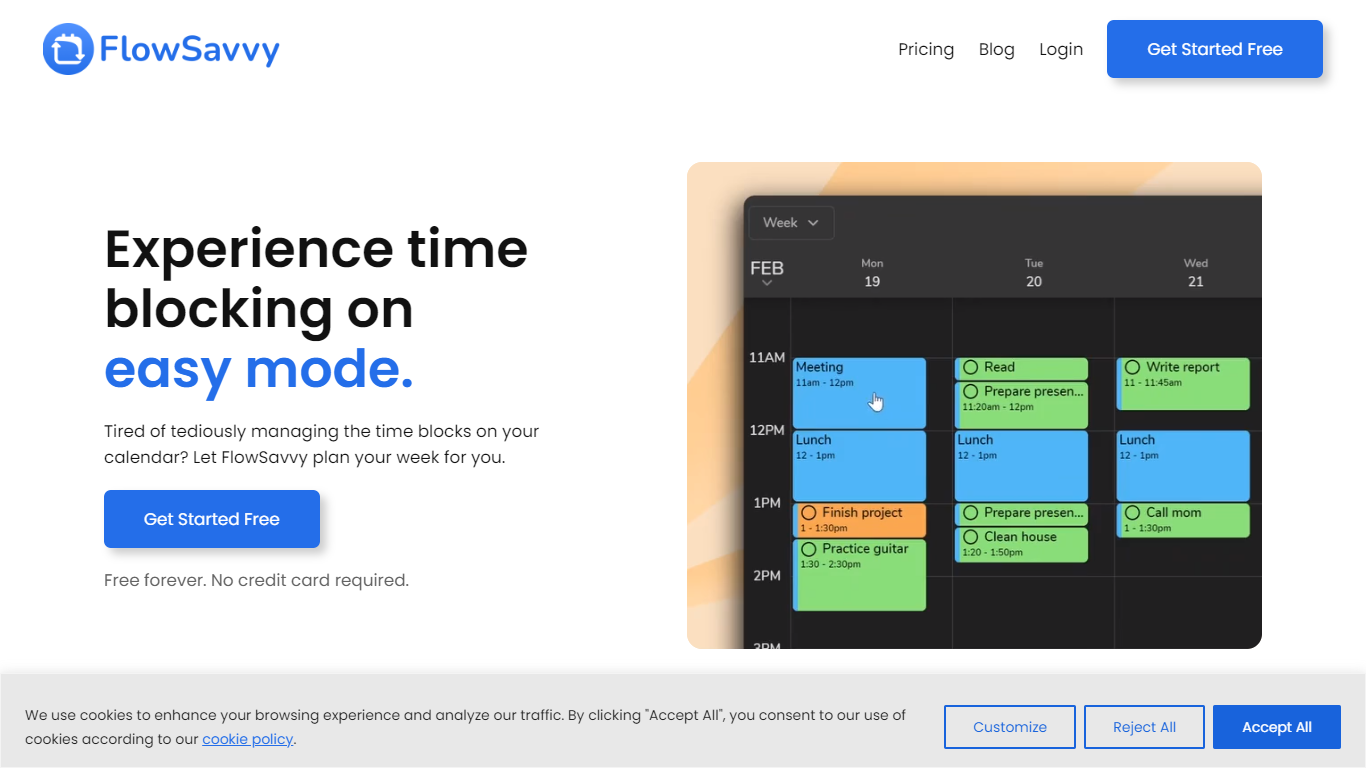
FlowSavvy offers a fresh take on time management by automating time blocking and task scheduling to reduce stress and manual effort. It acts like a digital assistant that creates weekly plans and adjusts them automatically when your schedule changes, so you don’t have to constantly rearrange tasks yourself. The platform supports habit building by letting you set recurring tasks that fit your lifestyle and work hours, helping you maintain a healthy work-life balance. It integrates smoothly with popular calendars like Google, iCloud, and Outlook, keeping all your appointments and tasks in one place. The interface is clean and easy to use, with color-coded tasks that give you a quick view of your workload. FlowSavvy is accessible on all devices and lets you start for free without needing a credit card. This makes it a practical tool for anyone looking to organize their time more effectively without the hassle of manual scheduling. Whether you’re a busy professional, a student, or managing a household, FlowSavvy adapts to your needs and helps you stay on track effortlessly.
Hyper Notepad Upvotes
FlowSavvy Upvotes
Hyper Notepad Top Features
Create and share unlimited notes with unique links, no account required
Notes encrypt at rest with optional password protection and auto-expiry timers
Premium adds image uploads, tables, live inline math, and custom themes from $3.99 per month
Rich text editor with code blocks, autosave, and download or print support
Light and dark mode with cross-device access when you sign in
FlowSavvy Top Features
🗓️ Automatic weekly planning that adjusts as your schedule changes
🔄 Smart recurring tasks to build and maintain good habits
📅 Syncs with Google, iCloud, and Outlook calendars for unified scheduling
🎨 Color-coded tasks for quick workload visualization
📱 Available on all devices with no credit card required to start
Hyper Notepad Category
- Productivity
FlowSavvy Category
- Productivity
Hyper Notepad Pricing Type
- Freemium
FlowSavvy Pricing Type
- Freemium