Hyper Notepad vs TabMate
Explore the showdown between Hyper Notepad vs TabMate and find out which AI Productivity tool wins. We analyze upvotes, features, reviews, pricing, alternatives, and more.
In a face-off between Hyper Notepad and TabMate, which one takes the crown?
When we contrast Hyper Notepad with TabMate, both of which are exceptional AI-operated productivity tools, and place them side by side, we can spot several crucial similarities and divergences. There's no clear winner in terms of upvotes, as both tools have received the same number. The power is in your hands! Cast your vote and have a say in deciding the winner.
Don't agree with the result? Cast your vote and be a part of the decision-making process!
Hyper Notepad


What is Hyper Notepad?
Hyper Notepad is a browser-based productivity notepad for writing, saving, and sharing notes without installing software. You open the page, start typing, and get a unique link to share the note with anyone. Notes are encrypted at rest, autosave as you type, and work on desktop or mobile browsers.
Unlike Google Docs or Notion, Hyper Notepad stays intentionally lightweight. There are no workspaces, databases, or collaboration threads. You trade team features for zero-friction sharing, optional password locks, and auto-expiring notes that delete themselves after a set time.
It suits students, freelancers, and teams who need a quick scratchpad or a shareable doc without accounts. Writers who want rich text, code blocks, and optional Premium extras like tables, image embeds, and custom themes can upgrade when the free tier is not enough.
TabMate
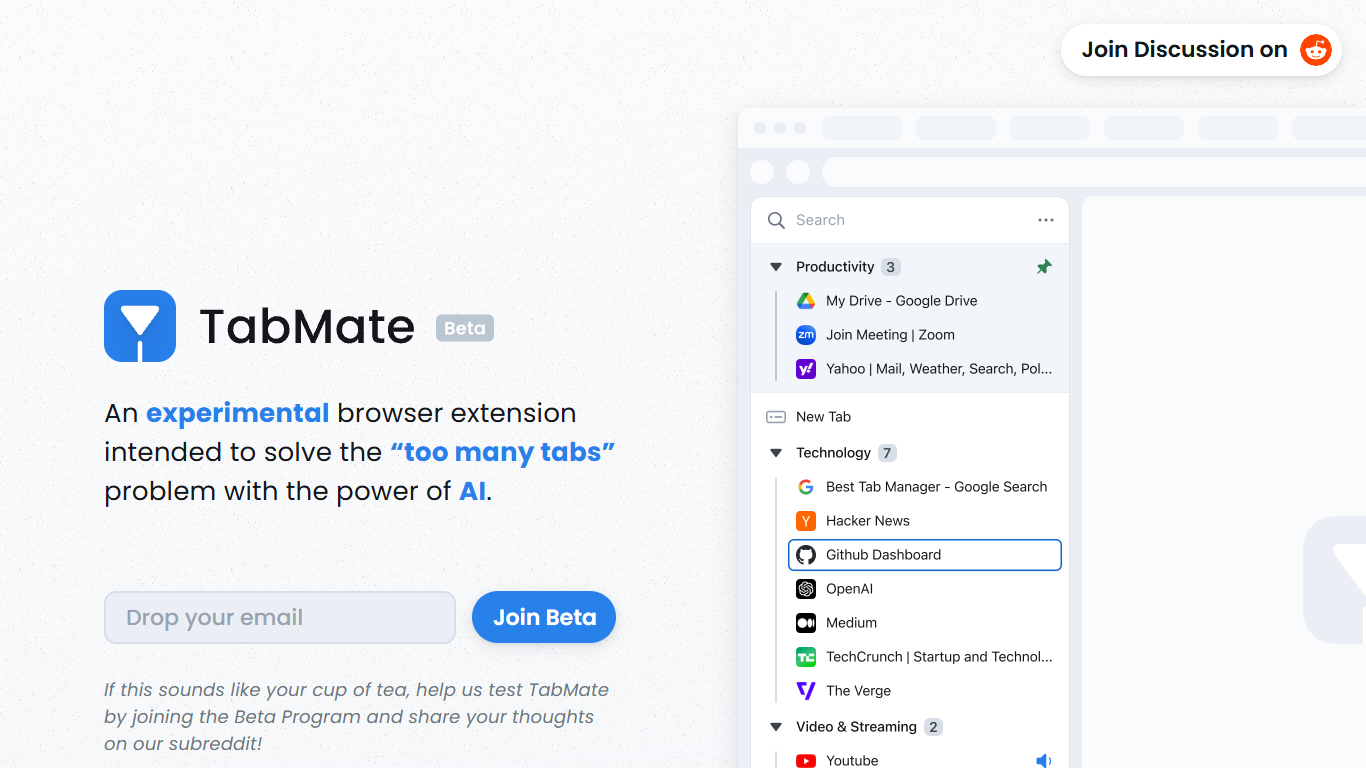
What is TabMate?
TabMate is a browser extension that uses AI to categorize and organize open tabs when you have too many. It is built for people who keep dozens of tabs open while researching, comparing options, or jumping between projects and want a cleaner browser without closing everything.
You browse normally and open tabs as usual. TabMate then groups and categorizes those tabs automatically, and you can reorganize, pin, or label groups however you like. The site describes it as an experimental approach to the classic too many tabs problem.
TabMate runs in Chrome and most Chromium-based browsers, including Edge, Brave, and Vivaldi, on macOS and Windows. The product is currently available through a beta program on the TabMate website.
Hyper Notepad Upvotes
TabMate Upvotes
Hyper Notepad Top Features
Create and share unlimited notes with unique links, no account required
Notes encrypt at rest with optional password protection and auto-expiry timers
Premium adds image uploads, tables, live inline math, and custom themes from $3.99 per month
Rich text editor with code blocks, autosave, and download or print support
Light and dark mode with cross-device access when you sign in
TabMate Top Features
AI auto-categorizes open tabs so you can declutter without closing them
Customize which tabs and sites the AI groups together
Pin tabs and groups to keep important pages at the top
Keyboard shortcuts let you manage tabs mostly without a mouse
Group tabs by date, domain, or nested tree structures
Dark and black mode for late-night browsing sessions
Hyper Notepad Category
- Productivity
TabMate Category
- Productivity
Hyper Notepad Pricing Type
- Freemium
TabMate Pricing Type
- Free