Image Caption Generator vs Magic Brush AI
In the contest of Image Caption Generator vs Magic Brush AI, which AI Design tool is the champion? We evaluate pricing, alternatives, upvotes, features, reviews, and more.
If you had to choose between Image Caption Generator and Magic Brush AI, which one would you go for?
When we examine Image Caption Generator and Magic Brush AI, both of which are AI-enabled design tools, what unique characteristics do we discover? There's no clear winner in terms of upvotes, as both tools have received the same number. Join the aitools.fyi users in deciding the winner by casting your vote.
Don't agree with the result? Cast your vote and be a part of the decision-making process!
Image Caption Generator

What is Image Caption Generator ?
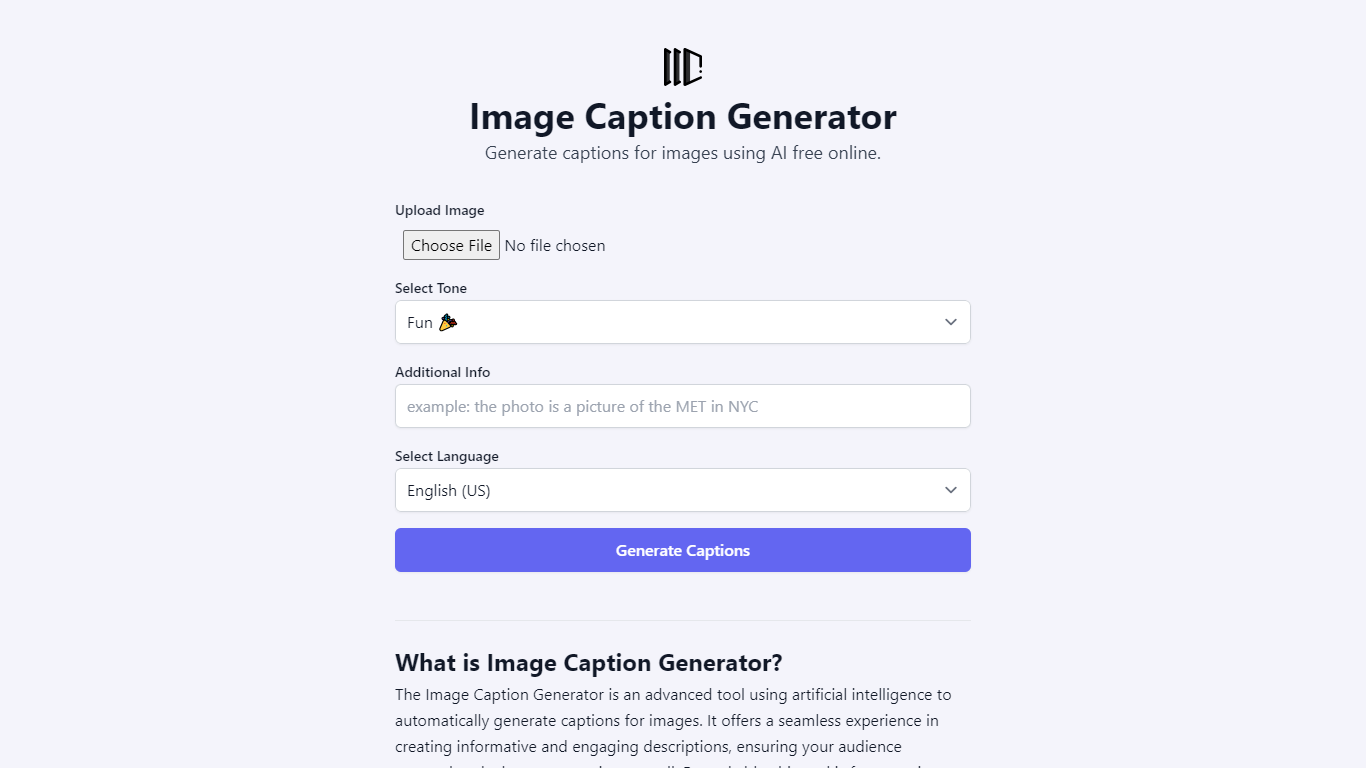
Image Caption Generator is a free browser tool that turns uploaded photos into captions, alt text, filenames, or social posts. You pick a tone, language, and optional context, and the site sends your image to a large language model without storing the file on its servers.
The interface supports PNG, JPG, GIF, and HEIC uploads with drag-and-drop. You can choose from more than twenty tone presets (from accurate blog captions to witty or sarcastic social copy) and generate output in dozens of languages. Model options on the page include Gemini 3.1 Flash Lite, Claude Haiku 4.5, Llama 4 Scout, and Qwen 3.6 Plus.
It fits social media managers, bloggers, and marketers who need quick captions or accessible alt text without signing up. The site is built by RightBlogger and points to a paid upgrade on RightBlogger for unlimited generations and autoblogging features.
Magic Brush AI

What is Magic Brush AI?
Magic Brush AI introduces an innovative AI-powered plugin specifically designed for Figma users who wish to enhance their design process. The Magic Brush AI plugin seamlessly integrates with Figma, allowing designers to generate and edit images directly within the application. If you're looking to speed up your design workflow and leverage artificial intelligence in your projects, Magic Brush AI offers a simple yet powerful solution. With easy installation and a user-friendly interface, Magic Brush expands creative possibilities without ever leaving your favorite design platform. Additionally, the community aspect is emphasized with an invitation to join their Discord, suggesting a focus on user engagement and support. Designed by Elie Toubiana from sunshine-filled Los Angeles, CA, Magic Brush AI is poised to transform how creatives interact with Figma and image editing.
Image Caption Generator Upvotes
Magic Brush AI Upvotes
Image Caption Generator Top Features
Upload PNG, JPG, GIF, or HEIC and get captions in seconds with no account
Twenty-plus tone presets from accurate blog captions to witty, sarcastic, or poetic styles
Dedicated modes for alt text and SEO-friendly filename suggestions
Pick from Gemini 3.1 Flash Lite, Claude Haiku 4.5, Llama 4 Scout, or Qwen 3.6 Plus
Generate captions in 40+ languages including English, Spanish, Hindi, Arabic, and Japanese
Magic Brush AI Top Features
AI Powered Plugin: A convenient Figma plugin that utilizes AI for image generation and editing.
Seamless Integration: Integrates with Figma for a streamlined design workflow.
Easy Installation: Simple process to install the plugin directly on Figma.
Community Support: Access to a Discord community for networking and support.
Frequent Updates: Continual improvements and feature additions to enhance user experience.
Image Caption Generator Category
- Design
Magic Brush AI Category
- Design
Image Caption Generator Pricing Type
- Free
Magic Brush AI Pricing Type
- Freemium