
Last updated 07-23-2026
Category:
Reviews:
Join thousands of AI enthusiasts in the World of AI!
Image Caption Generator
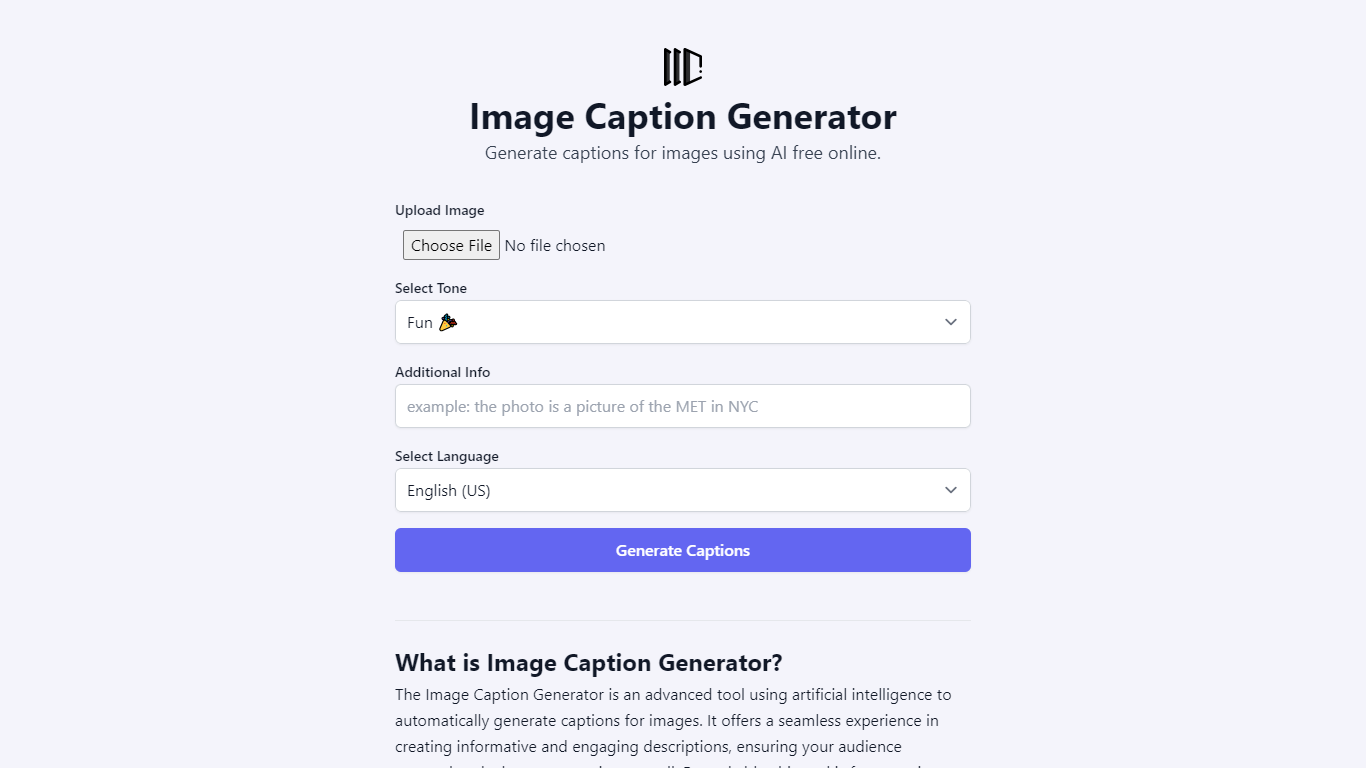
Image Caption Generator is a free browser tool that turns uploaded photos into captions, alt text, filenames, or social posts. You pick a tone, language, and optional context, and the site sends your image to a large language model without storing the file on its servers.
The interface supports PNG, JPG, GIF, and HEIC uploads with drag-and-drop. You can choose from more than twenty tone presets (from accurate blog captions to witty or sarcastic social copy) and generate output in dozens of languages. Model options on the page include Gemini 3.1 Flash Lite, Claude Haiku 4.5, Llama 4 Scout, and Qwen 3.6 Plus.
It fits social media managers, bloggers, and marketers who need quick captions or accessible alt text without signing up. The site is built by RightBlogger and points to a paid upgrade on RightBlogger for unlimited generations and autoblogging features.
Upload PNG, JPG, GIF, or HEIC and get captions in seconds with no account
Twenty-plus tone presets from accurate blog captions to witty, sarcastic, or poetic styles
Dedicated modes for alt text and SEO-friendly filename suggestions
Pick from Gemini 3.1 Flash Lite, Claude Haiku 4.5, Llama 4 Scout, or Qwen 3.6 Plus
Generate captions in 40+ languages including English, Spanish, Hindi, Arabic, and Japanese
No account or signup needed to generate captions.
Supports alt text, filename, and social caption modes in one interface.
Offers four selectable LLM models and optional context for finer control.
No paid tier on this domain; advanced unlimited features require RightBlogger.
Single-page site with no dedicated pricing, docs, or API pages.
Image data is sent to external LLMs, which may matter for sensitive visuals.
Is Image Caption Generator free to use?
Yes. Image Caption Generator is free with no login required. The site describes itself as completely free for online caption generation. A separate paid upgrade exists on RightBlogger for unlimited access and autoblogging.
What image formats does Image Caption Generator support?
Image Caption Generator accepts PNG, JPG, GIF, and HEIC files. You can upload by clicking or dragging and dropping an image into the uploader on the homepage.
Does Image Caption Generator store my uploaded images?
No. Image Caption Generator states that it does not store uploaded images. Image data is sent to a large language model for caption generation and is not kept on the site.
What AI models can I use on Image Caption Generator?
Image Caption Generator lets you choose between Gemini 3.1 Flash Lite, Claude Haiku 4.5, Llama 4 Scout, and Qwen 3.6 Plus before generating captions. You can also add optional context to refine the output.
Can Image Caption Generator write alt text for accessibility?
Yes. Image Caption Generator includes an Accurate tone for blog captions and a dedicated Alt Text mode. The site also lists alt text generation and filename suggestions among its use cases for accessibility and SEO.
What languages does Image Caption Generator support?
Image Caption Generator supports more than 40 languages, including English (US and UK), Spanish, Chinese, Hindi, Arabic, French, German, Japanese, Korean, and Portuguese. You select the language before generating captions.