Lexica vs Drag Your GAN
Dive into the comparison of Lexica vs Drag Your GAN and discover which AI Image Generation Model tool stands out. We examine alternatives, upvotes, features, reviews, pricing, and beyond.
When comparing Lexica and Drag Your GAN, which one rises above the other?
When we compare Lexica and Drag Your GAN, two exceptional image generation model tools powered by artificial intelligence, and place them side by side, several key similarities and differences come to light. The users have made their preference clear, Drag Your GAN leads in upvotes. Drag Your GAN has 8 upvotes, and Lexica has 6 upvotes.
Think we got it wrong? Cast your vote and show us who's boss!
Lexica
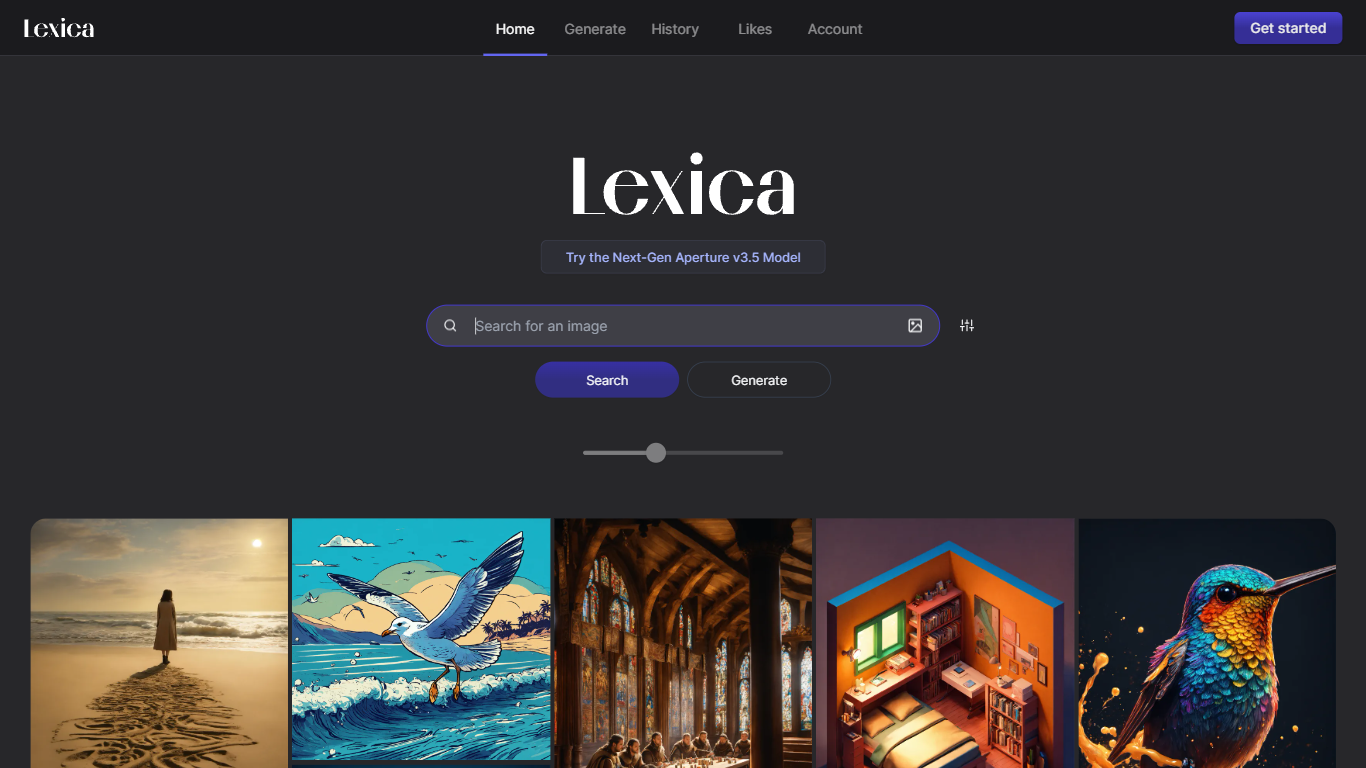

What is Lexica?
Lexica lets you search a massive gallery of AI-generated art, inspect the prompts behind each image, and create new visuals with its Lexica Aperture model. The Generate workspace defaults to 960 by 1440 output, and every prompt submission spends four image credits before results appear.
Unlike general chat tools that bolt on image buttons, Lexica built its reputation as a prompt search engine first. You can reverse-engineer styles from existing images, then move into Aperture generation with fast and slow queues, custom aspect ratios, and optional image uploads. Starter and Pro images stay public in search; only the Max plan keeps generations private by default.
Artists, designers, marketers, and hobbyists use Lexica to explore visual ideas and produce commercial-ready assets under plan-specific licenses. Paid plans are required to generate images because Lexica does not offer a free tier, though subscribers can buy extra fast generations at $0.05 each when monthly limits run out.
Drag Your GAN
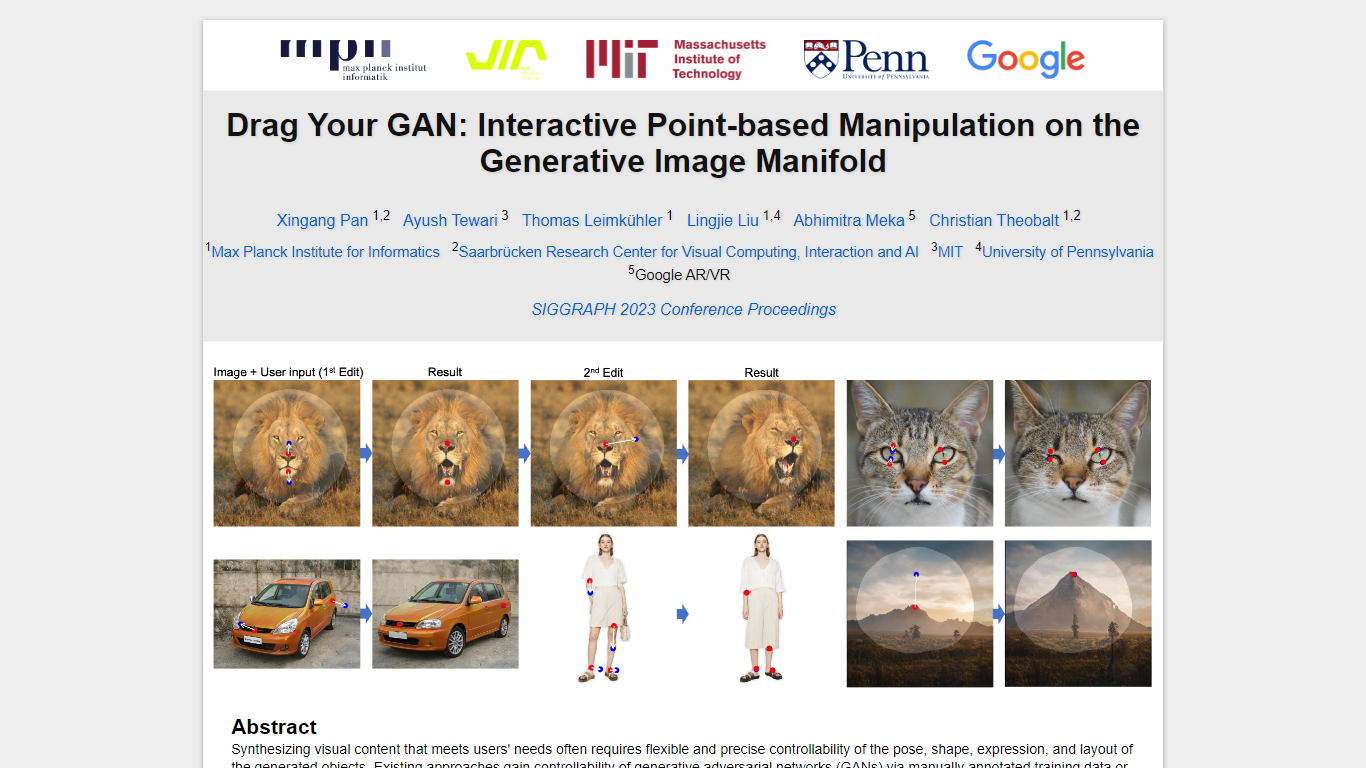
What is Drag Your GAN?
Drag Your GAN lets you reshape a generated image by dragging handle points to target spots on the canvas. Instead of training on labeled pose data or 3D priors, DragGAN moves pixels inside a pretrained GAN's image manifold so edits stay photorealistic even when occluded regions get hallucinated. The project page hosts the SIGGRAPH 2023 paper, demo clips, and links to open source code.
Most GAN editors rely on fixed training annotations or 3D meshes, which limits what you can deform. DragGAN pairs feature-based motion supervision with discriminative point tracking so handle points follow your cursor while staying on the object surface. That makes it useful for nudging animal poses, facial expressions, car angles, and landscape layouts without retraining the generator.
Researchers, graphics students, and computer vision engineers use it to prototype interactive image editing workflows. The Max Planck Institute page distributes the paper PDF and GitHub repo under a non-commercial Creative Commons license, with contact details for the lead author.
Lexica Upvotes
Drag Your GAN Upvotes
Lexica Top Features
Lexica Aperture generates images at a default 960 by 1440 resolution
Each prompt submission uses 4 image generation credits across all plans
Starter plan includes 1,000 fast generations per month for $8 billed annually
Pro plan adds 3,000 fast generations, unlimited slow queue access, and full commercial license for $24 per month
Max plan provides 7,000 fast generations and private images that stay out of Lexica search
Buy extra fast generations at $0.05 each without expiration while your subscription stays active
Search engine lets you browse public images and study the prompts that created them
Drag Your GAN Top Features
Drag handle points to target positions for precise pixel-level control
Feature-based motion supervision drives handles without 3D priors
Point tracking uses discriminative GAN features to localize handles
Deforms animals, cars, humans, landscapes, and inverted real photos
Open source code published at github.com/XingangPan/DragGAN
Paper and demo videos from SIGGRAPH 2023 Conference Proceedings
Lexica Category
- Image Generation Model
Drag Your GAN Category
- Image Generation Model
Lexica Pricing Type
- Paid
Drag Your GAN Pricing Type
- Free