Movavi vs EasyTranscribe
Explore the showdown between Movavi vs EasyTranscribe and find out which AI Video Editing tool wins. We analyze upvotes, features, reviews, pricing, alternatives, and more.
When comparing Movavi and EasyTranscribe, which one rises above the other?
When we contrast Movavi with EasyTranscribe, both of which are exceptional AI-operated video editing tools, and place them side by side, we can spot several crucial similarities and divergences. Interestingly, both tools have managed to secure the same number of upvotes. Your vote matters! Help us decide the winner among aitools.fyi users by casting your vote.
Want to flip the script? Upvote your favorite tool and change the game!
Movavi


What is Movavi ?
Movavi Video Editor 2024 enables users to create and edit videos with a variety of tools designed for both beginners and experienced creators. It provides features such as background removal, motion tracking, noise reduction, color correction, and video stabilization to enhance video projects.
What sets Movavi apart is its combination of over 6,000 effects and transitions with AI-powered tools that speed up editing tasks like cutting and overlay effects. This balance of extensive creative options and intelligent automation helps users produce polished videos efficiently.
The software supports a wide range of video formats and offers a drag-and-drop interface that simplifies applying filters, titles, and effects. Movavi also includes a free music library and tutorials to assist users in mastering video editing techniques.
Movavi Video Editor 2024 is designed primarily for Windows users who want to create engaging content such as travel videos, vlogs, or family memories without a steep learning curve. Its value lies in making powerful editing accessible while maintaining quality results.
Overall, Movavi stands out for its extensive effects, AI enhancements, and approachable design that help users bring their video ideas to life quickly and effectively.
EasyTranscribe
What is EasyTranscribe?
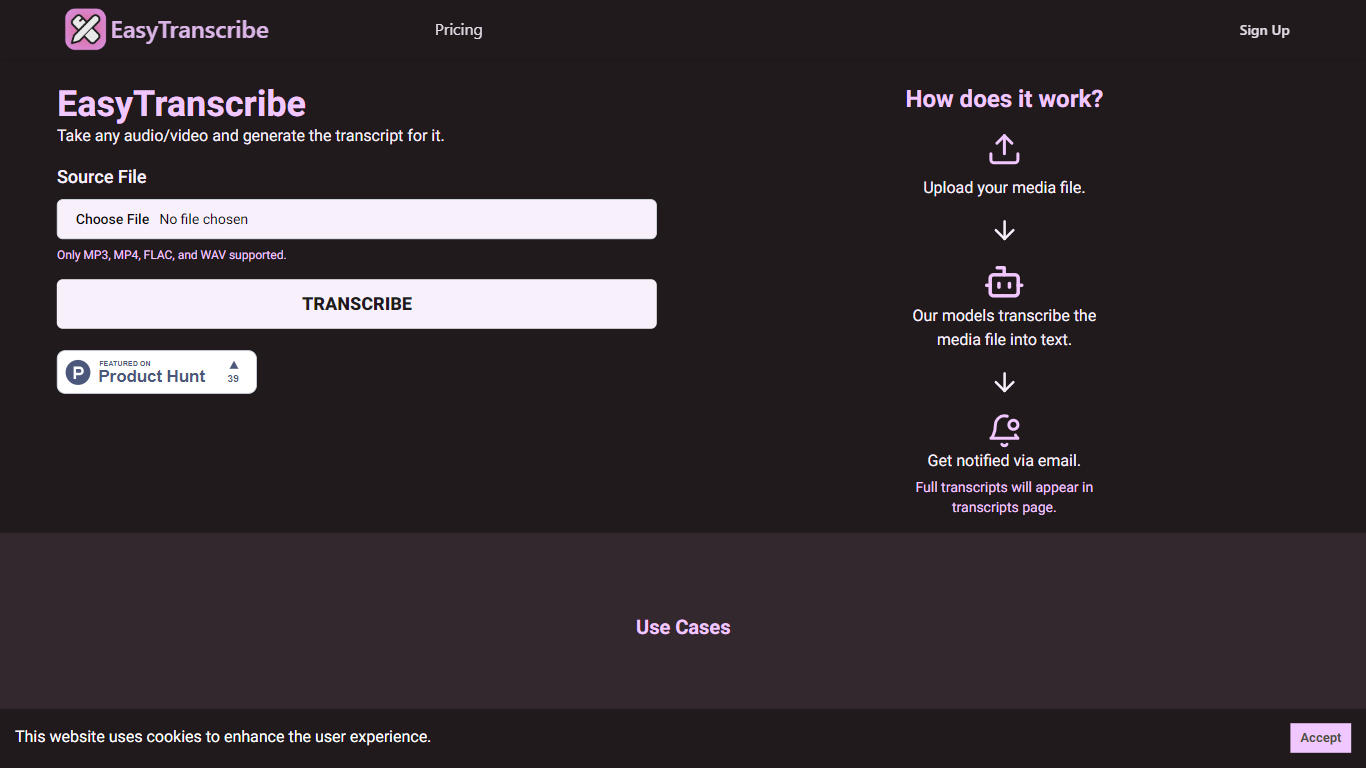
EasyTranscribe converts audio and video files into text by transcribing spoken words into written transcripts. It supports popular formats such as MP3, MP4, FLAC, and WAV, allowing users to upload various media files for transcription. After processing, transcripts are accessible on a dedicated page, and users receive email notifications when their files are ready.
What sets EasyTranscribe apart is its combination of multi-language and dialect support with a built-in transcript editor, enabling users to correct transcripts directly on the platform. It also offers syncing of transcripts with audio to enhance viewer engagement, which is not always available in basic transcription tools.
EasyTranscribe is designed for content creators, educators, podcasters, researchers, and video producers who need accurate and accessible transcripts quickly. Its simple interface requires no technical skills, making it easy to manage transcriptions and improve content accessibility for people with hearing impairments.
The platform focuses on automating transcription to save time and reduce manual note-taking or caption creation. By providing searchable, clear transcripts and ongoing improvements in speed and accuracy, EasyTranscribe supports efficient content management and accessibility needs.
Movavi Upvotes
EasyTranscribe Upvotes
Movavi Top Features
AI-powered video cutting speeds up editing tasks
Background removal tool for clean subject isolation
Motion tracking to follow objects smoothly in videos
Free music library included for adding soundtracks
Over 6,000 effects and transitions to customize videos
EasyTranscribe Top Features
🎧 Supports multiple audio and video formats including MP3, MP4, FLAC, and WAV
⏱️ Fast transcription with email notifications when transcripts are ready
📝 Built-in transcript editor for direct corrections and adjustments
🌍 Multi-language and dialect support for global transcription needs
🔗 Sync transcripts with audio to enhance viewer engagement
Movavi Category
- Video Editing
EasyTranscribe Category
- Video Editing
Movavi Pricing Type
- Freemium
EasyTranscribe Pricing Type
- Freemium